How to Convert Your Website into a Mobile App: The Complete Guide for 2026
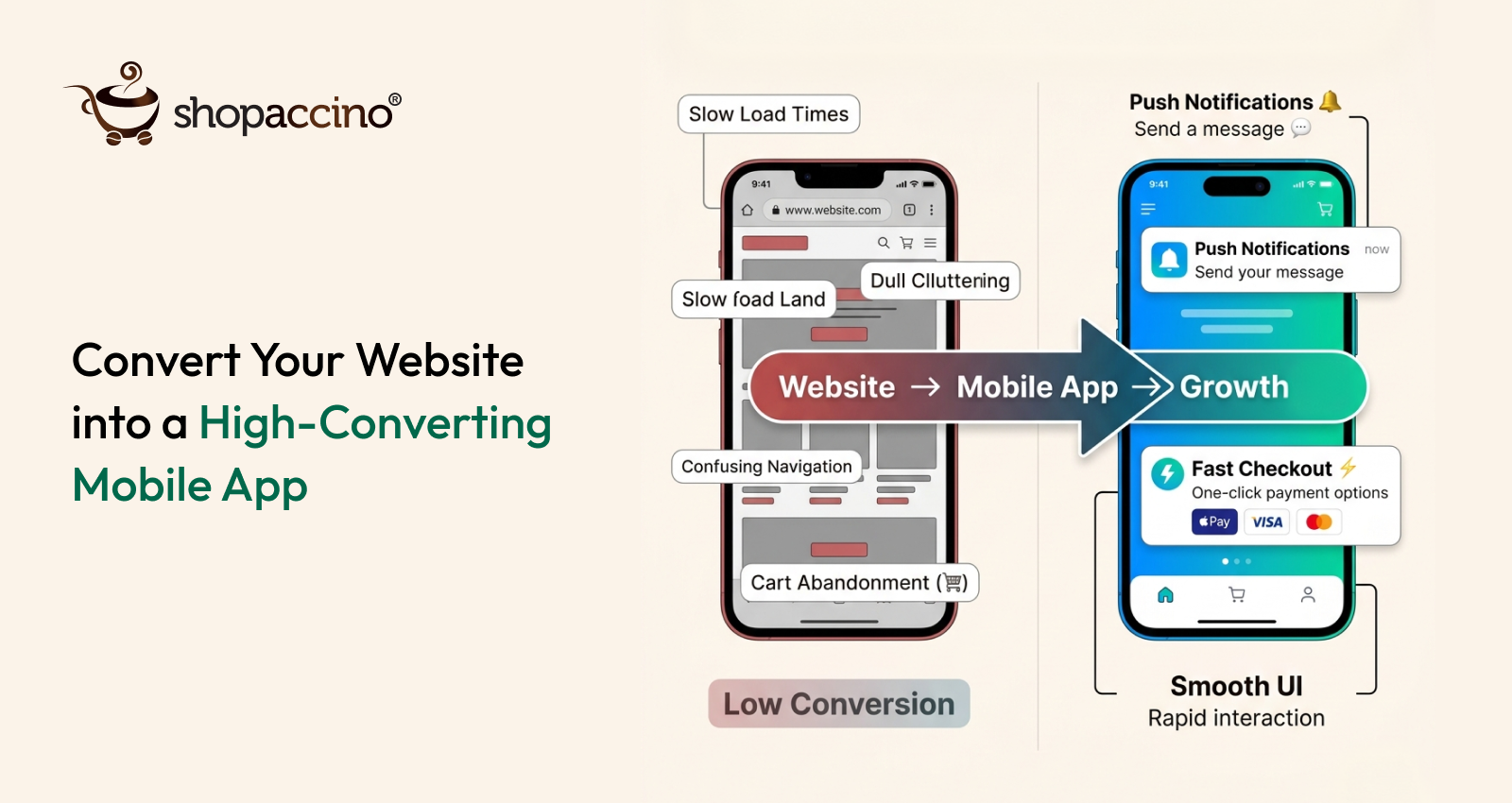
our website is working. Customers find it, browse it, and buy from it. You have put real effort into the design, the product pages, the checkout. And then you check your analytics and see that over 70% of your visitors are on mobile — and that those mobile visitors are converting at less than half the rate of your desktop users. That gap is not a traffic problem. It is a platform problem. And the solution is not to redesign your website again. It is to give your mobile buyers the experience they actually expect: a native mobile app.
The good news is that converting your website into a mobile app in 2026 does not mean starting from scratch. A mobile app builder can take your existing store, your product catalog, your branding, and your checkout — and turn all of it into a fully functional iOS and Android app in weeks. No development team. No six-figure budget. No year-long project. Just a properly built app that gives your mobile buyers a reason to convert, come back, and stay.
This guide covers the full process — why conversion matters, what your options are, how each method works, what to build for, and how to launch successfully.
Why Should You Convert Your Website into a Mobile App?
Most business owners already sense the answer to this question. But the numbers make it impossible to ignore.
The Mobile Conversion Gap Is Real and Measurable
Research published by Criteo found that ecommerce mobile apps convert at approximately three times the rate of mobile browsers. The reason is structural, not cosmetic. A native app loads faster because content is stored on the device. The checkout is smoother because payment credentials are saved. The navigation is designed for touch rather than adapted from desktop. Push notifications bring buyers back who would otherwise not return. None of these advantages exist in a mobile browser.
If your store is processing 1,000 orders a month through mobile browsers at a 1.5% conversion rate, a shift to app-level conversion of 4.5% with the same traffic means 3,000 orders per month. That is not a marginal improvement. It is a transformation of your business economics.
Apps Create a Permanent Brand Presence on the Device
When a buyer installs your app, your brand icon sits on their home screen. They see it every time they unlock their phone. This is not advertising — it is presence. And presence drives purchase frequency in ways that are difficult to attribute precisely but unmistakable in practice. Buyers with your app installed purchase more often and at higher average order values than those who shop through your mobile website.
Push Notifications Are the Channel Mobile Browsers Cannot Provide
No other marketing channel gives you the ability to reach a buyer directly on their device with a single tap to your store. Email has open rate friction. Social media has algorithm friction. A push notification has neither. When you send an abandoned cart reminder two hours after a buyer left without purchasing, or a back-in-stock alert for a product they viewed three times, you are reaching them at exactly the right moment with exactly the right message. That is only possible through an app.
App Store Discovery Is a New Acquisition Channel
Your website competes for Google ranking. Your app also competes for App Store and Google Play ranking — a completely separate search channel that your website does not access at all. Buyers searching for stores in your category through the App Store are buyers you are currently invisible to. A live, well-optimised app listing changes that.
Converting your website to a mobile app is not about replicating your website on a smaller screen. It is about adding a direct marketing channel, a loyalty mechanism, and a conversion engine that a website structurally cannot provide.
What Are the Different Ways to Convert a Website into a Mobile App?
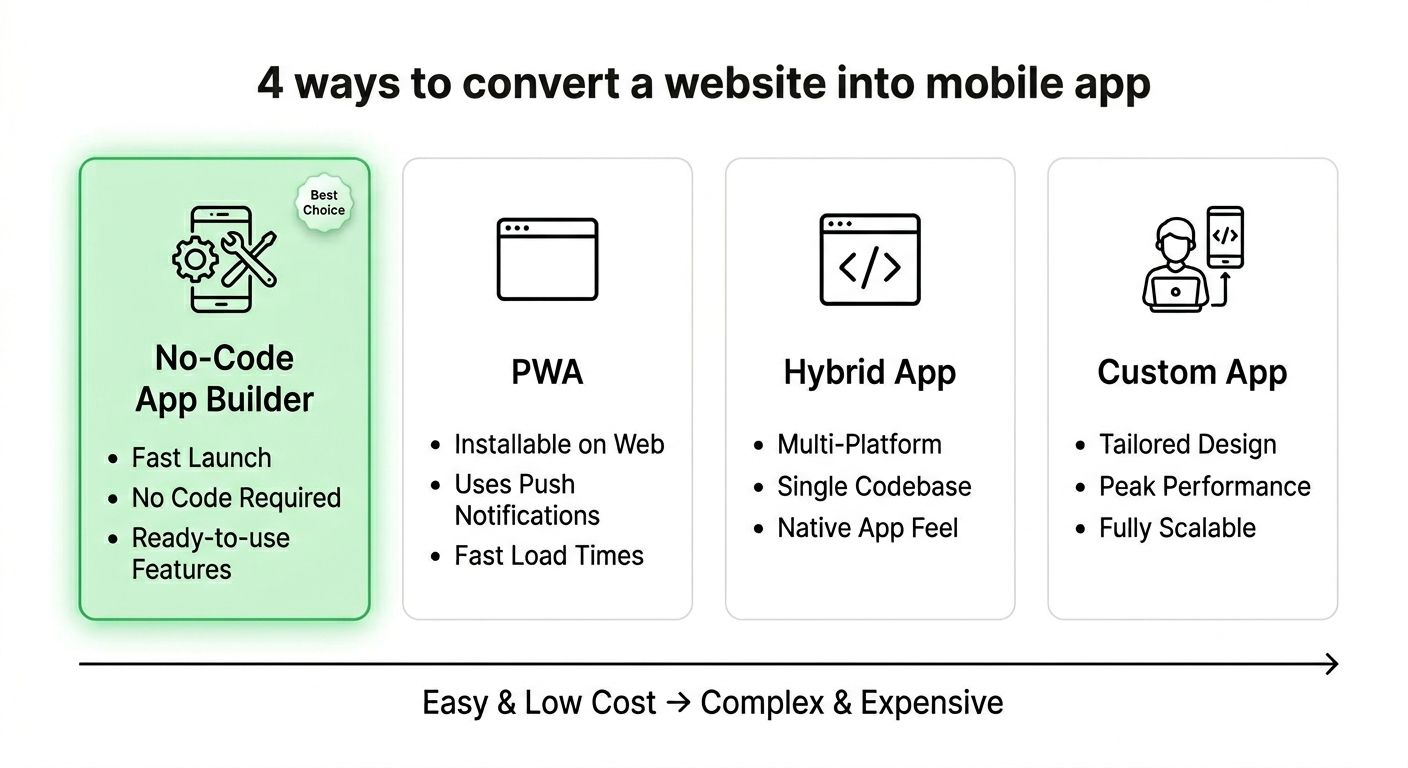
There are four approaches to website-to-app conversion. Each has a different trade-off between cost, time, control, and capability.
Option 1: No-Code Mobile App Builder
A mobile app builder is the most accessible and fastest path for most ecommerce businesses. You connect the builder to your existing website or ecommerce platform, configure your branding and layout, set up push notifications and payment options, and the builder generates a native app for both iOS and Android. Launch timelines of two to four weeks are realistic. Monthly subscription costs replace one-time development budgets.
The key distinction between app builders is whether they produce a true native app or a web-wrapped hybrid. Native apps — built with iOS and Android code — perform significantly better than hybrids that wrap a website in an app shell. When evaluating a builder, verify whether the output is native or hybrid before committing.
Option 2: Progressive Web App (PWA)
A Progressive Web App is a website built with modern web technologies that allows it to be installed on a home screen and work offline for some functions. PWAs are faster to implement than native apps and do not require App Store submission. The limitations are significant for ecommerce: no push notifications on iOS, no App Store discoverability, and a performance ceiling below what native apps deliver. PWAs are a useful intermediate step, not a complete solution.
Option 3: Custom Native App Development
Custom development means building your app from scratch with a development team. You get complete control over every feature, interaction, and integration. Timelines run six to twelve months and budgets start in the tens of thousands. This approach is justified when your requirements are genuinely unique — complex product configurators, AR features, or proprietary backend integrations that no builder supports. For most ecommerce businesses, it is more than they need and slower than they can afford.
Option 4: Hybrid App Development
Hybrid development uses frameworks like React Native or Flutter to write a single codebase that runs on both iOS and Android. It is faster and cheaper than fully custom native development but more complex than a no-code builder. Performance is generally good but not quite at the level of a fully native app. This is a reasonable middle ground for businesses with specific feature requirements that a builder cannot meet but who cannot justify full custom development cost and timeline.
|
Method |
Time to Launch |
Cost Level |
Best For |
|---|---|---|---|
|
No-Code App Builder |
2–4 weeks |
Low (subscription) |
Most ecommerce businesses |
|
Progressive Web App |
1–3 weeks |
Low–Medium |
Budget-constrained basic mobile need |
|
Hybrid Development |
3–6 months |
Medium |
Specific feature needs, mid budget |
|
Custom Native Dev |
6–12 months |
High |
Unique complex requirements, large budget |
How Does a Mobile App Builder Convert Your Website Into an App?
Most business owners are surprised by how straightforward this process actually is when using a quality mobile app builder. Here is what happens at each stage.
Stage 1: Platform Connection and Data Sync
The first step is connecting the builder to your ecommerce platform. Quality builders integrate directly with the major platforms, pulling your product catalog, inventory levels, pricing, customer accounts, and order history automatically through a live API connection. This is not a one-time data import — it is a continuous sync. When you update a product in your store backend, the app reflects the change immediately without any manual action.
This live sync is what makes a website to app conversion practical for a real business. You do not maintain two separate systems. You maintain one — your store — and the app mirrors it automatically.
Stage 2: Brand Configuration and Design
After connection, you configure how your app looks and feels. This includes your brand colours, typography, and logo, your home screen layout — banners, product carousels, category tiles — and your navigation structure. Most builders use a visual drag-and-drop interface for this, so you are making design decisions rather than writing configuration code.
The goal at this stage is brand consistency. Your app should feel unmistakably like your brand — the same visual identity as your website, your packaging, and your social presence. Buyers who move between your website and your app should experience the same brand, not notice a disconnect.
Stage 3: Feature Configuration
Once the design is configured, you set up the specific features that drive app revenue. This is where most of the commercial value is determined:
- Push notifications: Configure your automated notification sequences — welcome, abandoned cart, back-in-stock, order status updates, promotional campaigns
- Payment setup: Connect your payment gateways and enable one-tap options like Apple Pay and Google Pay for the fastest possible checkout
- Wishlist and save-for-later: Enable buyers to save products they are not ready to purchase, creating future purchase intent
- Product recommendations: Configure how the app surfaces relevant products based on browse and purchase history
- Loyalty program: If your store has a loyalty or rewards program, ensure it integrates with the app so points are visible and redeemable in-app
- Search and filtering: Configure how buyers navigate your catalog — particularly important for stores with large product ranges
Stage 4: Testing on Real Devices
This stage is non-negotiable and frequently underinvested. Test your app on at least one mid-range Android device and one older iPhone model before submission — not just on the device you personally use, which is likely a high-spec model that makes everything look good. Your buyers are using the full range of devices, and your app needs to perform well across them.
Test every critical user journey: browsing the catalog, using search, viewing a product with multiple variants, adding to cart, completing checkout with each payment method, viewing order history, and receiving a push notification. If any step is slow, confusing, or broken on a real device, fix it before submission.
Stage 5: App Store and Google Play Submission
Submitting to the Apple App Store requires an Apple Developer account ($99 per year). Submitting to Google Play requires a Google Play Developer account (one-time $25 fee). Both platforms require specific metadata: app name, description, screenshots in precise dimensions, a privacy policy URL, and category classification.
Apple's review process typically takes one to three business days. Google Play is generally faster. A rejected submission resets the timeline, so ensure you have met all platform requirements before submitting. Quality app builders guide you through this process with checklists and templates, and some handle submission on your behalf.
Treat App Store optimisation with the same seriousness as website SEO. Your app name, description, and screenshots all affect discoverability in App Store searches. Buyers who find you through the App Store are buyers your website never reached.
What Should You Build Into Your App to Maximise Revenue?
The conversion from website to app is the beginning. The features you build into the app determine whether it becomes a significant revenue channel or just an alternative way for existing buyers to do what they were already doing.
Abandoned Cart Push Notifications
This is the highest-ROI feature in any ecommerce mobile app. When a buyer adds items to their cart and leaves without purchasing, a push notification sent two to three hours later recovers a meaningful percentage of those carts. Industry data consistently shows recovery rates of 5 to 15% of abandoned carts through push notifications. At scale, this single automation generates more revenue than most paid advertising campaigns at a fraction of the cost.
Personalised Home Screen Experience
A home screen that shows each user products relevant to their specific browse and purchase history converts at higher rates than one showing the same generic catalog to everyone. Start with category-based personalisation if full behaviour-based personalisation is not immediately available. As your user base grows and data accumulates, invest in more sophisticated recommendation logic.
One-Tap Reordering
For repeat-purchase categories — beauty, supplements, home essentials, food, B2B supplies — the ability to reorder from previous purchase history in one or two taps is commercially significant. It removes the entire browsing phase from a transaction that was always going to happen, reducing the time from intent to completed purchase and increasing the certainty that the buyer completes with you rather than someone else.
In-App Loyalty and Rewards
When your loyalty program is visible and usable within the app — with buyers seeing their current points balance, the value of pending rewards, and the products or offers they can unlock — it gives buyers a reason to open the app regularly that is independent of any immediate purchase need. This drives session frequency, which drives purchase frequency over time.
Deep Linking From Push Notifications
A push notification that opens the app to the home screen is a missed opportunity. Deep linking takes buyers directly to the specific product, collection, or offer mentioned in the notification. When a back-in-stock alert opens directly to the product page with an add-to-cart button visible immediately, the conversion rate on that notification is dramatically higher than one that drops the buyer on the home screen and expects them to navigate there themselves.
The apps that generate the highest revenue per user are the ones that reduce the number of steps between the buyer's intent and the completed purchase. Every unnecessary screen or decision point costs you conversions.
What Are the Most Common Mistakes When Converting a Website to a Mobile App?
Most of the failures in mobile app development for ecommerce are avoidable. They fall into predictable patterns.
Treating the App as a Replica of the Website
The most common mistake is building an app that simply reproduces the website on a smaller screen. An app is a different environment with different user expectations. Navigation should be simpler. Product discovery should be faster. Checkout should require fewer steps. If your app design process consists of making your website fit a phone screen, you are producing an app that delivers website-level conversion, not app-level conversion.
Launching Without Push Notification Sequences Configured
Many businesses launch their app and plan to set up push notifications “later.” Later rarely comes with the same urgency as before launch. Every buyer who installs your app before your abandoned cart sequence is live is a buyer who could have been recovered but was not. Configure your automated notification sequences before launch, not after.
Underinvesting in the App Store Listing
Your App Store listing is your app's storefront. Buyers discover your app through App Store searches, through App Store browsing, and through links shared by existing users. A listing with generic screenshots, a weak description, and no clear value proposition drives fewer downloads per impression than one that clearly communicates what makes your app worth installing. Invest in this as you would invest in your website's homepage.
Not Testing on the Devices Your Buyers Actually Use
Testing only on your own device — which is likely a recent, high-spec model — leaves you blind to performance issues on mid-range and older devices. A significant portion of your buyers use devices that are two to four years old. If your app is slow or buggy on those devices, those buyers leave and do not return. Test on a representative range of devices before every major update, not just at launch.
Building Without a Download Strategy
An app with no users delivers no value. Many businesses focus entirely on building the app and treat the download strategy as an afterthought. Your existing email subscribers, social media followers, and website visitors are your most receptive audience for app adoption. Plan your launch campaign before your app goes live so that you can drive meaningful installs in the first week rather than waiting for organic discovery.
How Does Shopaccino Make Website to App Conversion Simple?
For businesses using Shopaccino as their ecommerce platform, converting to a mobile app does not involve a separate integration project. The mobile app is part of the same platform as your online store, your wholesale buyer portal, and your order management system.
Your product catalog, inventory, pricing, customer accounts, loyalty program, and order history are shared between your web store and your branded app without any synchronisation work. When you update a product, it reflects in the app immediately. When an order is placed through the app, it appears in the same dashboard as web orders. When a buyer earns loyalty points through the app, those points are visible and redeemable across every channel.
The mobile app builder built into Shopaccino produces native iOS and Android apps — not hybrid web wrappers. It includes push notification capability with abandoned cart recovery, back-in-stock alerts, and promotional campaign tools. It supports wishlist functionality, personalised product recommendations, one-tap reordering, and in-app loyalty program integration. For businesses that sell both direct to consumers and wholesale to trade buyers, both the consumer app and the wholesale buyer portal run from the same Shopaccino dashboard.
Internal link suggestion: See also — 'Mobile App Builder for Your Ecommerce Store', 'How to Create a Shopping App for Your Online Store', and '10 Benefits of Using B2B Ecommerce Software for Manufacturers' on the Shopaccino blog.
How Do You Drive App Downloads After Launch?
Email Your Existing Customers First
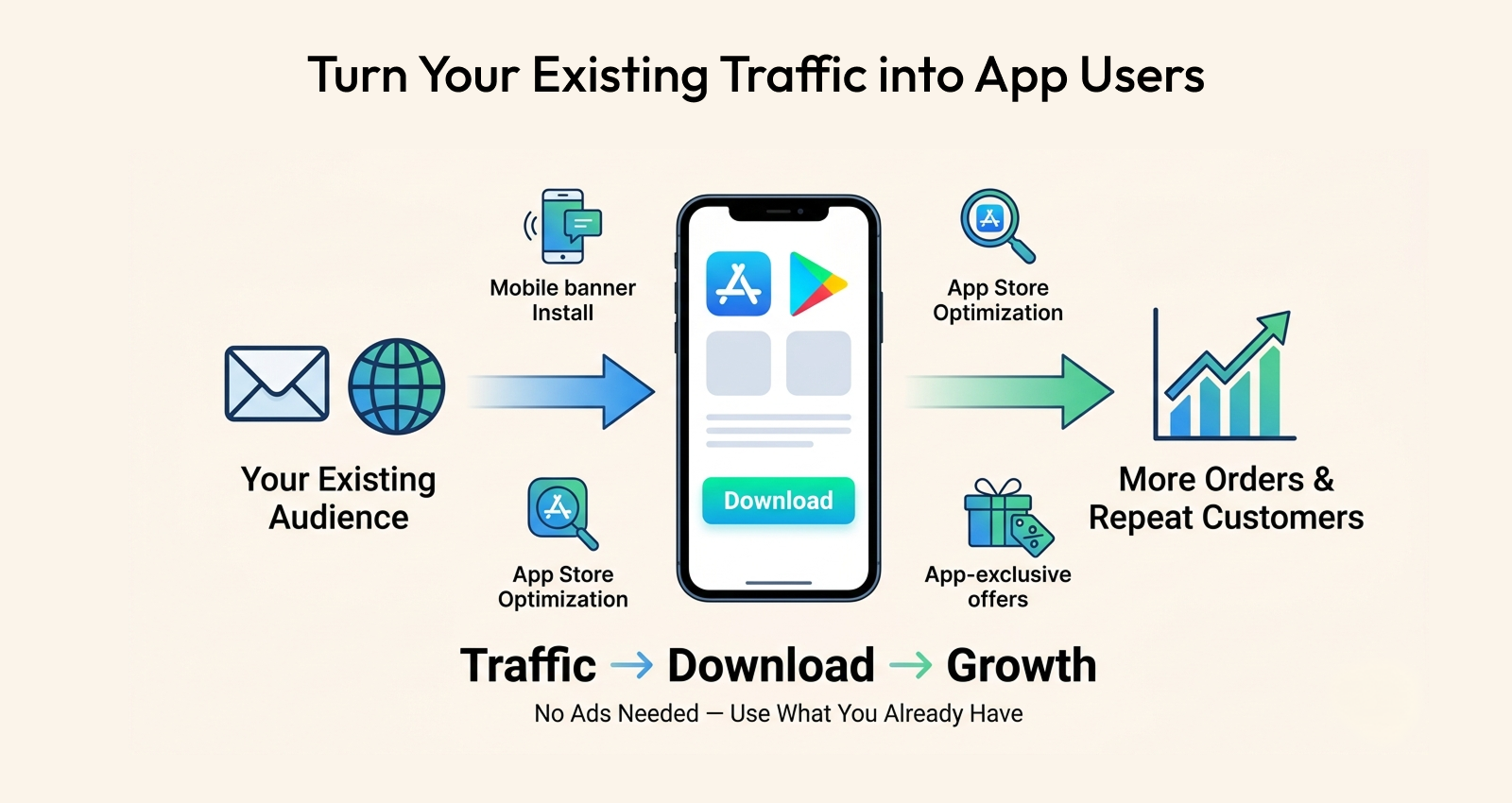
Your email list is your most valuable launch audience. They already trust your brand and are predisposed to engage with a new channel from you. Send a clear launch announcement with a specific, compelling reason to download — an app-exclusive discount on their first in-app order, early access to an upcoming collection, or a loyalty point bonus for existing program members. A well-executed email launch typically drives several hundred installs in the first 48 hours at near-zero cost.
Add a Download Banner to Your Mobile Website
Every visitor to your website on a mobile device is a potential app installer. A prominent banner at the top of your mobile site — with a clear one-line value proposition and a direct link to your App Store listing — converts existing mobile traffic into app users passively. This does not require any advertising spend. It converts traffic you are already generating.
Make Your App Store Listing Discoverable
Include the keywords your buyers actually search for in your app name and description. Use all available screenshot slots with images that show the app experience clearly — not just your logo on a phone. Update your listing for seasonal promotions and new features. App Store Search Optimisation (ASO) operates on similar principles to web SEO: relevance, clarity, and regular updates improve ranking over time.
Create App-Exclusive Value
The single most effective driver of app adoption is giving buyers something they genuinely cannot get through your website. App-exclusive discounts, early access to new arrivals, exclusive loyalty point multipliers, or app-only product drops all create a concrete reason to download that goes beyond convenience. The perceived value of the exclusive access needs to meaningfully outweigh the friction of downloading the app.
Your Website Has Done Its Job — Now Let Your App Do More
Building a website was the right decision for where your business was when you made it. In 2026, it is still the right foundation. But it is no longer enough on its own for a business serious about mobile commerce. The buyers are on mobile. The conversion rates are in apps. The marketing channel that reaches them most directly is push notifications. None of that is available through a website, no matter how well optimised it is for mobile browsers.
A mobile app builder removes the historical barriers to this transition. You do not need a development team. You do not need a large budget. You do not need months of lead time. You need a clear decision, a builder that connects to your existing store, and four to six weeks to configure, test, and launch.
The businesses that converted their websites to mobile apps two or three years ago are now reaping the compounding benefits: higher conversion rates, more frequent repeat purchases, a push notification channel that competitors without apps cannot match, and an App Store presence that drives discovery from buyers their websites never reached.
The businesses converting now are not late — they are building an advantage over the even larger proportion of their competitors who are still deliberating. And the businesses that wait another year will be further behind still.
Your mobile app builder is ready. Your product catalog is already built. Your brand already exists. The technical barrier between your website and a live, native app in the App Store is smaller than you think. The commercial gap between a business with an app and one without is larger than most business owners have measured. Closing the first opens the second.
Every day your business operates without a mobile app is a day your mobile buyers are converting at a fraction of the rate they would in an app. That is not a problem that SEO, email, or social media can fix. Only an app can fix it.
FAQs
Yes. No-code mobile app builders connect to your existing website or ecommerce platform, sync your product catalog automatically, and generate a native iOS and Android app without any coding required. You configure branding, layout, push notifications, and payment options through visual interfaces. The resulting app is submitted to the App Store and Google Play using credentials you create — most builders guide you through this process step by step.
Using a no-code mobile app builder, most ecommerce businesses can launch a fully functional branded app within two to four weeks. This covers the platform connection, catalog verification, brand design configuration, feature setup, device testing, and App Store and Google Play submission. Apple's review typically takes one to three days. Custom development takes six to twelve months. A Progressive Web App can go live in one to three weeks but has significant feature limitations.
A native app is built using iOS or Android code and runs directly on the operating system, delivering the highest performance and deepest device integration. A hybrid app wraps a website in an app shell and runs through a browser engine inside the app. Native apps load faster, convert at higher rates, and support more device features. When evaluating a mobile app builder, always verify whether the output is native or hybrid before committing.
A Progressive Web App is a useful intermediate option but not a complete substitute. PWAs can be installed on the home screen, work offline for some functions, and load faster than standard websites. The critical limitations: no push notifications on iOS, no App Store or Google Play discoverability, and performance below native app levels. For businesses where mobile conversion and buyer re-engagement are priorities, a native app delivers significantly better commercial outcomes.
Using a no-code mobile app builder, the cost is typically a monthly subscription, significantly less than custom development. Custom native development typically starts in the tens of thousands and can reach six figures for complex apps. An Apple Developer account costs $99 per year; Google Play charges a one-time $25 fee. The ROI calculation for most ecommerce businesses shows the investment recovered within the first quarter through higher mobile conversion rates alone.