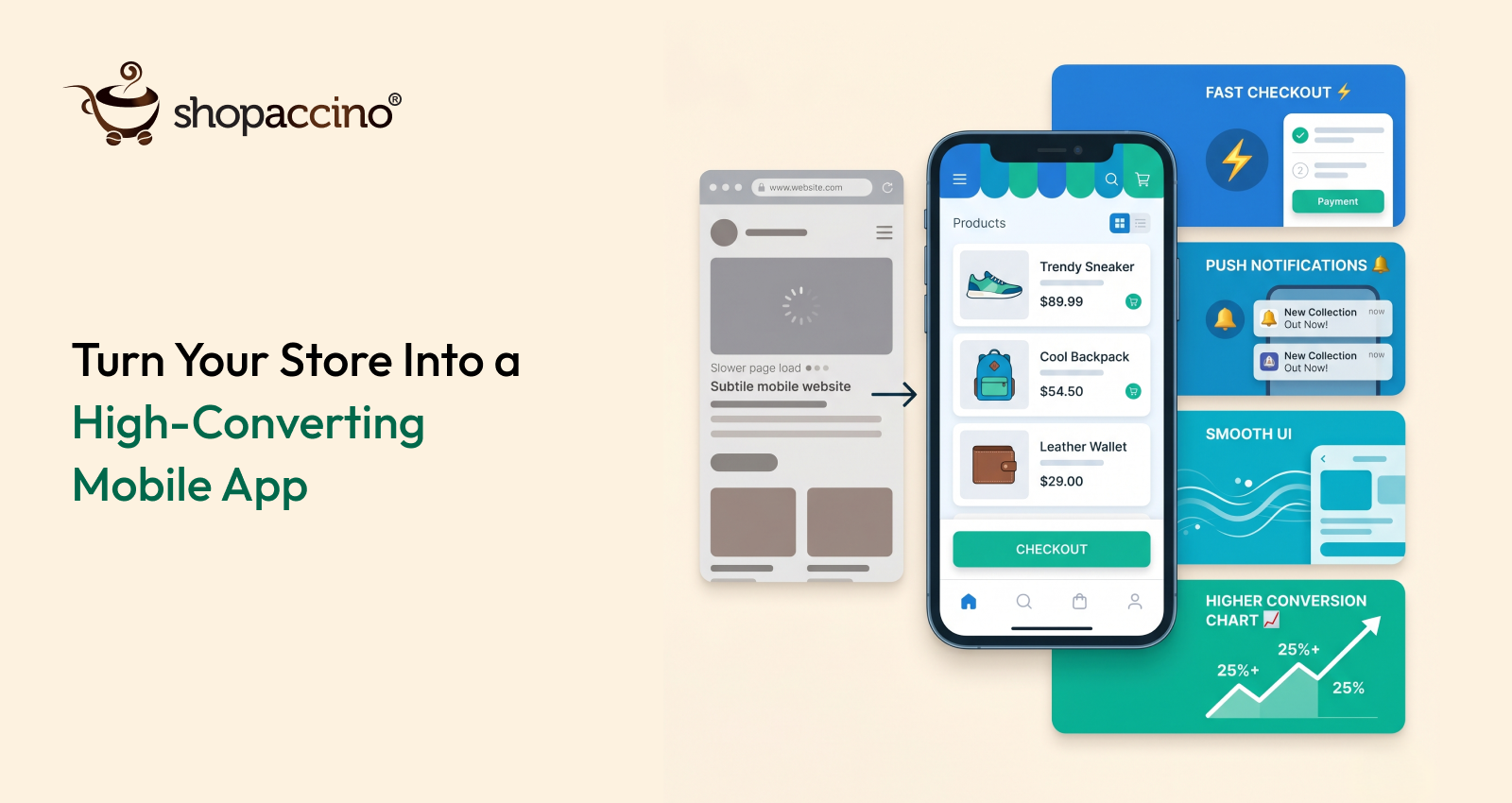
How to Create a Shopping App for Your Online Store: A Complete 2026 Guide
You have an online store that you have built carefully — the products, the branding, the customer experience. Buyers visit, browse, and purchase. The store works. But here is the number that should give every ecommerce business owner pause: over 70% of ecommerce traffic now comes from mobile devices, and mobile app conversion rates are consistently three to five times higher than mobile browser conversion rates. That gap is not a rounding error. It is the difference between a store that earns what it could and one that leaves a significant percentage of its potential revenue on the table every single day.
Most business owners assume that building a shopping app for their online store is expensive, technically complex, and only worth it at a certain scale. All three assumptions are wrong in 2026. The tools exist to build a fully branded, native shopping app without a development team, at a cost that makes sense for businesses at every stage, and with results that show in conversion rates and repeat purchase frequency almost immediately after launch.
This guide covers exactly how to do it — not in theory, but in practical steps with the decisions you actually need to make at each stage.
Why Does Your Online Store Need a Shopping App?
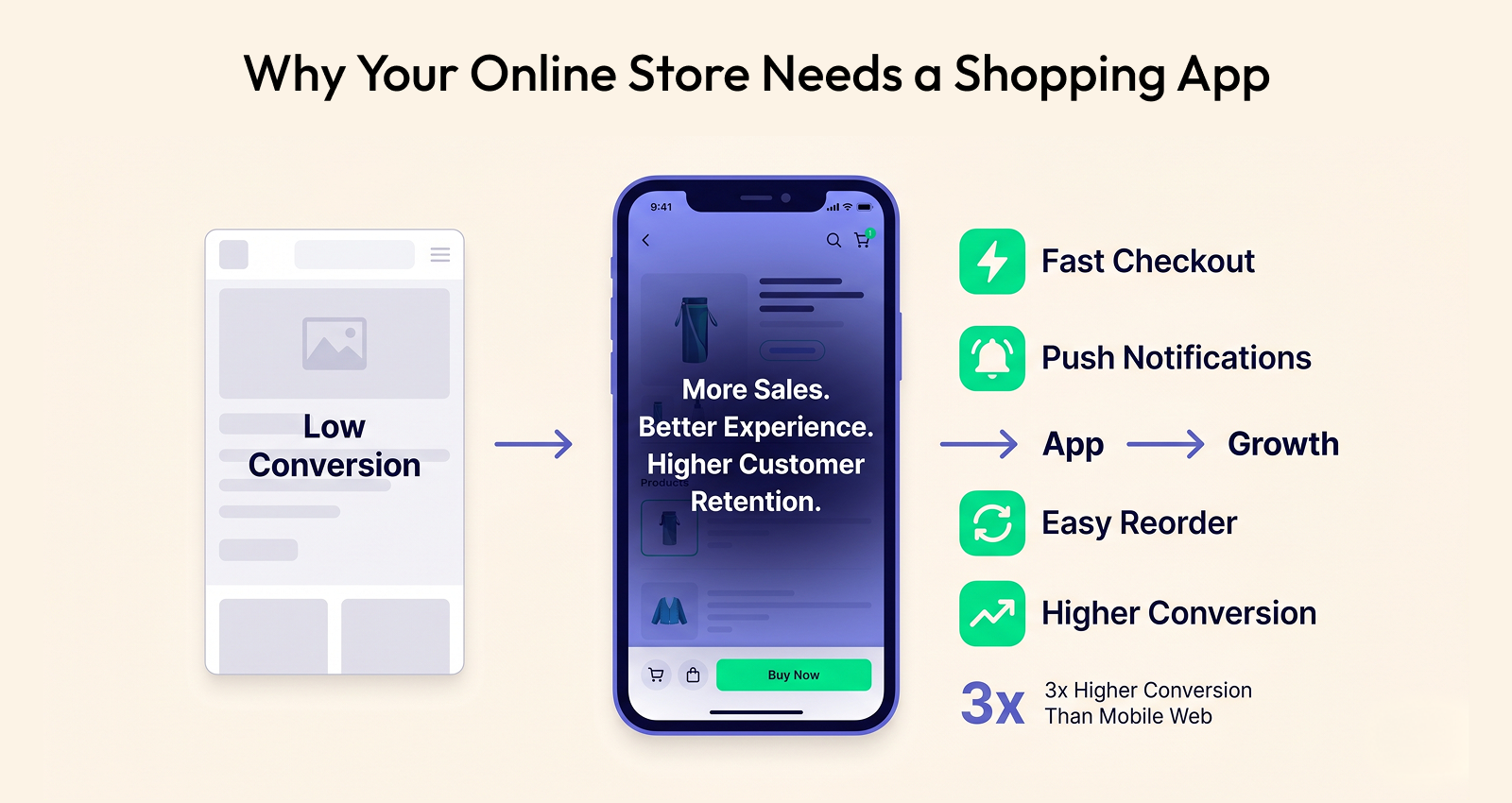
Before getting into the how, the why deserves a clear answer. Not because the case needs to be sold, but because
understanding the specific advantages of an app over a mobile website informs every decision you make about how to
build one.
App Conversion Rates Are Materially Higher
According to a report published by Criteo, shopping apps convert at approximately three times the rate of mobile browsers. The reasons are structural rather than cosmetic. Apps load faster because content is cached locally rather than fetched from a server on every visit. The checkout process is smoother because payment details are saved and re-entry is minimised. The navigation is designed specifically for touch rather than adapted from a desktop layout. These are not minor UX improvements — they are fundamental changes to the buying experience that directly affect how many visitors complete a purchase.
Push Notifications Are the Channel Mobile Websites Cannot Match
A mobile website cannot send a push notification. An app can. When a customer adds a product to their cart and leaves without purchasing, your app can send a reminder two hours later. When a product they viewed is back in stock, your app can tell them immediately. When you are running a 24-hour sale, your app can reach every installed user directly on their home screen. This direct communication channel — not dependent on email open rates or social media algorithms — is one of the highest-ROI features in ecommerce and is only available through an app.
Apps Build Loyalty Through Daily Presence
The moment a customer installs your app, your brand is on their device. Your icon is on their home screen. They see it every time they unlock their phone. This is not a small thing. Brand visibility drives purchase frequency in ways that are difficult to measure precisely but unmistakable in aggregate. Customers who install an ecommerce mobile app from a brand purchase more frequently and with higher average order values than those who shop exclusively through a browser, across virtually every product category.
App Data Is Richer Than Browser Data
An app gives you access to user behaviour data that browsers do not provide as cleanly: session length, feature usage, notification open rates, and the specific products that users view repeatedly before purchasing. This data is the foundation of personalised marketing — showing each customer the products most relevant to their browsing history rather than a generic catalog view. Personalisation at this level consistently increases both conversion rate and average order value.
A shopping app is not just a mobile version of your online store. It is a direct marketing channel, a loyalty tool, a conversion optimisation engine, and a data asset — all built around your brand and owned entirely by you.
What Are the Different Ways to Create a Shopping App for Your Online Store?
There are three routes to creating a shopping app for an online store. Understanding the differences clearly is the starting point for choosing the right one.
Option 1: Custom App Development
Custom development means hiring a mobile development agency or building an in-house development team to build your app from scratch. You get complete control over every feature, every interaction, and every design decision. The trade-offs are significant: development timelines of six to twelve months, budgets typically starting at tens of thousands of pounds or dollars, and ongoing developer dependency for every update and new feature.
Custom development makes sense when your app requirements are genuinely unique — a complex product configurator, augmented reality features, or deep integration with proprietary backend systems that no existing platform supports. For the vast majority of ecommerce businesses, custom development is more than they need and slower than they can afford.
Option 2: No-Code Mobile App Builder
A mobile app builder is a platform that generates a native mobile application for your store without requiring code. You connect your existing store, configure your branding and layout, and the builder outputs a fully functional app for both iOS and Android that can be submitted to the App Store and Google Play. Launch timelines compress from months to weeks. Costs drop from development budgets to monthly subscriptions.
The limitation is that you work within the boundaries of what the builder supports. For most ecommerce businesses selling physical products, digital goods, or wholesale to trade buyers, these boundaries are rarely a practical constraint. The features that drive app revenue — push notifications, saved payment methods, order history, product recommendations, loyalty programs — are standard capabilities on quality builders.
Option 3: Progressive Web App (PWA)
A Progressive Web App is a website built with technology that allows it to behave somewhat like an app on a mobile device. It can be added to the home screen, works offline for some functions, and loads faster than a standard website. PWAs are faster to implement than native apps and do not require App Store or Google Play submission.
The significant limitations: PWAs cannot send push notifications on iOS, cannot access device features as deeply as native apps, and do not appear in App Store searches where users actively discover apps. For businesses where the app is a primary customer channel, a PWA is a compromise that delivers some of the benefits at the cost of the most commercially significant ones.
|
Approach |
Time to Launch |
Best For |
|---|---|---|
|
Custom Development |
6–12 months |
Unique, complex requirements with large budget |
|
No-Code App Builder |
2–4 weeks |
Most ecommerce businesses — fastest path to launch |
|
Progressive Web App |
1–4 weeks |
Budget-constrained businesses needing basic mobile presence |
How Do You Create a Shopping App for Your Online Store Step by Step?
This section covers the practical process for the most accessible and commercially effective route: using a no-code mobile app builder connected to your existing online store. Each step is covered with the decisions you need to make, not just a description of what happens.
Step 1: Choose the Right App Builder for Your Store
The most important decision in the entire process is platform selection. The app builder you choose determines the quality of the output, the features available, and how much ongoing work is required to maintain and update the app. Evaluate on these criteria:
- Native app output: Does the builder produce a true native app for iOS and Android, or a web-wrapped hybrid? Native apps perform significantly better and convert at higher rates.
- Real-time sync with your store: When you update a product, add stock, or change a price in your store backend, the app should reflect it immediately without any manual action on your part.
- Push notification capability: Full push notification support, including segmented sends, scheduled campaigns, and automated triggers like abandoned cart and back-in-stock alerts.
- Branded design control: Your app should look unmistakably like your brand — your colours, your fonts, your homepage layout. Generic-looking apps do not build brand loyalty.
- App Store submission support: The builder should handle or guide you through the submission process to Apple App Store and Google Play, which has technical requirements that trip up many first-time publishers.
Step 2: Connect Your Store and Import Your Catalog
Once you have chosen your builder, the first technical step is connecting it to your online store. Most quality builders integrate directly with the major ecommerce platforms, pulling your product catalog, inventory levels, pricing, and customer account data automatically. This is not a one-time import — the connection is live, so your app catalog stays in sync with your store without any manual maintenance.
After connecting, browse through the imported catalog in the builder's preview mode. Check that product images are loading at the right resolution, that variants are displaying correctly, and that pricing is accurate. Pay particular attention to products with multiple size or colour options — these are the most common sources of display issues in app catalogs.
Step 3: Design Your App's Brand Experience
Your app's design is the first thing users notice and the primary driver of whether the experience feels like a professional brand or an afterthought. Set your brand colours, typography, and logo first — these should match your website exactly so that users moving between your web store and your app experience a seamless brand environment.
Configure your home screen layout. This is your storefront — it should feature your current promotions, your best-selling categories, and the products you want to highlight. Most builders allow you to design this using a drag-and-drop interface with banner images, product carousels, category tiles, and promotional sections. Treat this like your store window — what you show first is what drives initial engagement.
Navigation structure matters more on mobile than on desktop because screen space is limited and users are often in motion. Keep your main navigation to four or five core categories maximum, with a clear search function prominently placed. Buyers who cannot find what they are looking for within two taps leave. Buyers who find it immediately convert at significantly higher rates.
Step 4: Configure Push Notifications and Automated Campaigns
Push notifications are the commercial engine of your shopping app. Configure them before launch, not after, so they are working from the moment your first customer installs the app.
- Welcome notification: Sent to every new app installer — welcome them, introduce your brand, and give a reason to browse immediately (a first-order discount works well)
- Abandoned cart reminder: Triggered when a user adds items to their cart but does not complete the purchase — sent after 2–3 hours with a simple reminder and direct link to the cart
- Back-in-stock alert: Sent to users who viewed or wishlisted a product that was out of stock when the product becomes available again
- Order status updates: Automated notifications at each stage of the order journey — confirmed, dispatched, out for delivery, delivered
- Promotional campaigns: Manually scheduled sends for sales, new arrivals, seasonal promotions — these should go to segmented audiences based on purchase history and browse behaviour, not as blanket sends to all users
Abandoned cart push notifications consistently recover 5–15% of carts that would otherwise be lost. At scale, this single automation often generates more revenue than any other marketing channel for the same cost.
Step 5: Set Up Payments and Checkout
Your app checkout must support every payment method your buyers use. In 2026, that means credit and debit cards as a baseline, with Apple Pay and Google Pay for one-tap mobile checkout, and regional payment methods relevant to your buyer base — UPI, local wallets, buy-now-pay-later options.
Test the complete checkout flow on both iOS and Android before launch. Place a real test order using each payment method. Verify that the order confirmation reaches the correct email address, that inventory updates correctly, and that the order appears in your store's backend. Do not trust that it will work because it should — verify that it does.
Step 6: Test Thoroughly Before Submission
App Store and Google Play have review processes that take one to five business days. A rejected submission resets the clock. Before submitting, test your app on multiple real devices — not just the simulator built into the builder. Test on at least one mid-range Android device and one older iPhone model. If the app performs well on those, it will perform well on everything higher-spec.
Check every core flow: browsing, search, product detail view, adding to cart, checkout, order confirmation, and order tracking. Check your push notifications by sending a test. Check that your home screen promotions display correctly and that images load at acceptable speed on a standard mobile data connection, not just on Wi-Fi.
Step 7: Submit to the App Store and Google Play
Apple App Store and Google Play each have their own submission requirements. Both require a developer account (Apple charges $99/year, Google charges a one-time $25 fee), app screenshots in specific dimensions, a privacy policy URL, and metadata including the app name, description, and category. Most quality app builders guide you through this process or handle submission on your behalf.
For your app title and description, apply the same keyword thinking you use for your website SEO. Your app name and description are what appear in App Store searches — include terms your buyers would actually search for, not just your brand name.
What Features Make an Online Store Shopping App Successful?
Building the app is the beginning. Building an app that actually drives revenue requires getting specific features right — not all of which are obvious when you start.
Wishlist and Save-for-Later
Buyers browsing an app frequently encounter products they want but are not ready to buy. Without a wishlist, that intent is lost the moment they close the app. A wishlist captures it — and creates the opportunity to send a targeted push notification when a wishlisted product goes on sale or runs low in stock. This single feature consistently increases both return visit rates and eventual purchase rates for the wishlisted products.
Product Personalisation and Recommendations
A home screen that shows each user products relevant to their browse and purchase history is more engaging than one showing the same catalog to everyone. Personalised product recommendations based on previous behaviour increase the likelihood of a session resulting in a purchase and increase the average basket size when they do. Start with basic category-based recommendations if full personalisation is not immediately available, and upgrade as your user base grows and your data improves.
Loyalty and Rewards Integration
Loyalty programs built into your app give buyers a reason to open it regularly that exists independent of any specific product they need. When every purchase earns points visible in the app, and those points have genuine redemption value, the app becomes a relationship tool rather than just a transaction channel. Buyers with loyalty points to spend return more often and convert at higher rates than those without.
One-Tap Reordering
For repeat-purchase categories — beauty, supplements, food and beverage, home essentials, B2B supplies — the ability to reorder from previous purchase history in one or two taps is one of the highest-value features in any shopping app. It removes the entire browsing phase from a transaction that was always going to happen, making it faster for the buyer and more certain for you.
In-App Customer Support
Buyers who encounter an issue during a session and cannot resolve it immediately are likely to abandon the purchase and often the app. In-app chat or a clear, easy-to-find support contact within the app reduces abandonment from support-related friction and signals to buyers that you are accessible — which is itself a trust signal that improves conversion rates across the entire app experience.
The apps that generate the highest lifetime value per user are not the ones with the most features. They are the ones that make the three most common user journeys — browse, buy, and reorder — faster and simpler than any competitor app in the same category.
How Do You Drive Downloads and Get Your First 1,000 App Users?
An app that no one downloads delivers no value. The launch strategy matters as much as the app itself, and the most effective launch strategy starts with your existing audience rather than trying to acquire new app users from scratch.
Start With Your Existing Customers
Your current email subscribers, social media followers, and website visitors are the most likely to download your app because they already have a relationship with your brand. Email them with a clear announcement and a specific incentive for downloading — an app-exclusive discount on their first in-app order, early access to a new collection, or additional loyalty points for existing program members. This approach typically generates your first several hundred downloads within the first week at near-zero cost.
Add an App Download Banner to Your Website
Every visitor to your online store on a mobile device is a potential app installer. A prominent banner at the top of your mobile site — with a clear value proposition ("Shop faster, get exclusive offers") and a direct link to the App Store or Google Play listing — converts a meaningful percentage of your existing mobile traffic into app users without any additional marketing spend.
Use App-Exclusive Offers to Drive Adoption
Giving buyers a concrete reason to download the app — rather than just asking them to — significantly increases conversion from awareness to install. App-exclusive promotions, early access to new arrivals, special pricing visible only within the app, or exclusive loyalty point multipliers all serve this function. The perceived value of the exclusive access needs to outweigh the friction of downloading and installing the app, so the offer should be genuinely compelling.
Optimise Your App Store Listing
A meaningful proportion of app downloads come from App Store and Google Play searches. Your listing should include keywords your buyers actually search for, screenshots that show the app experience clearly and compellingly, and a description that communicates the specific benefits of shopping through the app rather than your website. This is not a one-time task — update your screenshots and description whenever you add significant features or for seasonal promotions.
How Does Shopaccino Help You Create a Shopping App for Your Online Store?
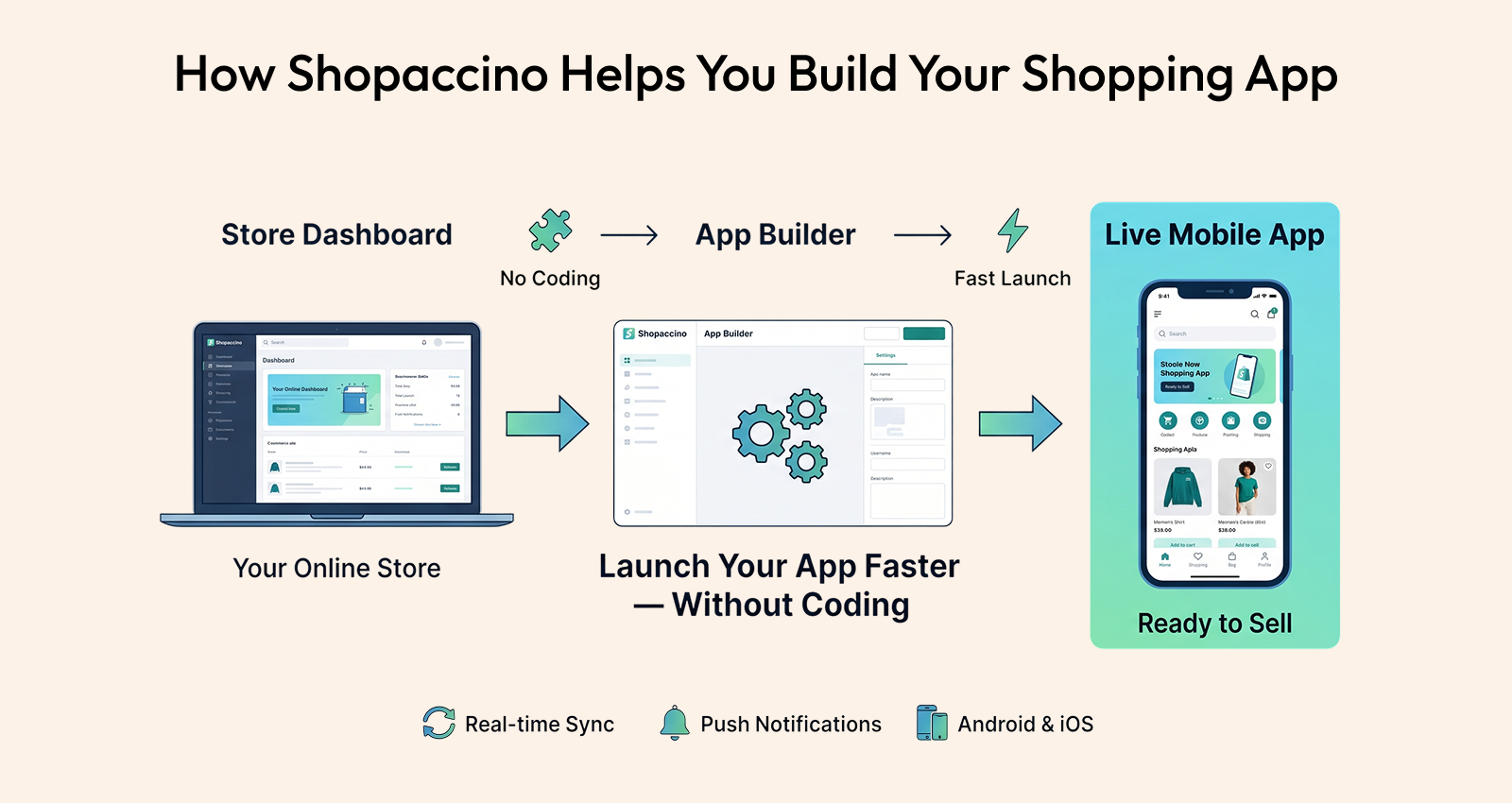
For businesses building on Shopaccino, the mobile app is not a separate product to integrate — it is built into the platform. When you run your online store on Shopaccino, a branded iOS and Android app is part of the same ecosystem as your web storefront, your B2B wholesale portal, and your order management system.
This means your product catalog, inventory, pricing, customer accounts, loyalty program, and order history are all shared between your web store and your app without any synchronisation project. When a customer places an order through the app, it appears in the same dashboard as web orders. When you update a product in your backend, it reflects in the app immediately.
The app includes push notification capability, wishlist functionality, personalised product recommendations, one-tap reordering from order history, and in-app loyalty program integration — all configured from the same Shopaccino dashboard you use to manage your online store. For businesses that need both a branded consumer shopping app and a B2B wholesale ordering portal for trade buyers, both run from the same platform without requiring separate systems.
Your Online Store Is Ready for an App — The Question Is How Long You Wait
The gap between having an online store and having a shopping app used to be measured in months of development time and significant budget. In 2026, it is measured in weeks of configuration time and a monthly subscription. That change in accessibility changes the commercial calculus entirely.
Every day your online store operates without an app is a day where your mobile buyers are converting at a fraction of the rate they would in an app, where you have no push notification channel to re-engage them after they leave, and where your brand has no persistent presence on the device they check hundreds of times a day. These are not theoretical costs. They are measurable, and they compound.
The businesses launching shopping apps for their online stores today are not all large brands with dedicated development teams. They are independent fashion boutiques, home decor brands, beauty businesses, electronics retailers, and wholesale operators who recognised that mobile is where their buyers are and built the infrastructure to meet them there.
The process is straightforward: choose a builder that connects natively to your existing store, configure your branding, set up your push notifications and checkout, test thoroughly, and submit. Four to six weeks from decision to live app is a realistic timeline for most businesses. The return on that investment starts accruing the moment your first customer downloads the app and experiences the difference.
Your online store has already done the hard work of building a product range, a customer base, and a brand that people trust. A shopping app does not build those things from scratch — it puts them directly into your customers' pockets, available at any moment, with a buying experience that a mobile browser simply cannot match. That is not a small upgrade. It is a fundamental improvement in how your business reaches and retains the buyers it has already earned.
The most effective shopping apps are not the ones with the most features. They are the ones that launched. Every week spent deliberating is a week your competitors who already have apps are building the app habit in shared customers.