
Online Store Setup Guide: How to Set Up Your Ecommerce Store in 2026
Ecommerce setup is the process of getting your online store ready to take orders. You choose a platform, add your products, set up payments and shipping, and publish your store policies. Done in the right order, an ecommerce store setup takes days, not months.
A store that is not set up properly loses visitors fast. Pages look unfinished, products are hard to find and checkout feels risky. This online store setup guide walks you through the 7 steps every new store needs, so you can set up an online store that looks professional on day one and grows with your business.
Quick answer: how to set up an online store
- Choose an ecommerce platform and a theme
- Add your brand logo
- Complete your ecommerce item setup (products, prices, photos)
- Create product categories and subcategories
- Set up shipping zones and charges
- Set up payment options
- Add store policies, test checkout and go live
7 Steps for Ecommerce Store Setup
What Is the First Step in Setting Up an Ecommerce Store?
The first step in setting up an ecommerce store is choosing the right ecommerce platform. Your platform decides which themes, payment gateways, shipping tools and features you can use, so every other step depends on it. Pick a platform that fits what you sell, where you sell (one country or many) and how you sell (B2C, B2B or both).
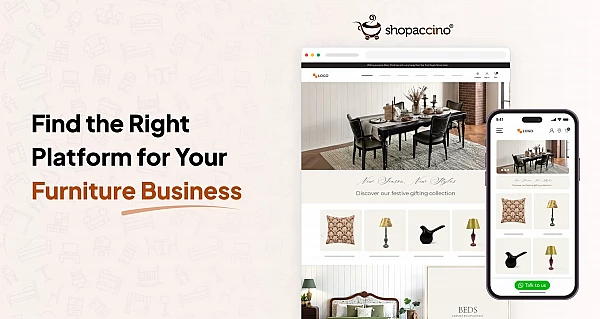
Shopaccino gives you themes, product setup, payments, shipping and store policies in one dashboard, so you can set up an ecommerce store without writing code.
1. Choose a Theme for Your Online Store
Your theme is the first thing shoppers notice, so pick one that matches your products and makes them easy to browse. For any website to attract visitors and maintain their interest – which is surely what any business wants – the look and style must be attractive. A website theme helps to determine its design. Typically a website theme will include:
- The type and size of the fonts on the web page
- The color schemes and the aesthetics of the site
- Getting the theme right is important; the website may contain exceptional content, but unless it is attractive and holds your visitors interests those efforts will come to nothing.
Some key points which you should keep in mind before choosing the themes for your store
- What are the desired features you want for your store
- In what manner you want your product to be displayed
- How many products & which kind of product you want to display
- Is the layout of the theme support your goals
Implementing these points will help you to get the perfect theme according to your store but it can sometimes be a bit difficult for you to get the best out of these themes in the first time.
But with your Shopaccino store, you can start with a default theme. If you want something completely unique & want to differentiate your store from others, in that case, there is an availability of an option you can customize the theme according to your requirement. At Shopaccino, there are variety of themes with different features and styling options. You can also select the themes based on your industry. Each theme is built for online selling, and industry-based themes help you pick a design that suits your ecommerce store
2. Add Your Brand Logo
Your logo will be the first thing that customers see. Your logo summarizes what your brand is about. Your business logo is important because it creates the first memory and recognition point for your customers. With clever design and smart use of fonts and colours, it can truly create a lasting impression. For you to stand apart from your competitor and isolate yourself from the masses of businesses in the internet community, you need to identify yourself. An attractive logo, even one made with an AI logo maker, is the easiest way to do that.
LOGO, creates your identity, an impression which lasts forever in the minds of the audience!
With your Shopaccino store you can also add logo with few simple steps and it also enables you to choose the logo position as left or centre as per your desire.
3. Ecommerce Item Setup (Add Your Products)
Ecommerce item setup means adding each product to your store with everything a shopper needs to buy it: a clear title, price, photos, description, variants (like size or colour), stock and SKU. Good item setup for ecommerce helps shoppers decide faster and helps your product pages show up in Google search.. Product pages are important for a successful setup of an e-commerce store. Products merchandising improves the customer's experience. Presenting a product with right description, specifications, appealing title and sharp images will help you to setup a proper store and will differentiate your store from others. It will also enable your store to cross and up-sell products.
With your Shopaccino store, you can easily upload your products and add details like product category, product name/title, vendor/supplier name/title, summary, description about the product, product code/SKU, barcode details, selling price, multiple photos of a single product, minimum & maximum quantity for order & product, wholesale price, tax rate, variants/options, size chart, shipping, labels & search tags etc.
4. Set Up Product Categories and Subcategories
Categorization is one of the main strength of an e-commerce website. Product categories & sub categories organize the product display on your e-commerce store. The subcategories organize products within particular categories, making it easier for shoppers to find what they are looking for. E-commerce store needs proper labeling and optimization of the category pages to enhance the user's experience and the usability of the store.
An easy way to manage your categories is to think and view your site like your customer would do. When your customers visits your store, they want that by spending less time, they find what they are exactly looking for.
With your Shopaccino store, you can create the categories and subcategories for the proper understanding of the customer needs, you can even choose banner & feature image for a particular category from your Shopaccino store. Getting your categorization, photos, and pricing right from day one is one of the 6 essential requirements to start an ecommerce store — see our full checklist.
5. Set Up Shipping for Your Store
There are many important aspects to run an online business and shipping is one of them.It can make or break your business. Without a shipping strategy, you could end up with a business with no profit. Even if you have a good strategy, choosing the wrong shipping service provider means your customers could have a poor experience and never return — or maybe worse, share negative feedback. Before you take your first order, you need to decide what shipping methods you want to use, and then set up your store's shipping so that your customers can choose a delivery method at checkout.
" Your brand image is subject to the service level of your shipping provider"
So for a successful e-commerce business, you always need to provide a sound shipping service to your customer to build a great relationship with your customer.
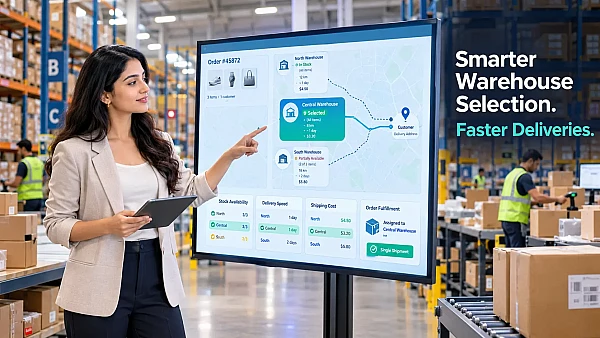
You can manage all your shipping on Shopaccino store. In Shopaccino you can set shipping rates, choose shipping partners and decide which pin codes or ZIP codes you deliver to. By selecting any of these you can choose your shipping services accordingly. You can even create the shipping zones according to your choice & also define the shipping charges based on order amount or weight.
6. Set Up Payment Options
A payment gateway securely approves and processes the payment between you (the merchant) and your customer. The first step in setting up payment options for your store is choosing a payment provider that suits your customers and the countries you sell in. It's very important to choose a method to accept payments on your e-commerce store. The payment process is a step what puts the “commerce” in your e-commerce store. When you use a payment processor, you don’t have to worry about securing financial transactions because the processing website will take care of it for you. You must choose the best payment option for your customer so to avoid any confusion at the time of checkout to make the process easy and simple for them.
With your Shopaccino store, you can enable a variety of payment options for your customer. The payment process is an important step toward getting paid by your customers. You can accept payments through options like PayPal, bank transfer and other payment gateways that suit your market. If you sell in India, see our list of the best payment gateways in India.
7. Add Your Store Policies
This feature is very important for a proper setup of an e-commerce store. When you sell your products online via an e-commerce store you are not available for your customers physically. Before customers check out from your store, they need to have access to your store policies as refunds/return & cancellation, privacy and terms & condition and shipping policy etc.
So You must add your store policies by adding a separate page so it can be displayed in your store at a prominent place.
With your Shopaccino store you can create a number of pages like terms & condition, refund policy, disclaimer, cancellation policy, shipping policy & cookie policy etc. Once these pieces are in place, follow our complete guide on how to launch your ecommerce store smoothly to make sure launch day goes off without a hitch. Remove this line here. It moves to the end of the new "Final Online Store Setup Checklist" section (see point 18). Keep the sentence before it with the "how to launch your ecommerce store smoothly" link.
How Long Does Ecommerce Store Setup Take?
On Shopaccino, most stores are ready to go live in 2 to 5 days. The exact time depends on how many products you add, how many photos you need and how quickly your payment gateway account is approved. Setting up an online store with a few products is faster, while a large catalogue takes longer because each item setup needs details and images.
Final Online Store Setup Checklist Before You Go Live
- Place a test order and complete checkout
- Check that order and payment emails reach you and the customer
- Open your store on a mobile phone and check every page
- Make sure all policy pages are linked in the footer
- Check shipping charges for 2 or 3 different locations
That completes this online store setup guide. Ready to start? Complete your online store setup with Shopaccino and start selling in days.
FAQs
Ecommerce setup, also called online store setup, is the process of building and preparing an online store to sell products. It includes choosing a platform and theme, adding products, setting up payments and shipping, and adding store policies.
Choose an ecommerce platform, pick a theme, add your logo, upload products, create categories, set up shipping and payments, add store policies, then test checkout and go live.
The first step is choosing the right ecommerce platform for your shop. It decides the themes, payment options and features you can use for everything else.
Choose a payment provider that suits your store, your customers and the countries you sell in. Then connect it to your store and test a payment before going live.
Item setup for ecommerce means adding a product to your store with its title, price, photos, description, variants, SKU and stock, so shoppers have everything they need to buy it.
No. With a platform like Shopaccino, you can set up an ecommerce store from a dashboard without writing code.