How to Build an Ecommerce Website (Complete Guide)
Starting an online business has never been more accessible — but with so many tools, platforms, and strategies available, it can feel overwhelming to know where to begin. Whether you're a small business owner ready to go digital, a retailer looking to expand your reach, or a D2C brand preparing to launch, this guide walks you through every stage of building a professional e-commerce website from scratch.
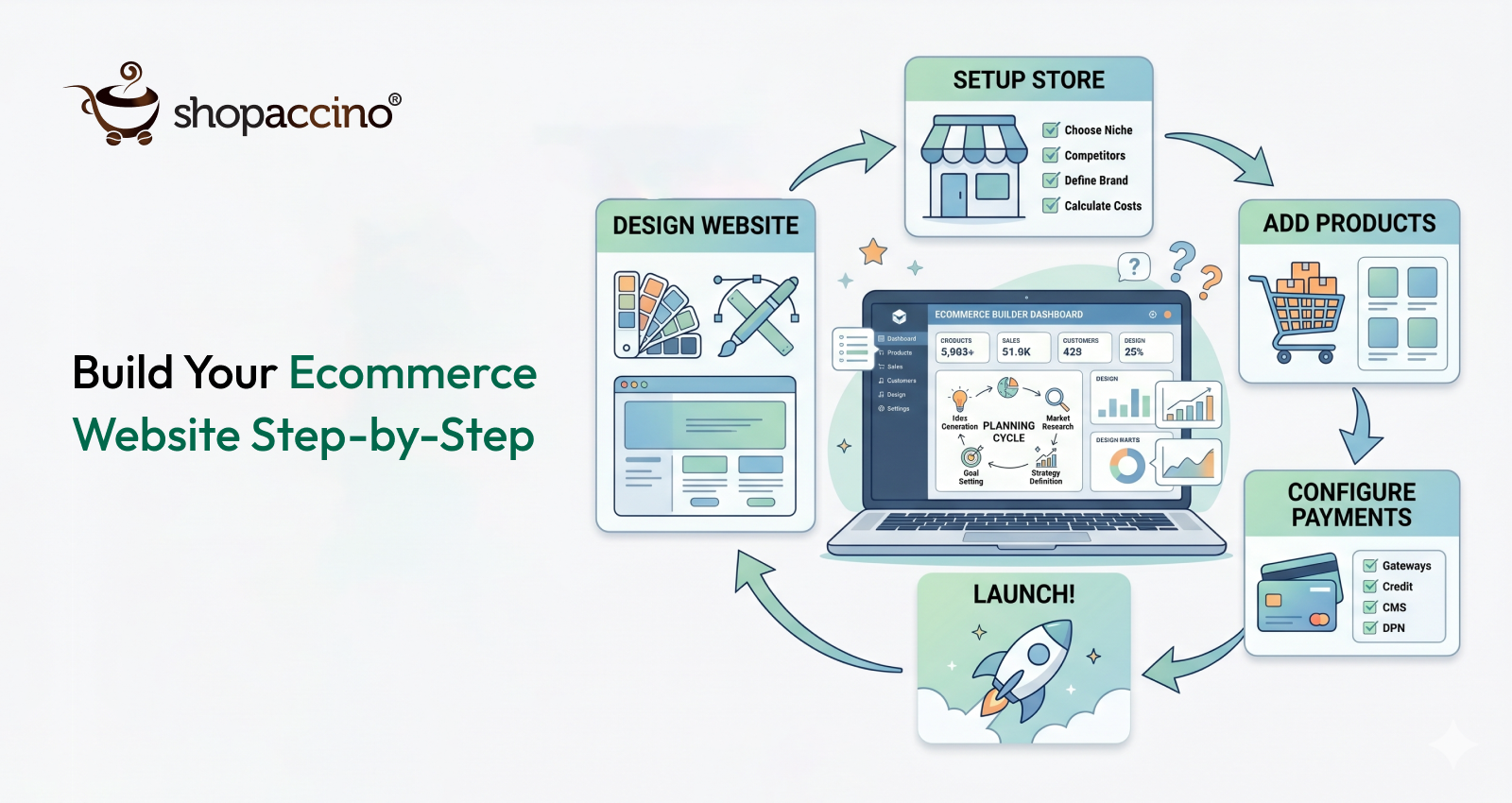
By the end, you'll have a clear roadmap — from choosing the right ecommerce site builder to launching a store that's ready to attract real customers. If you want the exact steps laid out simply, see our how to set up an ecommerce store guide.
Why Your Choice of Platform Matters More Than You Think
Before you pick a color scheme or write a product description, the most important decision you'll make is choosing the right platform to build on. Your ecommerce site builder is essentially the foundation of your store — it affects how fast your site loads, how easy it is to manage products, how customers experience checkout, and how well your store scales as you grow.
A poor platform choice can mean expensive migrations later, limited design flexibility, or hidden transaction fees that eat into your margins. So take this step seriously.
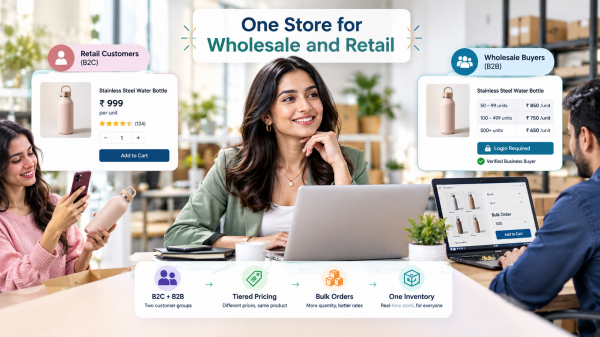
When evaluating any online store website builder, look for these essentials: ease of use, mobile responsiveness, built-in payment gateway support, SEO tools, and reliable customer support. You should also consider whether the platform supports your product type — physical goods, digital downloads, subscriptions, or B2B bulk orders each have different technical requirements.
Step 1 — Define Your Business Model Before You Build
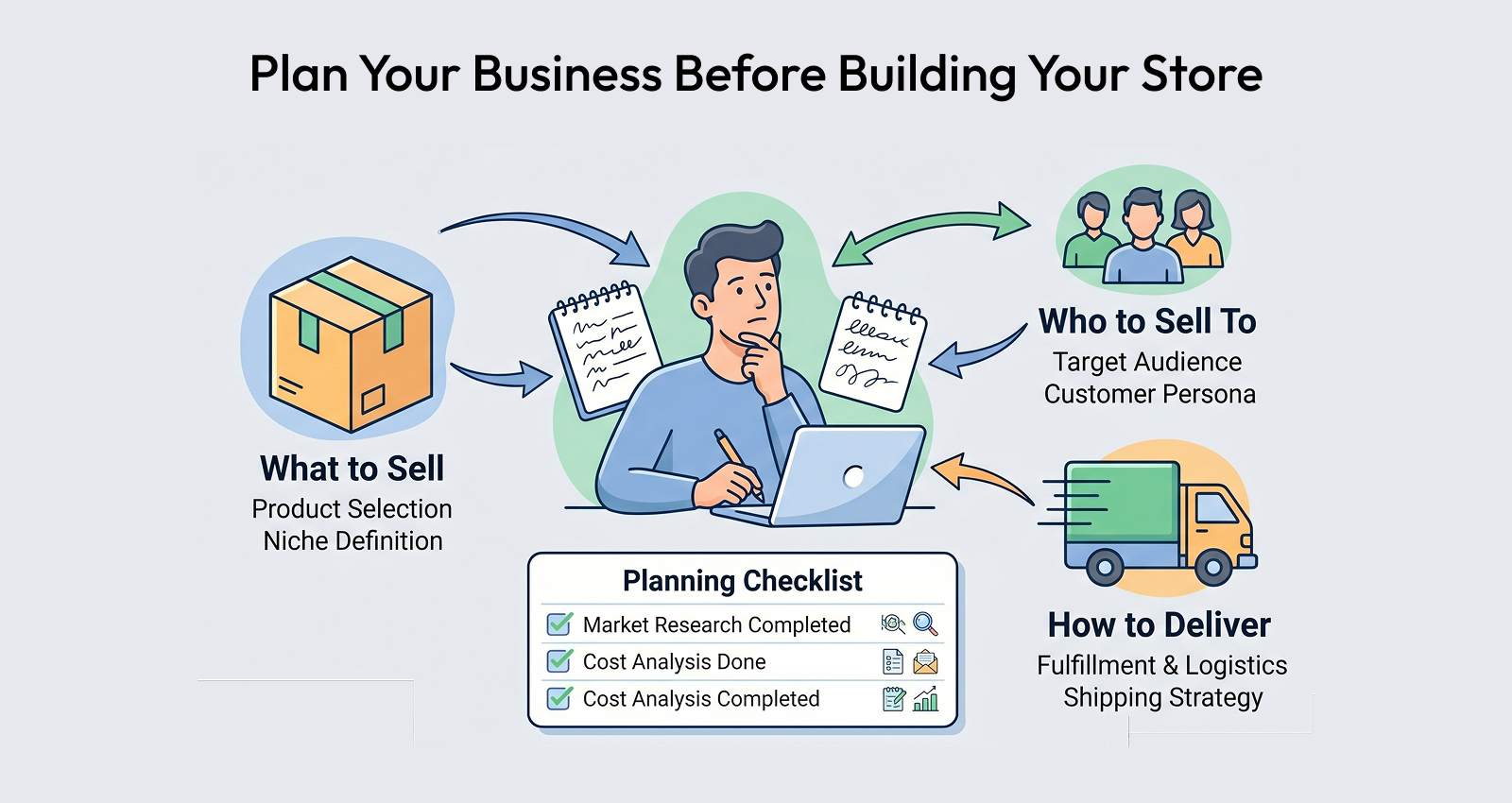
Many first-time store owners jump straight into building without a clear plan. That's a mistake. Before touching any platform, get clear on:
What are you selling? Physical products, digital products, or services? Each requires different features. Digital products need secure download delivery. Physical goods need inventory tracking and shipping integrations. Services need booking or inquiry forms.
Who is your customer? A fashion brand targeting Gen Z shoppers needs a very different store experience than a B2B marble and stone supplier selling to contractors. Understanding your audience shapes everything — your design, your copy, your navigation, and your checkout flow.
What's your fulfillment model? Will you ship from your own warehouse, use a dropshipping partner, or rely on a third-party logistics provider? This affects which platform features you'll actually need.
Getting clear on these questions upfront will save you hours of rework later.
Step 2 — Choose the Right Ecommerce Site Builder
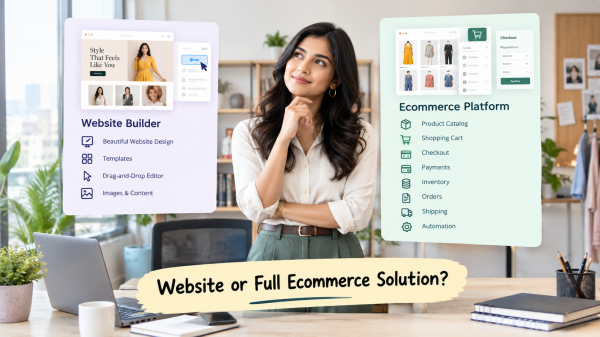
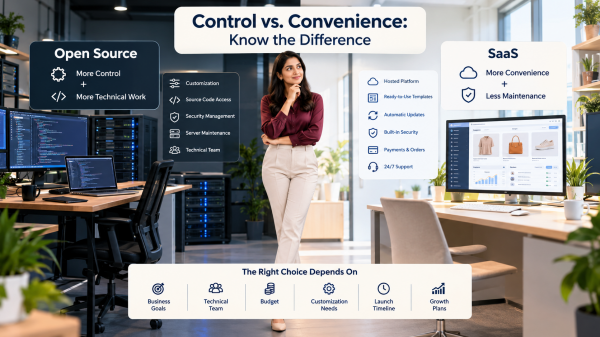
This is the step most guides rush through, but it deserves real attention. The best ecommerce site builder for your business depends on your technical comfort level, your budget, and the complexity of your store.
Here's what to look for when comparing options:
Ease of setup. Can you get a store live without writing a single line of code? Most modern platforms offer drag-and-drop builders and pre-designed templates. This matters especially if you're a solo founder or small team without a dedicated developer.
Built-in features vs. app dependencies. Some platforms offer essential features like abandoned cart recovery, discount codes, and multi-currency support out of the box. Others require you to install and pay for third-party apps. Over time, those app subscriptions add up.
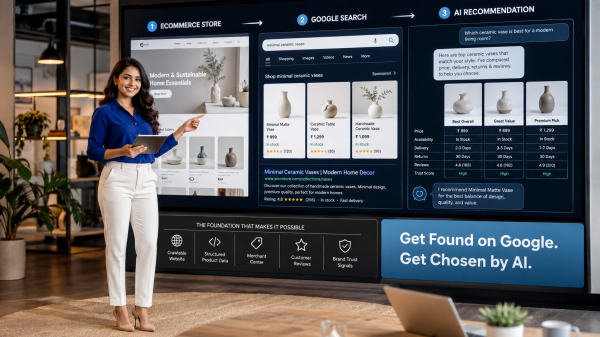
SEO and marketing tools. Your store needs to be discoverable. Look for a platform that lets you control meta titles, meta descriptions, canonical URLs, and structured data. Good SEO capabilities built into your ecommerce site builder can be the difference between getting found on Google and staying invisible.
Scalability. Starting small is fine, but can the platform grow with you? If you plan to expand your catalog from 20 products to 2,000, or enter new international markets, your platform needs to handle that without slowing down or breaking.
Payment and checkout flexibility. Does the platform support multiple payment methods relevant to your markets? Friction at checkout is one of the top reasons shoppers abandon purchases, so a smooth, customizable checkout experience is non-negotiable.
Platforms like Shopaccino are built specifically for ecommerce businesses and offer strong native features — from product catalog management to multi-currency support — which makes them a practical choice for growing brands who want control without complexity.
Step 3 — Set Up Your Store Structure
Once you've chosen your platform, it's time to build the actual store. Think of this as constructing the rooms of a house before decorating them.
Your homepage is the first impression. It should immediately communicate who you are, what you sell, and why a visitor should stay. A clean hero banner, a clear value proposition, and quick links to your top categories or best-sellers work far better than a cluttered homepage trying to show everything at once.
Product pages are where buying decisions happen. Each product page should include high-quality images (multiple angles if possible), a compelling description that answers real customer questions, pricing, available variants (size, color, material), and a prominent add-to-cart button. If you sell in multiple categories — say, home decor, electronics, or beauty products — organize your catalog with clear categories and filters so shoppers can find what they need quickly. For the full checklist of what every product listing needs, see our 6 essential requirements to start an ecommerce store.
Navigation and search are often underestimated. A well-structured navigation menu and a functional search bar reduce frustration and keep visitors on your site longer. For stores with large catalogs, faceted search (filtering by price range, brand, rating, etc.) is a significant conversion booster.
Your checkout flow should be as frictionless as possible. Guest checkout, multiple payment options, and a clear order summary reduce cart abandonment. Avoid asking for unnecessary information — every extra field is an opportunity for a customer to give up.
Step 4 — Design for Trust and Conversion
A beautiful store that doesn't convert is just an expensive website. Design choices directly influence whether a visitor trusts you enough to buy.
Consistency builds credibility. Use a consistent color palette, font family, and visual style across all pages. A professional, cohesive look signals to visitors that this is a legitimate business worth buying from.
Social proof is powerful. Customer reviews, star ratings, user-generated photos, and testimonials are among the most effective trust signals you can add to your store. Don't underestimate them — shoppers routinely read reviews before adding items to cart.
Clear policies reduce hesitation. Display your shipping policy, return policy, and privacy policy prominently. When customers know they can return a product or get their data handled responsibly, they're much more likely to complete a purchase.
Mobile-first design is no longer optional. More than half of all e-commerce traffic comes from mobile devices. Your chosen online shop builder should offer fully responsive themes that look and function perfectly on phones and tablets, not just desktops.
Step 5 — Optimize for Search Engines From Day One
Getting your ecommerce site live is only half the battle. If people can't find it, it doesn't matter how great it looks. SEO should be built into your store from the very beginning, not bolted on later.
Start with keyword research. Understand how your customers search for what you sell. Tools like Google's Keyword Planner or Ubersuggest can reveal the exact phrases your audience types into search engines. Use these naturally in your product titles, descriptions, category pages, and blog content.
Optimize your product pages. Each product page is an SEO opportunity. Write unique, descriptive titles. Avoid manufacturer copy-paste descriptions — write your own, using natural language that matches how customers search. Add alt text to every image, which helps both accessibility and image search rankings.
Create supporting content. A well-maintained blog or resource section can drive significant organic traffic to your store. Write guides, buying tips, how-tos, and comparison posts that answer questions your customers are already Googling. This is one of the most effective long-term strategies for any ecommerce business.
Technical SEO basics matter too. Make sure your site loads quickly — especially on mobile. Compress your images, use a clean URL structure, and submit your sitemap to Google Search Console so your pages get indexed promptly.
Step 6 — Set Up Payments, Shipping, and Taxes
These are the operational building blocks that often trip up first-time store owners.
Payments. Integrate at least two to three payment methods — a primary card processor, a digital wallet option (like PayPal or RazorPay), and where relevant, buy-now-pay-later options. The more payment flexibility you offer, the lower your checkout abandonment rate will be.
Shipping. Define your shipping zones, carrier integrations, and delivery timelines clearly. If you offer free shipping above a certain order value, make that visible sitewide — it's a proven tactic for increasing average order value.
Taxes. Depending on where you sell and where your customers are located, you may have varying tax obligations. Many ecommerce platforms have built-in tax calculation tools or integrations with dedicated tax services. Set this up correctly from day one to avoid compliance headaches later.
Step 7 — Test Everything Before You Launch
Before going live, run through your entire store as if you were a first-time customer.
Place test orders using all your payment methods. Check that confirmation emails arrive, that order tracking works, and that your inventory updates correctly. Click every navigation link. View your store on multiple devices and browsers. Check that all your product images load correctly and that no pages return errors.
It's also worth asking a friend or colleague to browse your store and give honest feedback. Fresh eyes catch things you've grown blind to after staring at the same pages for weeks.
Step 8 — Launch and Drive Your Traffic
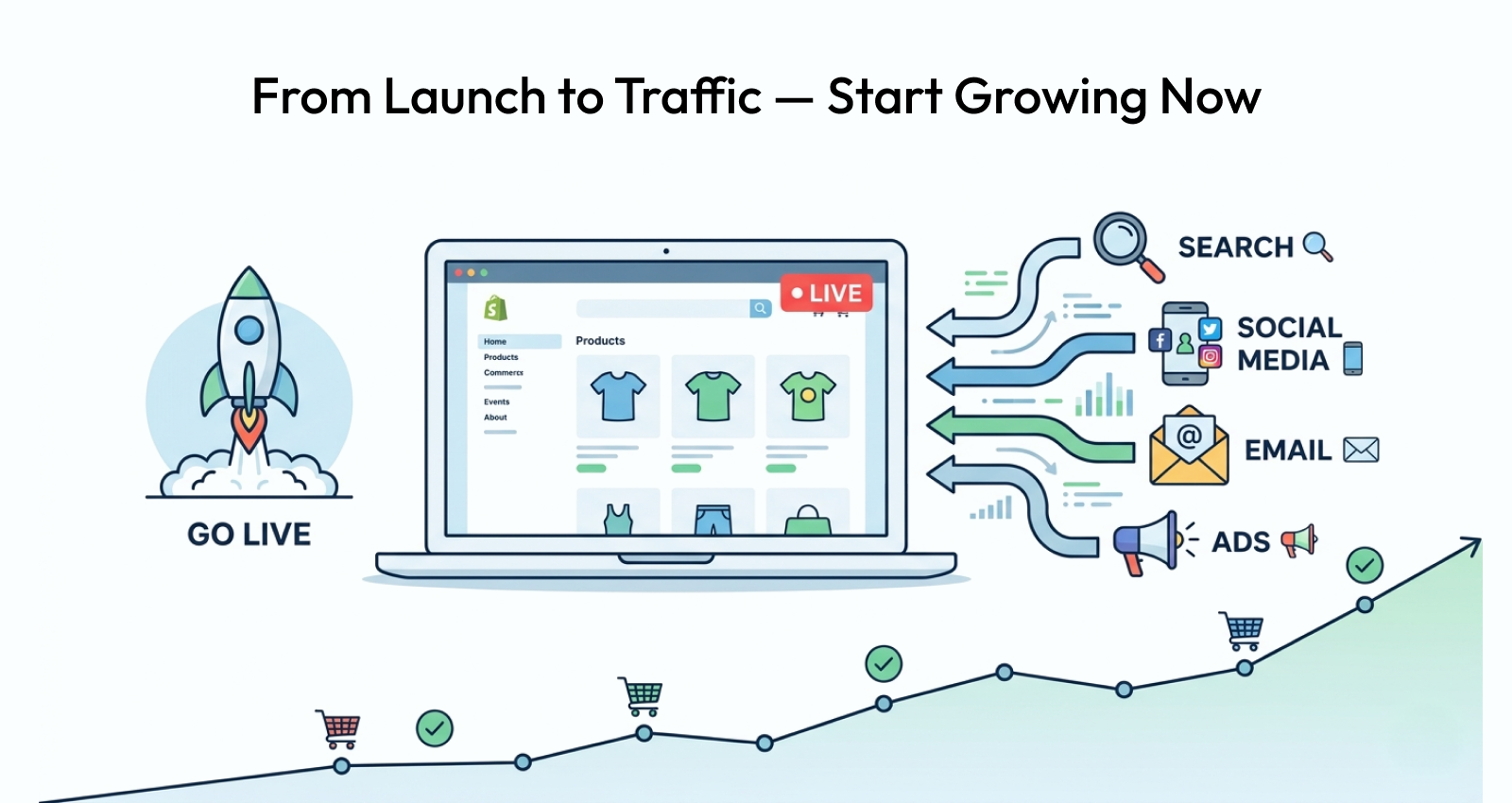
With everything tested and ready, it's time to go live. But launching isn't a "build it, and they will come" moment — you need a plan to get people to your store.
Announce on social media. Share your launch across every relevant platform. Tell the story of why you started the business, show behind-the-scenes content, and give followers a reason to visit your store now (a launch discount, limited-time offer, or exclusive first-batch product).
Email marketing from day one. Start collecting email addresses immediately, even before launch. A simple pre-launch landing page with a sign-up form can build a warm audience ready to buy on day one.
Paid advertising for initial traction. While organic growth takes time, a small budget on platforms like Google Shopping Ads or Meta Ads can get your products in front of highly targeted audiences quickly. Start small, test your messaging, and scale what works.
Leverage content marketing. Every blog post, video, or how-to guide you publish is a long-term traffic asset. Consistent content creation compounds over time and reduces your dependence on paid channels.
The Bottom Line
Building a successful ecommerce website is not a one-time project — it's an ongoing process of improving, testing, and growing. The technical side — choosing an ecommerce site builder, setting up products, configuring payments — is the starting point, not the finish line.
What separates stores that struggle from those that thrive is consistent attention to the customer experience, a commitment to being found through SEO and marketing, and the discipline to keep improving based on real data.
Start with a solid foundation, launch with intention, and build from there. Every great online store began exactly where you are now.
FAQs
The best ecommerce site builder for beginners is one that combines ease of use with powerful built-in features. Look for drag-and-drop design tools, mobile-ready templates, built-in SEO settings, and reliable payment integrations. Platforms designed specifically for ecommerce tend to outperform general website builders for online store needs.
The cost to build an ecommerce website varies widely. A basic store on a dedicated platform can start from as little as $20–$50 per month, covering hosting, a domain name, and core features. Costs increase with premium themes, additional apps, marketing tools, and transaction fees. Custom-built stores cost significantly more.
No, you don't need any coding skills to build an online store using a modern online store website builder. Most platforms offer visual editors and pre-built templates that let you customize your store's look, add products, set up payments, and go live — all without writing a single line of code.
A basic ecommerce website can be built and launched in as little as one to two days using a dedicated platform with ready-made templates. A more fully featured store with custom design, a large product catalog, and integrated marketing tools typically takes one to four weeks depending on the complexity involved.
A reliable online shop builder should include mobile-responsive design, easy product management, multiple payment gateway support, built-in SEO tools, abandoned cart recovery, discount and coupon management, inventory tracking, and clear analytics. Shipping integrations and multi-currency support are valuable additions for growing stores.
Driving traffic to a new ecommerce website involves a combination of SEO (optimizing product pages and publishing helpful content), social media marketing, email campaigns, and targeted paid advertising. Starting with Google Shopping Ads and building an email list from day one are among the most effective early-stage strategies.