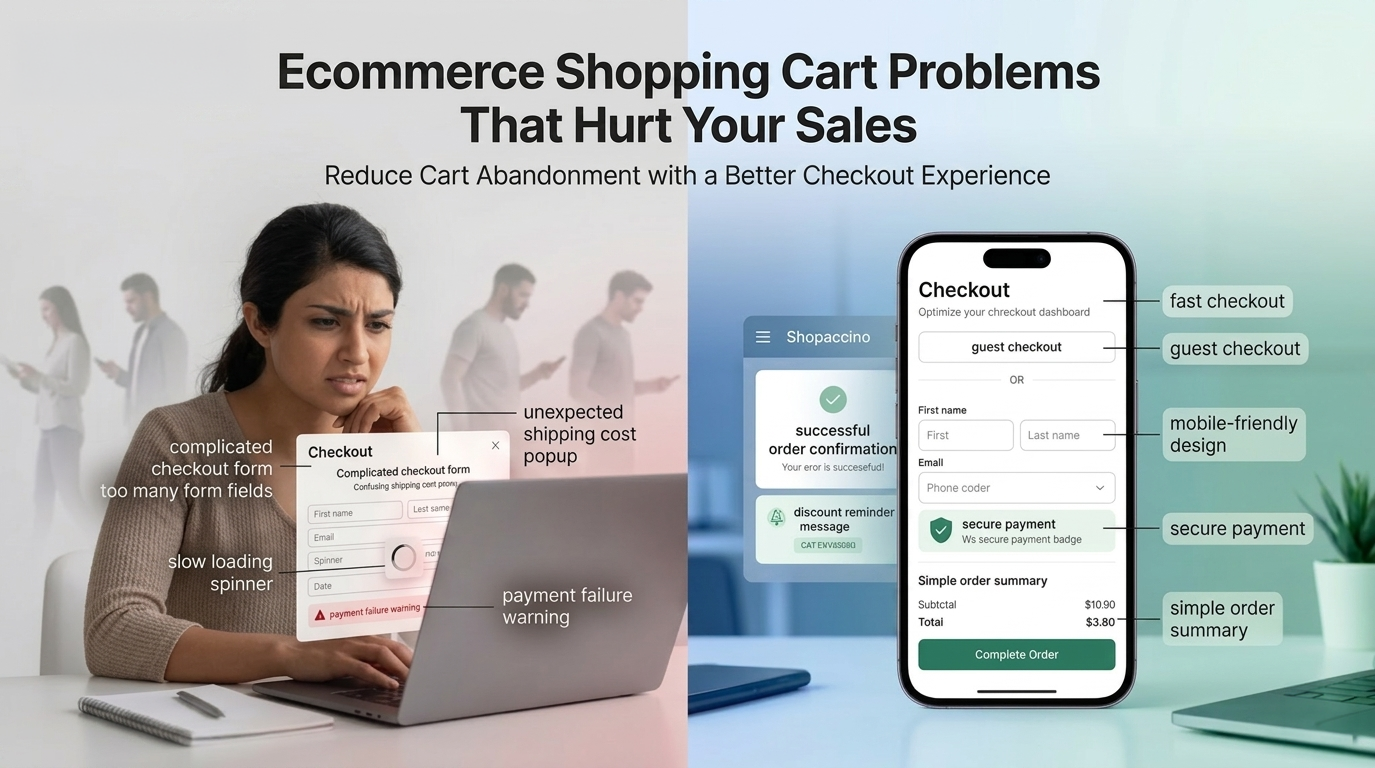
Ecommerce Shopping Cart Problems That Hurt Your Sales
A buyer finds the right product, reads through the details, and clicks Add to Cart. They are ready to buy. Then something in the checkout breaks the momentum. Maybe a page asks them to create an account. Maybe a shipping fee appears at the last step. Maybe the page loads too slowly on their phone. They close the tab. That sale is gone, and in most cases they never return.
The ecommerce shopping cart is where the highest buying intent in the entire customer journey sits. And yet it is the part of an online store that gets the least design attention. Businesses invest heavily in traffic, product photography, and advertising. The cart gets treated as a technical feature that simply needs to exist.
That thinking is expensive. Poor checkout experience and unresolved ecommerce checkout issues are responsible for a significant share of revenue that ecommerce businesses lose silently every single day. This article breaks down the specific problems in short, scannable points, and shows what the fix looks like in practice.
Build a Shopping Cart Experience That Converts Shopaccino gives you a clean, fast, mobile ready checkout designed around how buyers actually behave, plus a built in Automated Abandoned Cart Notifications add-on to recover lost orders. Explore Shopaccino. |
Why the Ecommerce Shopping Cart Experience Matters
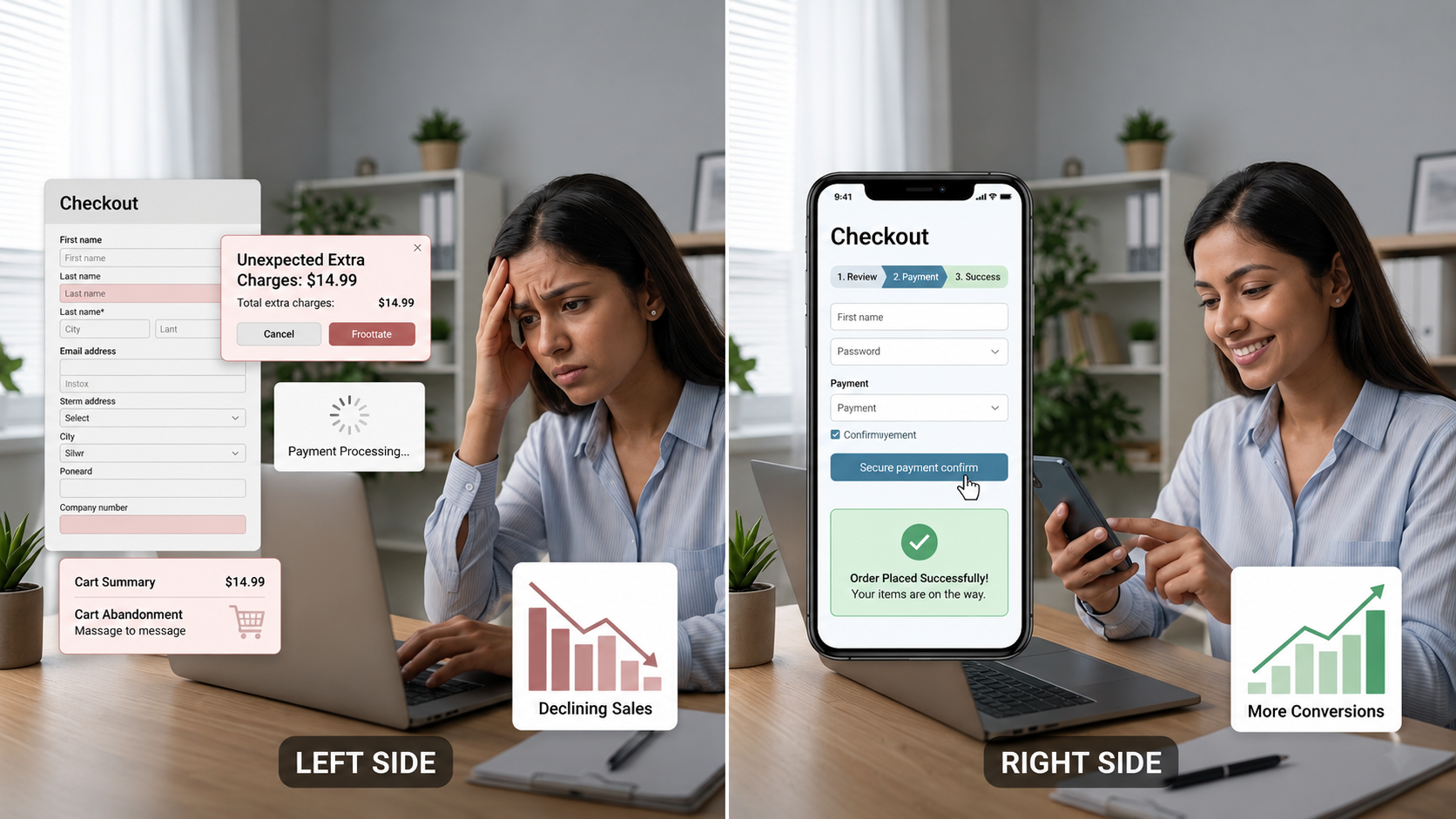
Think of the shopping cart as the bridge between browsing and buying. Everything before it, the product discovery and comparison, is the customer deciding what they want. The cart is where they decide whether they trust the store enough to actually pay.
A buyer who reaches the cart has already cleared the hardest part of the decision. They like the product. They are open to spending. The cart just needs to avoid breaking that momentum. When the online checkout process creates confusion or doubt at that exact moment, the buyer does not complain. They simply leave. Your analytics shows a cart abandonment event, but the actual cause stays unlabelled.
Businesses that take cart page optimization seriously understand that conversion rate improvement is not always about acquiring better traffic. Sometimes it is about not losing the buyers who are already there, ready to spend.
Problem 1: Complicated Checkout Processes
The most common ecommerce checkout issues are not technical failures. They are design failures. Checkouts that try to cover every possible scenario instead of serving the buyer who just wants to pay and move on. The most frequent issues:
- Five or six page checkout flows that create anxiety without showing progress
- No visible progress bar, so buyers do not know how close they are to completion
- Too many form fields, asking for company name, date of birth, or how they found the store
- Required fields placed before they are actually needed for the order
- Compulsory phone verification or OTP loops that fail silently on patchy networks
Problem 2: Poor Mobile Shopping Cart Experience
More than half of all ecommerce transactions globally now happen on mobile. In India, the share is even higher. If your mobile checkout is just a shrunken desktop version, you are losing sales from your largest traffic segment. Common mobile cart problems:
- Tap targets too small for confident thumb taps
- Wrong keyboard type, like a text keyboard for a phone number field
- Product images in the cart that load slowly or fail on weaker connections
- Checkout pages requiring horizontal scrolling because the layout is not responsive
- Payment screens that redirect externally and do not return the buyer cleanly
Problem 3: Unexpected Costs at Checkout
Shopping cart abandonment spikes at one specific moment more than any other. The payment page, when the order total jumps. A buyer who selected a product at a comfortable price, spent time on checkout, and then sees the total rise by 20 to 30 percent because of fees not shown earlier feels deceived, even if the charges are legitimate. The pattern usually involves:
- Shipping costs revealed only at the payment step
- Taxes added without warning at the final stage
- COD fees or convenience charges appearing only after the buyer commits
- Free shipping thresholds hidden until the buyer is too late to add to cart
- Currency conversion fees on international cards not disclosed earlier
Problem 4: Limited Payment Options and Checkout Flexibility
Every payment method a buyer cannot use is a direct conversion blocker. Indian buyers vary widely in payment preference by age, geography, and purchase type. A complete payment setup for the Indian market includes:
- UPI: the dominant method across age groups and regions in India
- Credit and debit cards: essential for higher value purchases and EMI options
- Net banking: still preferred by a section of buyers for larger transactions
- Digital wallets: relevant for buyers who maintain wallet balances
- Cash on Delivery: critical for first time buyers and developing markets
Beyond availability, payment gateway integration must be seamless. Redirects that fail to return the buyer to the store create confusion and sometimes result in failed orders even when the payment went through. Smooth redirect handling is a baseline requirement, not a premium feature.
Problem 5: Slow Loading Shopping Cart and Checkout Pages
Speed is part of the checkout experience whether you design for it or not. A cart page that takes four seconds to load, a coupon field that hangs for three seconds, or a payment screen that spins without confirmation creates doubt. At the moment of payment, doubt is the most dangerous thing you can create. Common causes:
- Uncompressed product images loading inside cart summaries
- Third party scripts running on checkout, including pixels, chat widgets, and analytics
- Hosting that degrades under traffic peaks like sale events
- Heavy template elements built for the homepage and reused on checkout
- Coupon validation that takes seconds because of unoptimised backend calls
Problem 6: Weak Cart Design and Poor User Experience
A cart that works technically but fails visually is still a conversion problem. Buyers navigating a cluttered cart are subconsciously deciding whether the store is trustworthy. Common cart design weaknesses:
- No product thumbnail in the cart line, leaving buyers uncertain about what they selected
- Quantity updates that require a full page reload instead of instant feedback
- Continue Shopping and Proceed to Checkout buttons styled identically, forcing buyers to read carefully
- No order summary visible after the cart page, so buyers cannot review what they are paying for
- Missing trust signals near the checkout button, like return policy or delivery estimate
- No estimated delivery date displayed before payment
Problem 7: Lack of Guest Checkout Options
Mandatory account creation is one of the most studied causes of shopping cart abandonment. A buyer who has decided to purchase and is confronted with a registration requirement faces a choice they did not expect. Create an account with a brand they are trying for the first time, or leave. A significant portion leave.
Guest checkout removes this friction. The buyer enters their delivery details, pays, and the transaction completes. The business concern that guest buyers are harder to re market to is real but sequenced incorrectly. Earn the first purchase first. Invite the buyer to create an account after they have received the product. That invitation, based on a positive experience, converts at a much higher rate than a forced registration gate.
Problem 8: Poor Cart Recovery and Customer Reminder Systems
Not every abandoned cart is a permanently lost sale. A buyer who left because they were interrupted, distracted, or undecided represents a recoverable opportunity, but only if your store has the workflow to reach them at the right moment. A good cart recovery sequence looks like:
- First reminder, 1 to 3 hours after abandonment: factual and direct, no pressure, just a reminder
- Second reminder, 24 hours later: slightly warmer in tone, optionally include trust signals or reviews
- Third reminder, 48 to 72 hours later: final reminder with an incentive if appropriate
Stores that implement a structured cart recovery workflow typically recover 5 to 15 percent of abandoned carts. On high traffic stores, that recovery becomes meaningful incremental revenue with zero additional marketing spend. The most effective recovery sequences include a discount coupon scheduled at specific times so the buyer feels the urgency without seeing the same generic email twice.
Problem 9: Security and Trust Issues During Checkout
A buyer who was relaxed while browsing becomes hesitant the moment they reach the payment screen. The transition from shopping to paying activates risk assessment. Questions form, even unconsciously. Is this site secure? Will my card details be safe? What happens if the product arrives wrong? If your secure checkout page does not address these questions visually, hesitation becomes abandonment. Trust signals that belong on every checkout page:
- SSL padlock and HTTPS indicator visible near the payment area
- Payment gateway logos for Razorpay, PayU, Stripe, or whichever providers you use
- One line return policy summary placed near the payment button
- Estimated delivery date shown clearly, not just a generic 3 to 7 days
- Order summary with product images visible at the payment step
- A clear customer support contact, especially for high value orders
Recovering Abandoned Carts with Shopaccino's Automated Notifications Add-on
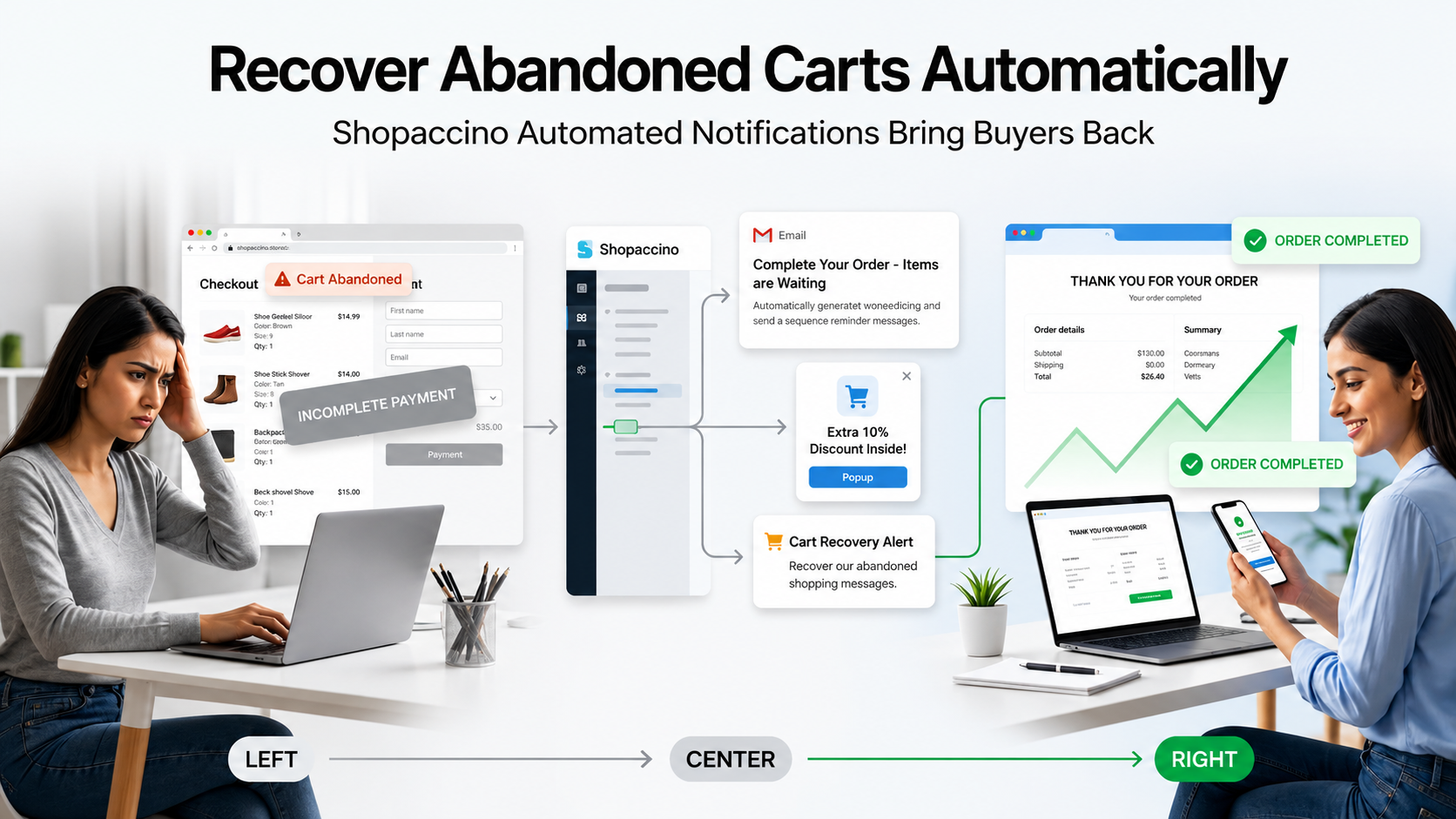
One of the most practical tools available inside Shopaccino is the Automated Abandoned Cart Notifications add-on. It directly addresses the cart recovery problem covered above by sending scheduled reminder messages to buyers who left without completing their purchase, with the option to attach a discount coupon to each reminder.
Here is how the add-on actually works inside the Shopaccino dashboard. You configure three sequential time slots, each set in hours after the cart is abandoned. For each slot, you choose a discount percentage and a coupon expiry duration. You can either let Shopaccino auto generate a unique coupon code for that buyer, or enter a predefined coupon code of your own.
The three tier setup builds urgency naturally. The first reminder nudges the buyer gently with a small incentive. The second reminder lifts the discount if the first did not work. The third reminder offers the highest incentive before the cart effectively expires from active recovery. Each coupon has its own expiry window, so the urgency is real rather than open ended.
Why the Add-on Helps Reduce Cart Abandonment
- Reminders are sent automatically without manual follow up from the seller
- Each reminder can carry a different discount, building urgency across the sequence
- Coupons can be auto generated to ensure unique codes for every recovery email
- Predefined coupon codes are supported when the business wants to use a familiar promo
- Coupon expiry days are configurable, so urgency is real rather than open ended
- Setup happens entirely from the dashboard without any developer involvement
- Once configured, the workflow runs in the background for every abandoned cart
How to Set It Up
Inside the Shopaccino dashboard, open Apps and locate the Automated Abandoned Cart Notifications add-on. You will see three configurable rows for the three reminders. For each row, enter the time duration in hours after which the reminder should be sent, the discount percentage to offer, the expiry days for the coupon, and either leave the predefined coupon code field empty (so Shopaccino auto generates a unique code) or enter your own promo code. Save the configuration once. From that point, every abandoned cart on your store automatically enters the recovery sequence.
How Shopaccino Helps Improve Ecommerce Shopping Cart Experience
Shopaccino is SaaS ecommerce software built around the real needs of online businesses. The ecommerce shopping cart and checkout infrastructure are not bolted on as add-on layers. They are core to how the platform is designed. Here is what Shopaccino provides for the cart and checkout experience.
Clean Streamlined Checkout Workflow
Minimal required fields, clear step progression, and a logical flow from cart to confirmation. Guest checkout is supported from the start, so first time buyers have a direct path to purchase without registration barriers.
Mobile Responsive Design Built In
Every Shopaccino storefront uses responsive frameworks that adapt to every screen size. The mobile checkout is a touch friendly, fast loading layout, not a compressed desktop version.
Payment Gateway Integration
Shopaccino connects to multiple payment gateways for UPI, cards, net banking, digital wallets, and COD. Every transaction is processed through a secure checkout environment. Buyers see payment options they recognise without being redirected to external pages that break the flow.
Cart Management and Coupon Functionality
Quantity updates, item removal, and variant confirmation work cleanly. Coupon code application is instant with clear success or error feedback. Sellers manage promotional codes directly from the dashboard without technical configuration.
Automated Abandoned Cart Notifications
The dedicated add-on described above ensures abandoned carts are not lost permanently. Three timed reminder messages with configurable discount coupons recover a meaningful share of buyers who left before completing the purchase, all running automatically once configured.
Order Management and Post Purchase Communication
Every completed order triggers automatic confirmation notifications. Dispatch updates and tracking links reach the buyer without manual follow up from the seller. This post purchase communication closes the loop on the checkout experience and reduces support enquiries about order status.
Best Practices to Improve Ecommerce Shopping Cart Performance
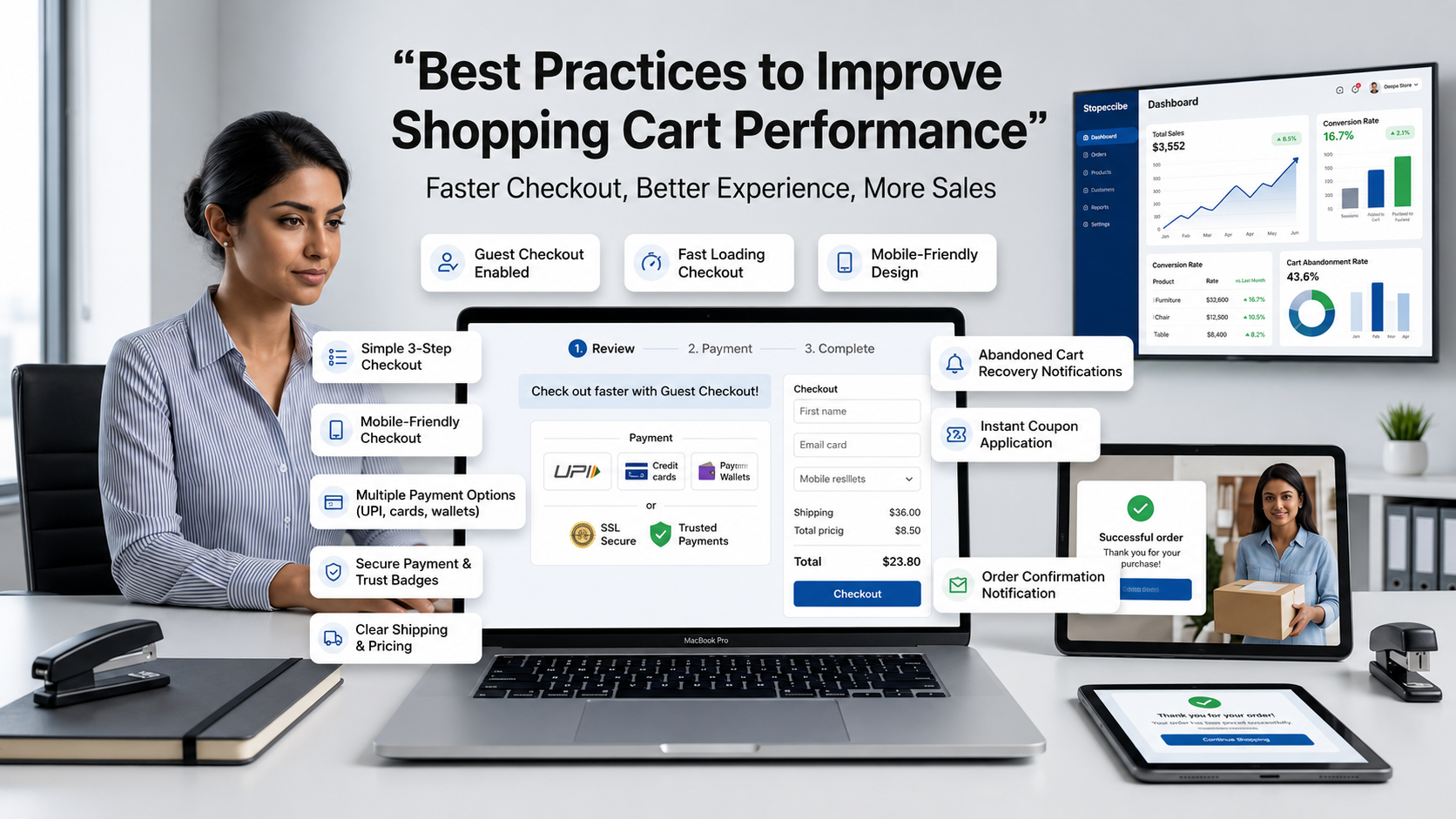
If you recognise problems from the sections above in your current store, here are the specific actions with the most direct impact on cart page optimization and completion rates. Each one is implementation ready.
- Enable guest checkout as the primary path and offer account creation post purchase
- Cut your checkout to three steps maximum: cart review, delivery details, payment
- Show the complete order cost at the cart stage, including shipping and taxes
- Add trust indicators at the payment step: SSL badge, payment logos, return policy summary, estimated delivery date
- Test the entire checkout on three real phones on mobile networks, not browser emulators
- Make quantity updates and item removal instantly
- Show product images in the cart summary so buyers see what they are paying for
- Configure the Automated Abandoned Cart Notifications add-on with the default three reminder sequence
- Support at least four payment methods for the Indian market: UPI, cards, wallets, and COD
- Compress all cart and checkout images and audit third party scripts for performance impact
The Ecommerce Shopping Cart Is Your Last Conversion Opportunity
Every marketing campaign, every SEO effort, and every product investment ultimately ends at the cart. If the ecommerce shopping cart experience is slow, confusing, or full of friction, the upstream work does not convert into revenue regardless of how good it was.
The problems covered above are not rare edge cases. They are the standard experience on stores that never treated checkout as a design problem worth solving. Complicated flows. Poor mobile experience. Hidden costs. Limited payment options. Mandatory registration. Missing trust signals. Slow page performance. Weak cart recovery.
Businesses that address their ecommerce checkout issues systematically outperform those that do not. Not because their products are superior, but because more of the buyers they attract actually complete their purchase. Shopaccino is built to make that the default outcome rather than the result of significant additional engineering investment, with the Automated Abandoned Cart Notifications add-on quietly recovering carts that would have been lost permanently on most other platforms.