Online Shop Website Builder: Complete Guide to Start and Grow Your Store
More businesses are moving their stores online every quarter, and the reason is simple. Customers expect to find products on the internet before they ever consider visiting a physical store. A retail brand without an online presence is, in the eyes of most modern buyers, half a business. Even traditional manufacturers, distributors, and wholesalers are now setting up online stores so their buyers can reorder, browse catalogues, and place orders without phone calls or trade shows.
Setting up an online store used to mean hiring developers, paying for hosting, configuring servers, and managing security updates on your own. That is still an option for businesses with technical teams, but it is no longer the only path. The rise of ready to use ecommerce platforms has made it possible for anyone to launch a professional online store in days rather than months.
An Online Shop Website Builder is the modern way to build, launch, and manage an online store without writing code. You do not need a developer, a server administrator, or a security specialist. You sign up to the platform, choose how your store should look, add your products, configure your payments, and start selling. The platform handles the technical work behind the scenes so you can focus on running the business. For the full walkthrough of each step, check our simple guide to set up an ecommerce store.
This guide walks through what an ecommerce website builder actually does, why businesses are increasingly choosing them over custom development, the features that genuinely matter, and how Shopaccino fits into this category as SaaS ecommerce software anyone can use to build a branded online store. By the end, you will have a clear picture of what is involved in setting up and running your own online shopping website, and what to look for when picking a platform.
What is an Online Shop Website Builder?
An Online Shop Website Builder is a software platform that gives you everything needed to create, design, and run an online store from one place. Instead of stitching together a website host, a shopping cart, a payment processor, and an inventory system separately, the builder bundles all of them into a single ready to use service.
In practical terms, the platform provides you with a dashboard where you can manage every part of your store. You add products, set prices, upload images, write descriptions, choose your store design, set shipping rules, accept payments, and track orders. The customer side of your store, the part buyers see, is automatically built from the data you enter in this dashboard.
How Online Store Builders Work
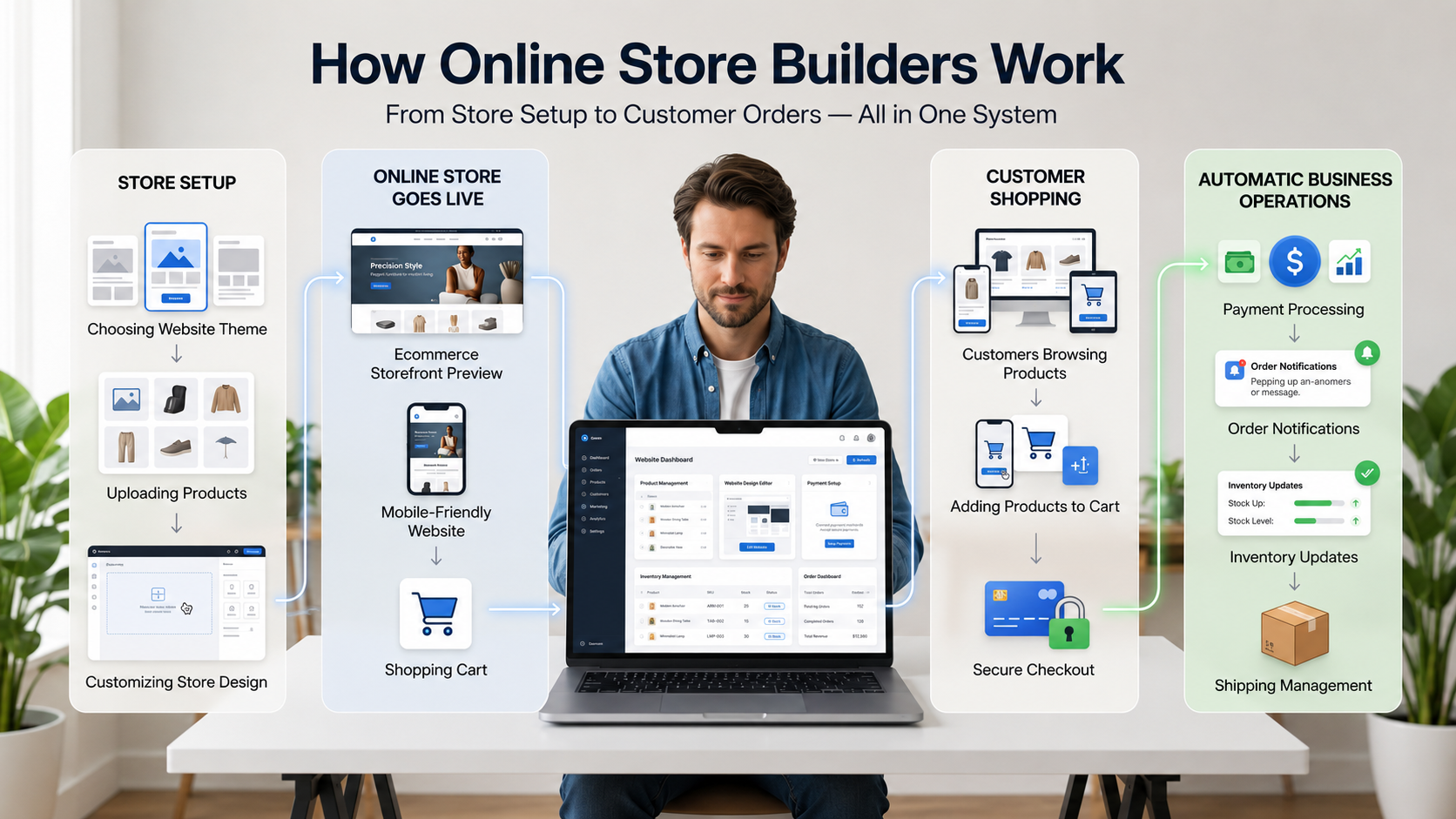
The technology behind the scenes is straightforward in concept. The platform hosts your website on its servers, applies a theme you choose for the visual design, and pulls your product information from a central database. When a customer places an order, the platform records it, processes the payment through an integrated gateway, sends a confirmation email, and updates your inventory automatically.
You do not touch any of the underlying code. You work entirely through the dashboard. If you can use a basic word processor and a spreadsheet, you can manage an online store on a modern builder.
Custom Development vs Ecommerce Builders
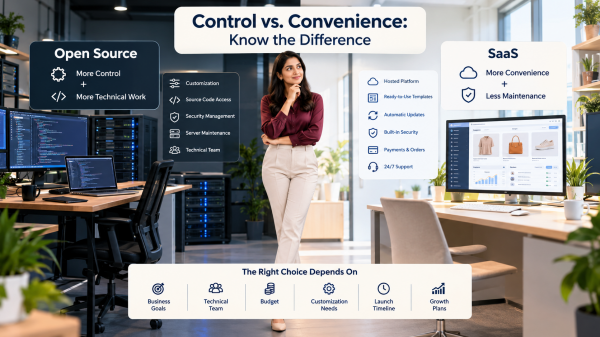
Custom development means hiring a team to build your store from scratch. You own the code, you control every detail, and you can build truly unique experiences. The trade off is cost, time, and ongoing maintenance. A custom ecommerce site typically costs many thousands of dollars to build and requires a developer on call for updates, bug fixes, and security patches.
An online store builder works on the opposite trade off. You give up some flexibility in exchange for speed, lower cost, and zero technical overhead. The platform takes care of updates, security, hosting, and integrations. You take care of the business. For nine out of ten businesses launching an online store today, this trade off makes obvious sense.
Why Businesses Prefer Ready Ecommerce Solutions
A ready to use platform means you can go from signing up to taking your first order within a week. There is no project plan, no developer brief, no testing phase that drags on for months. You also avoid the most common cause of failed ecommerce launches, which is technical debt slowing the business to a crawl before it has had a chance to grow.
Why Businesses Need an Online Shop Website Builder
Beyond the obvious convenience, ecommerce builders solve specific operational problems that every business running an online store faces. Understanding these problems makes it easier to see why these platforms have become the default starting point.
Faster Website Setup
Setting up a website builder for online store use takes hours, not months. The platform comes with pre built themes, ready to configure payment connections, and pre tested checkout flows. You spend your time on decisions that matter to your business, like which products to feature and how to describe them, rather than on technical setup.
Easier Product Management
Most builders include a clean product catalog management interface where you can add, edit, organise, and update your entire catalogue from one place. You upload images, write descriptions, assign categories, set variants like size and colour, and update prices, all without touching code. Bulk operations through CSV import and export save hours when you have hundreds of products to update at once.
Centralised Order Handling
Every order placed on your store appears in one dashboard. You see the customer details, the products ordered, the payment status, and the shipping address in a single view. Good order management features also include filtering by status, exporting order data, and triggering customer communication directly from the order screen.
Mobile Commerce Growth
Most online shopping now happens on phones. A modern builder delivers a mobile-friendly website automatically. Customers browsing on a phone see a layout designed for small screens, with large tap targets, quick loading product pages, and a checkout that works smoothly without zooming or scrolling sideways.
Customer Convenience
Buyers expect to be able to browse your products, add items to a cart, check shipping rates, apply a discount code, and pay in their preferred method without friction. A capable platform handles all of these expectations as standard features rather than custom builds.
Easier Business Management
With a builder, the running of your store happens in one place rather than across five separate tools. Product updates, customer queries, order status, and shipping all live in the same dashboard. This single interface significantly reduces the operational complexity of running an online business, especially as order volumes grow.
Essential Features to Look for in an Online Shop Website Builder
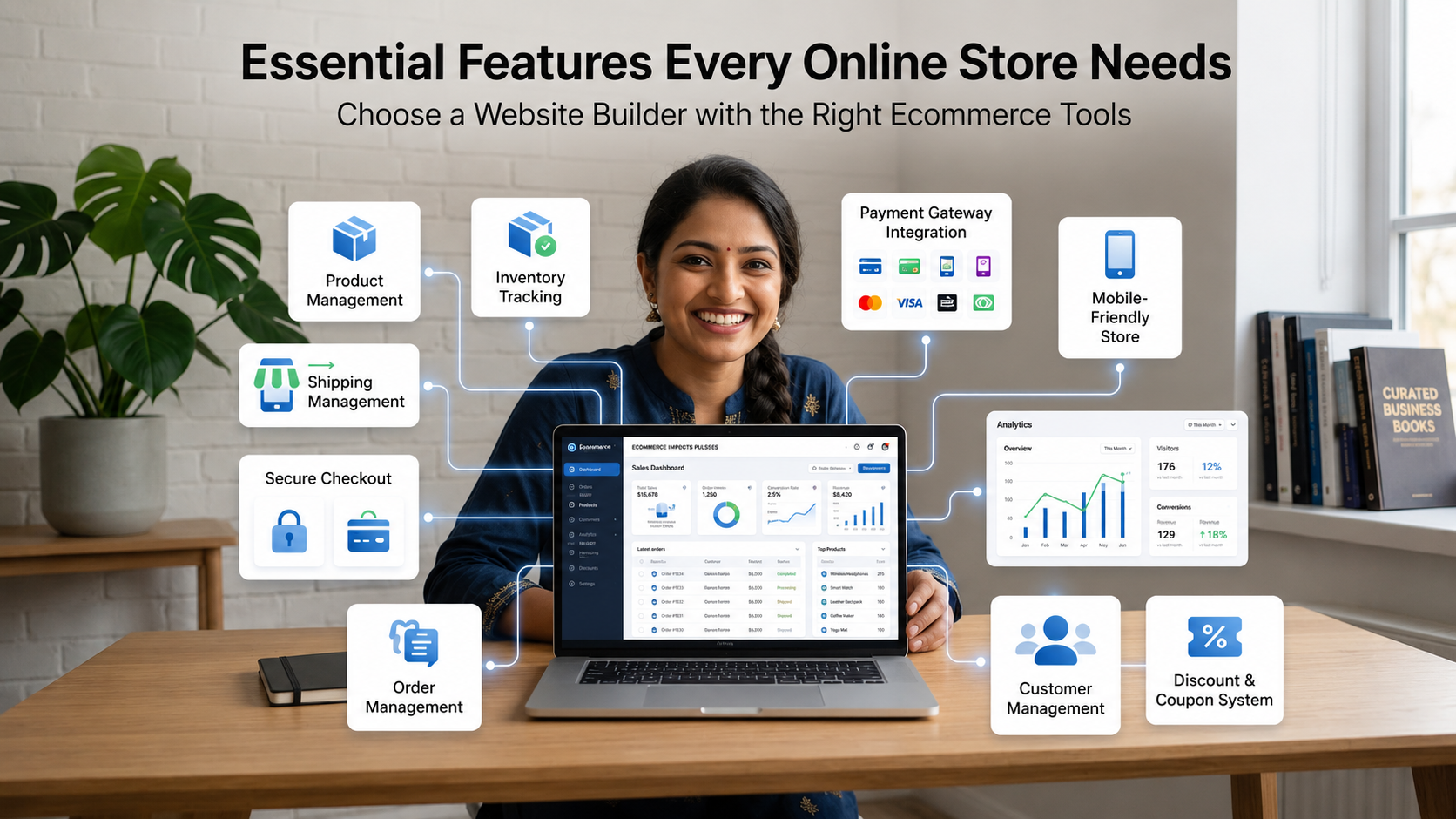
Not every platform offers the same capabilities, and the features that sound the same in marketing material often behave very differently in practice. Here are the features that matter most when picking a builder for a real online store.
Product Catalog Management
Look for a system that handles different product types cleanly. Simple products, products with variants like size or colour, digital products, and bundles. A capable product catalog management system also supports nested categories, search filters on the storefront, and easy bulk editing for businesses with large catalogues.
Inventory Management
Real time inventory management is one of the most overlooked features in basic builders. You want stock to update automatically when an order is placed, low stock alerts when items run out, and the ability to manage inventory across multiple warehouses if you ship from more than one location. Without this, you end up overselling products and disappointing customers.
Payment Gateway Integration
Strong payment gateway integration is non negotiable. The platform should support the major payment methods your buyers expect, including cards, UPI, wallets, net banking, and international gateways for cross border sales. Look for native integrations rather than third party plugins, since native support is more reliable and easier to maintain.
Shipping Management
Your shipping setup should support zone based rates, weight based rates, flat fees, and free shipping thresholds. A good builder also integrates directly with major courier services, generating shipping labels, tracking numbers, and delivery updates from inside the order dashboard.
Mobile Responsiveness
Every theme on the platform should be tested for responsive ecommerce design out of the box. This means the same content automatically rearranges itself to look right on desktops, tablets, and phones, without you having to design each screen size separately.
Order Tracking
Customers expect to know where their order is at every stage. The platform should automatically email or message customers when an order is placed, packed, shipped, and delivered. Self service tracking pages where the buyer can check status without contacting support save hours of customer service work each week.
Customer Management
Every order should add a customer record to your database. A capable platform lets you see each customer's order history, total lifetime value, communication preferences, and saved addresses. This data becomes the foundation for repeat purchase relationships.
Secure Checkout
The checkout process must be encrypted, PCI compliant, and protected against common attack patterns. Customers entering payment details need to feel confident their information is safe. SSL certificates, fraud detection, and verified payment processors are standard expectations.
Analytics Integration
You need to know what is working and what is not. Look for a builder with built in analytics covering sales, traffic, conversion rates, top products, and customer behaviour, plus the ability to connect to external analytics tools where needed.
Discount and Coupon Features
Discount codes, automatic discounts, buy one get one offers, and free shipping thresholds are standard tools for any online store. Your platform should support these flexibly, with clear rules around expiry dates, usage limits, and customer groups.
How Shopaccino Helps You Build an Ecommerce Website
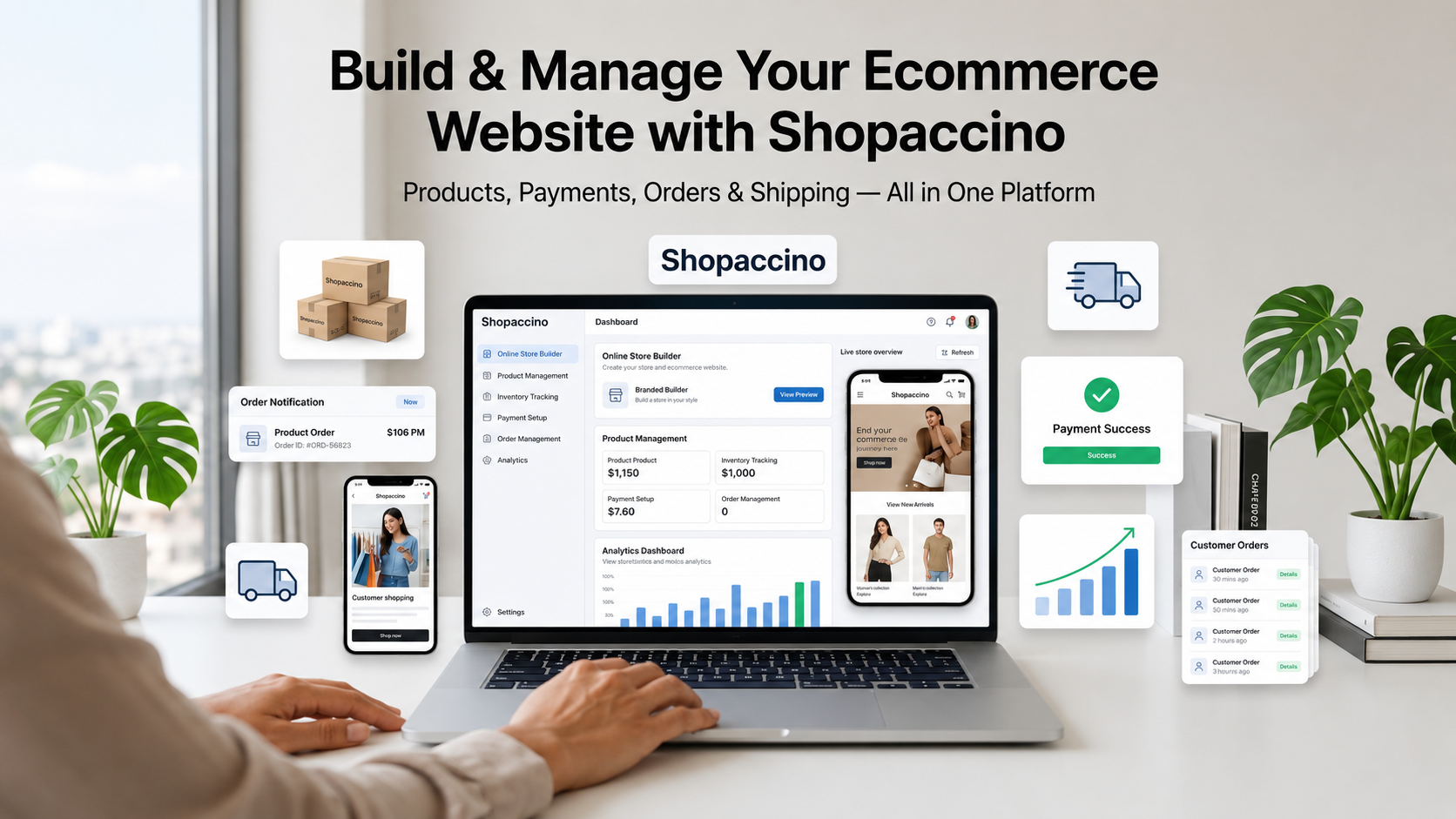
Shopaccino is SaaS ecommerce platform software that anyone can use to create a branded online store and start selling. It provides the technical foundation you need to run a real ecommerce business, while keeping the day to day work approachable for non technical users.
Here is a practical look at what Shopaccino provides as an ecommerce website builder.
Customisable Themes
Shopaccino comes with a library of themes designed specifically for ecommerce. You can pick a theme that fits your industry, then customise the colours, fonts, banners, and section layouts through the dashboard. The visual design of your store can match your brand without needing a designer for every change.
Responsive Website Design
Every Shopaccino theme is built with responsive ecommerce design in mind. The same store automatically adjusts to look professional on phones, tablets, and desktops, so customers have a consistent experience whichever device they use.
Product Management
The platform supports simple products, products with multiple variants such as size or colour, digital products, and bundles. You can manage your catalogue through the dashboard or use CSV import and export for bulk updates. Categories, collections, and product tags help you organise large catalogues cleanly.
Payment Integrations
Shopaccino supports a wide range of payment gateway integration options. Local payment methods like UPI, cards, wallets, net banking, and Cash on Delivery work alongside international gateways for cross border buyers. The right gateway can be enabled based on where your customers are.
Shipping Integration
The platform connects directly with major courier services so you can generate shipping labels, calculate live shipping rates, and track shipments without leaving the dashboard. Multi warehouse setups are also supported, so businesses fulfilling orders from more than one location can route each order to the closest warehouse.
Order Management
All orders flow into a single order management dashboard where you can view, filter, fulfil, refund, and communicate with customers. Order statuses update automatically as shipments move through the courier network, and you can trigger customer notifications at every stage.
Content Management
The platform includes a content management area for static pages like About, Contact, FAQ, and Refund Policy, as well as a blog section where you can publish articles and build search traffic over time. Both are managed through the same dashboard as your products.
Analytics Integration
Built in analytics give you a clear view of sales, top products, traffic sources, and customer behaviour. The platform also supports external analytics integrations where you need deeper data.
Secure Checkout System
Shopaccino provides an SSL secured, PCI compliant checkout flow with multiple payment methods, address validation, and built in fraud protection. The checkout is designed for high completion rates on both desktop and mobile.
What Shopaccino Is and Is Not Shopaccino is SaaS ecommerce software for building an online store. It provides the platform, the dashboard, and the integrations needed to run a real ecommerce business. It does not source products, run marketing campaigns, or promise sales. The store building, product management, and customer relationships are operated by you. The software gives you the foundation to do that work professionally. |
Steps to Create an Online Store Using a Website Builder
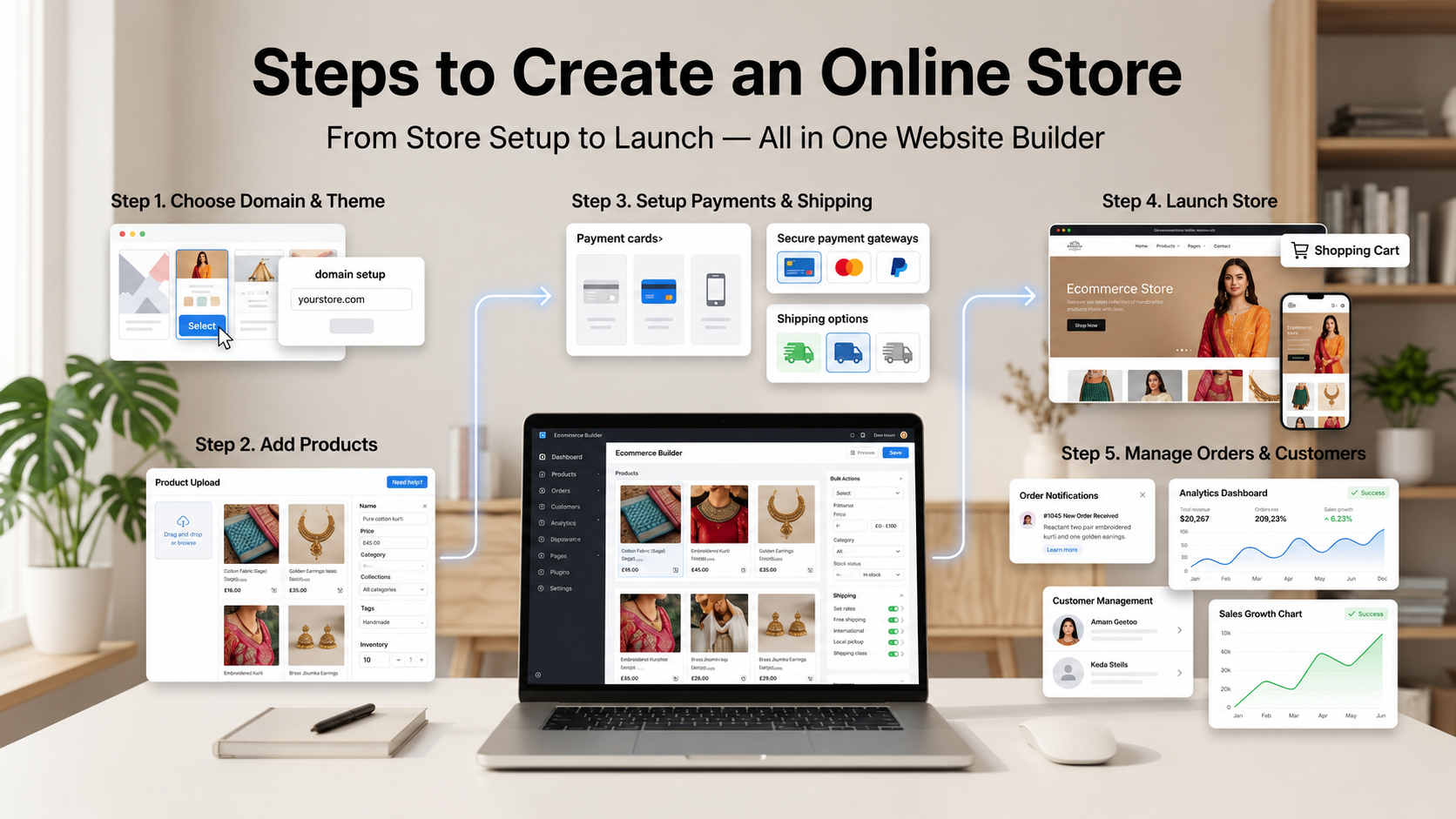
The workflow for setting up an online store on a modern builder is structured and predictable. Following the right sequence reduces rework and gets you to launch faster.
Step 1: Choose a Domain Name
Your domain is your store's address on the internet. Pick something short, memorable, and easy to spell. Most builders let you register a new domain through a platform (Godaddy, Hostinger, etc.) or connect a domain you already own. Choose carefully because changing your domain after launch is disruptive.
Step 2: Select a Theme
Pick a theme that fits your industry and product type. A fashion store has different visual needs than an electronics store or a furniture store. Most builders let you preview themes with sample products before committing, and you can usually switch themes later if needed.
Step 3: Add Products
Add your first batch of products through the dashboard. Each product needs a clear title, multiple photos, a thorough description, accurate pricing, stock quantity, and shipping weight or dimensions. The quality of your product information directly affects conversion rate, so take time on the first few entries to set a consistent standard.
Step 4: Organise Categories
Group your products into categories and subcategories that match how customers shop. A clear category structure makes browsing intuitive and helps with search engine visibility. Avoid having too many categories at the top level. Three to seven main categories is usually enough.
Step 5: Configure Payment Gateways
Connect the payment methods your customers expect. Enable cards, UPI, wallets, Cash on Delivery, and international gateways based on where your buyers are. Test each payment method with a real transaction before going live so you catch any setup issues early.
Step 6: Set Shipping Settings
Define your shipping zones, rates, and delivery times. Decide whether you want flat rates, weight based rates, zone based rates, or free shipping above a certain order value. If you ship from multiple warehouses, set up the rules that route each order to the right location.
Step 7: Create Policies
Write clear policy pages for refunds, returns, shipping, privacy, and terms of service. These are not just legal formalities. Customers actively read them before purchasing, especially on stores they have not bought from before. Clear policies build trust and reduce support queries.
Step 8: Publish the Website
Once your products, payments, shipping, and policies are in place, do a final review on both desktop and mobile, place a test order, and then publish. Most modern builders go live with one click. After launch, the work shifts from setup to ongoing management.
Designing a Professional Online Shopping Website
Good ecommerce design is not about flashy graphics or trendy effects. It is about making it as easy as possible for a visitor to find a product, trust the brand, and complete a purchase. A few practical principles guide every well designed store.
Homepage Structure
The homepage is the digital equivalent of a shop window. The first scroll should communicate what you sell, who you are, and what makes your store worth a closer look. Hero banners, featured collections, bestsellers, and customer reviews are common building blocks. Avoid clutter. A homepage with three or four clear sections almost always outperforms one trying to show everything at once.
Banners and Visuals
Banner images should support buying decisions, not distract from them. Show your products in real use, highlight current promotions, or introduce a new collection. Avoid stock imagery that has nothing to do with your products. Original photography always outperforms generic visuals.
Navigation
Customers should be able to reach any category within two clicks from any page. A simple top navigation menu with three to seven categories, plus a clear search bar, covers the needs of most stores. Mega menus help when you have many subcategories, but use them carefully so they do not overwhelm new visitors.
Typography
Use one font for headings and one for body text. Keep font sizes comfortably readable on mobile, where most of your traffic will come from. Headings should be clearly larger than body text to create a visual hierarchy that guides the reader through the page.
Category Structure
Category pages are often more important than the homepage in terms of revenue. Make sure each category page has a clear heading, a short introduction, well organised product listings, and useful filters for price, size, colour, or other relevant attributes.
Mobile Optimization
Design your store for the phone first, then expand to desktop. Tap targets need to be large enough for thumbs. Forms should trigger the right keyboard for the field type. Pages should load fast even on patchy mobile connections. A store that works well on a small screen will almost always work well on a large one.
Trust Building Elements
Customers buying from a store for the first time look for trust signals before they pay. Visible contact information, clear return policies, verified payment logos, security badges, and genuine customer reviews all reduce hesitation at the moment of decision.
Customer Friendly Layouts
Every page should make the next action obvious. The product page leads to add to cart. The cart leads to checkout. The checkout leads to confirmation. The confirmation leads to product discovery. Avoid layouts that force buyers to think about what to do next. The platform should guide them smoothly through the buying journey.
Managing Products, Orders, and Customers Efficiently
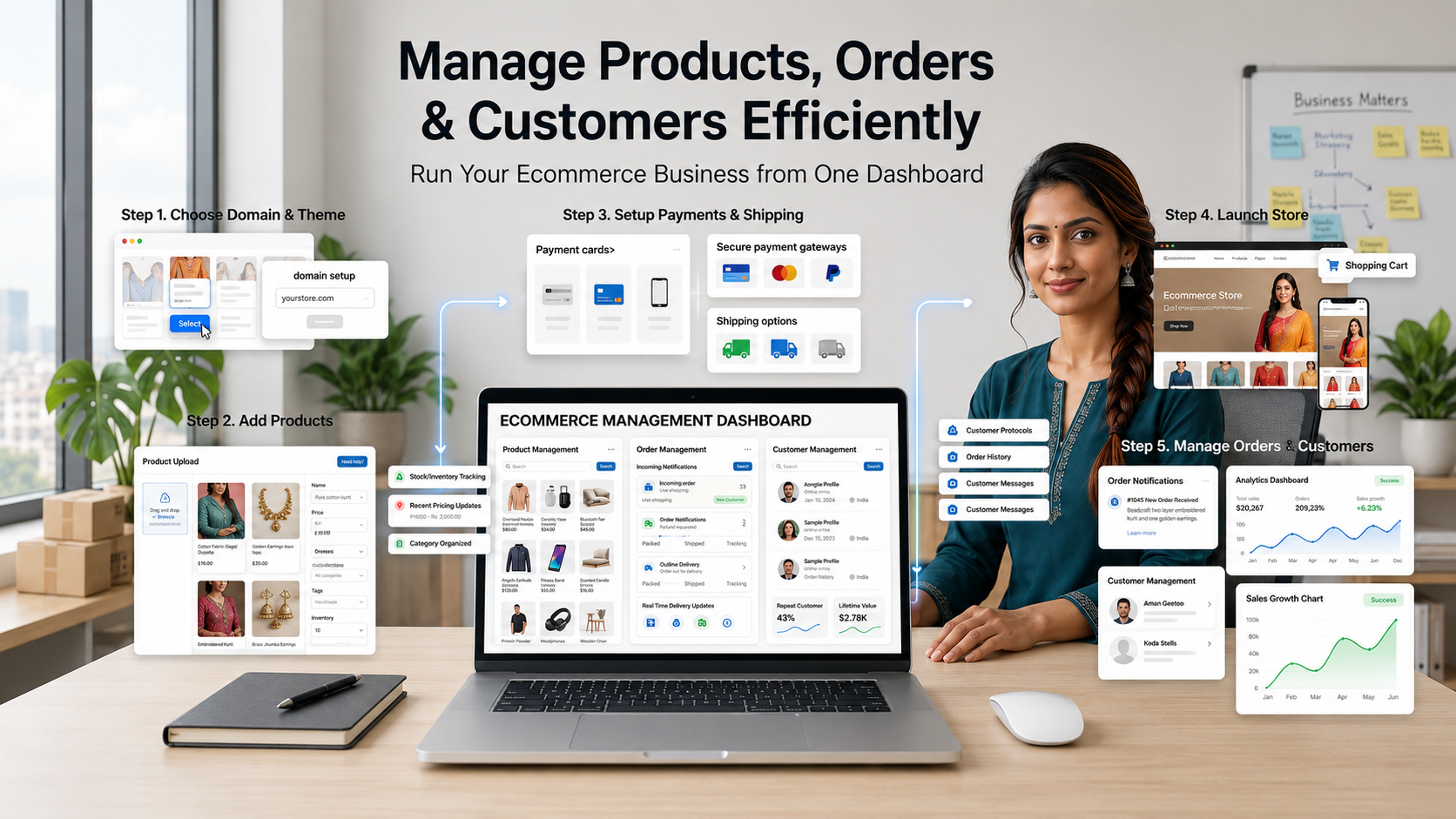
Setting up an online store is the easy part. Running it day after day is where the real work happens. The platform you choose should make these routine operations smooth and quick, so your time goes into selling rather than fighting with software.
Product Updates
Product information changes constantly. New stock arrives, prices adjust, descriptions improve, and seasonal items rotate. Use bulk edit features for large batches of updates and individual product edits for one off changes. Keep a habit of refreshing product photos every six to twelve months to keep the store visually current.
Stock Management
Real time stock updates prevent overselling, which is one of the worst experiences a customer can have. Configure low stock alerts so you know when to reorder. For seasonal products, use draft or hidden states rather than deleting products, so search engine ranking is preserved for the next season.
Order Workflows
A clear order workflow has predictable stages. Pending payment, paid, processing, packed, shipped, delivered. Each stage should have an automatic customer notification attached. Your team should be able to move orders through the workflow quickly without clicking through five screens for each one.
Customer Communication
Email and messaging tools inside the dashboard let you handle queries from one place. Most platforms support automated communication for order confirmations, shipping updates, and review requests, plus manual replies for one off questions. Use both. Automation handles volume. Personal replies build relationships.
Returns and Refunds
Returns are part of the business. The platform should support refund processing from within the order screen, with the refund automatically reflected on the original payment method. Document your returns policy clearly so customers know what to expect, and handle exceptions with judgement rather than rigid rules.
Pricing Updates
Prices need to adjust for new costs, promotions, seasonal sales, and customer segments. Look for the ability to schedule price changes in advance, run promotional pricing for limited periods, and offer different prices to different customer groups where needed.
Coupon Management
Discount codes are tools to use carefully. Set clear expiry dates, usage limits, and minimum order values. Track which codes generate real new business and which simply discount sales that would have happened anyway. The platform should let you create, manage, and analyse codes from one screen.
Mobile Experience and Ecommerce Performance
Most online shopping in 2026 happens on phones. A store that ignores mobile is leaving the majority of its potential sales on the table. The good news is that modern builders handle most of the mobile experience automatically. The work that remains is making sure the experience is genuinely good, not just technically functional.
Importance of Mobile Shopping
Buyers research on phones during commutes, while watching TV, in queues, in waiting rooms, in bed. The browsing pattern is fragmented across many short sessions rather than long focused visits. A mobile store needs to load fast, look clean, and let buyers add items to a wishlist or cart even if they will return later to complete the purchase.
Responsive Ecommerce Design
A mobile-friendly website is not just one that shrinks to fit a smaller screen. It is one that rearranges its content to make sense on mobile. Navigation collapses into a clean menu. Images scale without losing detail. Buttons enlarge for thumb taps. Forms simplify to the minimum number of fields. The whole experience adapts to how phones are actually used.
Checkout Usability
Mobile checkout is where most stores lose sales they should have won. Reduce form fields to the absolute minimum. Use auto fill for address details. Show the cart total clearly throughout the process. Offer one tap payment options where supported. The cleaner the checkout, the higher the completion rate.
Fast Loading Pages
Page speed matters more on mobile than on desktop because mobile networks vary widely. Compress images, minimise scripts, and let the platform handle the technical optimisations. Aim for product pages that load in under three seconds on a mid range phone. Anything slower starts costing conversions.
Customer Browsing Experience
Browsing should feel natural. Smooth scrolling, clean transitions, sensible image zoom, easy filter and sort, and quick search. Each interaction should feel responsive rather than laggy. These small details add up to whether a buyer feels comfortable enough to complete a purchase.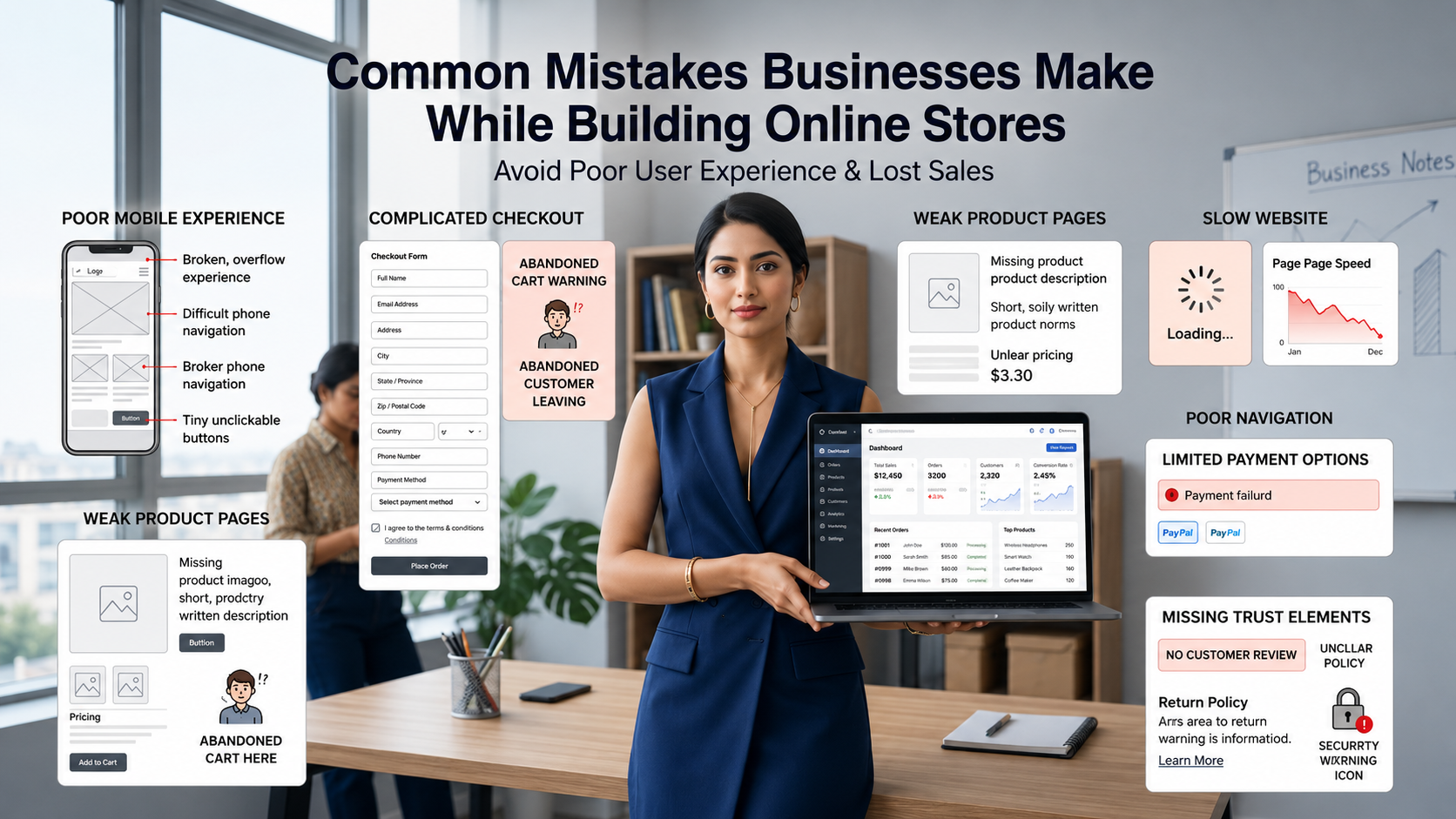
Some mistakes show up in store after store, regardless of category, region, or business size. Recognising them in advance saves months of slow performance and frustrated customers.
Poor Navigation
Burying important pages in deep submenus or hiding the search bar makes browsing harder than it needs to be. Customers who cannot find a product in three clicks usually leave. Keep top level navigation simple and place a prominent search bar in the header.
Complicated Checkout
Long checkout forms, mandatory account creation, surprise shipping costs at the last step, and limited payment options all push customers away at the moment they were about to pay. Test your checkout regularly on different devices and remove any friction you find.
Weak Product Pages
Product pages with one small photo, two lines of description, and no review section convert poorly. Customers cannot touch, weigh, or try on what they are buying online. Detailed photos, thorough descriptions, accurate sizing or specifications, and genuine reviews replace the in person experience.
Slow Websites
Every second of load time costs conversion. Heavy images, too many third party scripts, and bloated themes are the usual culprits. A good builder reduces this risk automatically, but you still need to upload appropriately sized images and avoid loading extras you do not actually need.
Poor Mobile Optimization
Designing only for desktop and treating mobile as an afterthought is one of the most expensive mistakes in modern ecommerce. The majority of your traffic comes from phones. Test every important page on a real device before launch.
Unclear Policies
Vague refund policies, missing shipping information, and hidden contact details damage trust. Customers want to know what happens if a product is wrong, when their order will arrive, and how to reach you if something goes wrong. Write these answers clearly and link to them from your footer and product pages.
Limited Payment Options
Offering only one or two payment methods filters out the buyers who prefer something else. Modern stores typically support cards, UPI, wallets, Cash on Delivery for regions where it is common, and at least one international gateway for cross border orders.
How Businesses Can Grow with the Right Ecommerce Platform
A store that runs smoothly at fifty orders a month often breaks at five hundred. Growth surfaces weaknesses that small scale operations hide. The right platform handles increasing complexity without forcing you to migrate every two years.
Adding Product Categories
As your business expands, you will add new product types. A capable platform supports new categories, subcategories, and product types without restructuring the entire store. You should be able to launch a new collection in an afternoon, not a quarter.
Managing Larger Catalogues
Catalogues of fifty products are easy. Catalogues of five thousand products require proper product catalog management tools, including bulk editing, CSV import and export, automated category assignment, and search filters that update in real time as the catalogue grows.
Handling Increasing Orders
Growth means more orders. The platform must scale to handle peak traffic without slowing down, process larger batches of order fulfilment, and integrate cleanly with courier services that handle the actual delivery work. Bottlenecks in any of these areas cap your business growth.
Improving Customer Experience
With volume comes the opportunity to refine the online selling website experience. Better recommendations, faster search, smarter inventory management, smoother checkout, and richer customer accounts all become possible once you have data on what customers actually do.
Expanding Ecommerce Operations
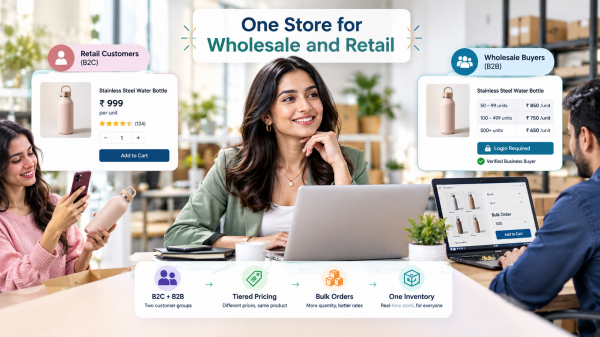
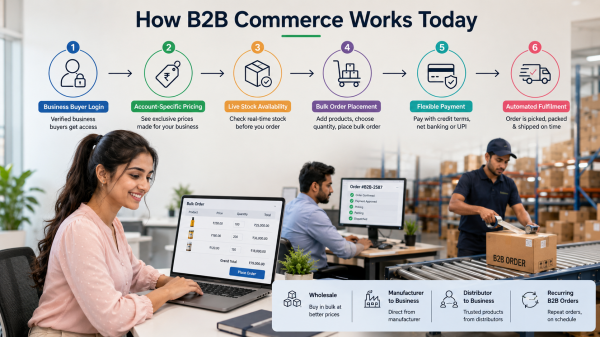
Eventually, growth means expanding to new sales channels, new geographies, or new customer segments. A platform that supports multi store setups, multi currency selling, multi warehouse fulfilment, and B2B workflows alongside B2C lets you expand without rebuilding from scratch.
Building a Long Term Online Selling Foundation
Choosing the right Online Shop Website Builder sets the foundation for everything that follows. The platform shapes how your products are presented, how customers experience the store, how easily you can fulfil orders, and how smoothly the business runs as it grows. A good choice quietly supports the business for years. A poor choice forces a painful migration just as growth starts to matter.
Look for a platform that handles the basics well. Product catalogue management, inventory updates, payment gateway integration, secure checkout, order management, customer accounts, and responsive design should all work cleanly out of the box. Custom features and advanced workflows can be added later, but the foundation must be solid from day one.
Shopaccino is built for this. It is SaaS ecommerce software anyone can use to build a branded online store, manage products, process payments, fulfil orders, and run the day to day operations of an ecommerce business. Whether you are launching your first store or expanding to a multi channel operation, the platform provides the tools needed to run a professional online shopping website without the technical overhead of custom development.
Then comes the actual work. Add your products carefully. Write descriptions that help buyers decide. Photograph your catalogue properly. Set up payments and shipping with care. Launch, take orders, learn what works, and improve every month. That is how a small ecommerce idea becomes a real ecommerce business.
FAQs
An online shop website builder is a software platform that lets you create, design, and run an online store without writing code. It bundles website hosting, design tools, product catalogue management, payment processing, and order management into one ready to use service. Most modern stores worldwide are built on these platforms rather than from scratch.
The best builder depends on what you sell, where your customers are, and how much you plan to grow. Look for a platform with strong product catalogue management, native payment integrations, multi warehouse support if needed, and a clean dashboard. Shopaccino is one of the SaaS ecommerce platforms designed for businesses serious about running a real online store.
Yes. Modern ecommerce website builders are designed for non technical users. You can launch a complete online store using only the dashboard, with no coding, no developer, and no server management. Most businesses launching today never write a single line of code for their store.
Yes. Shopaccino is SaaS ecommerce software that provides everything needed to build and run an online store. This includes customisable themes, product management, payment integrations, shipping integration, order management, content management, analytics, and a secure checkout system, all from one dashboard.
The majority of online shopping now happens on phones. A mobile-friendly website ensures your store looks clean, loads fast, and works smoothly on any device. Without responsive design, you lose most of your potential buyers before they ever reach the checkout. Every modern builder treats this as a baseline expectation.
A payment gateway is a service that securely processes online payments between the customer's bank and your business account. When a buyer pays, the gateway encrypts the transaction, verifies it with the bank, and confirms success or failure to your store. Modern builders integrate with multiple gateways so you can accept cards, UPI, wallets, and other methods.