How to Sell Food Online and Stop Losing Customers to Big Delivery Apps
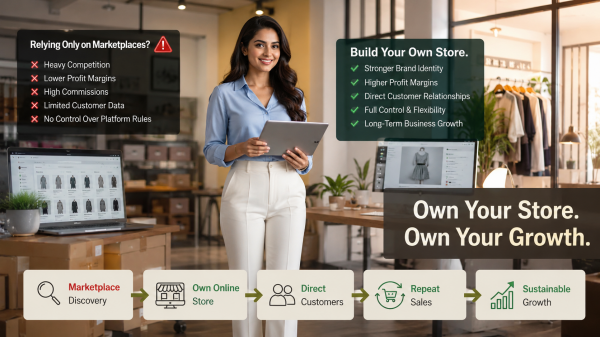
If you run a food business, that story describes something you have probably felt for a long time. The aggregator brings you customers. The aggregator also keeps them. Every order goes through a system that is designed to make your customers loyal to the platform, not to your brand.
This guide is about how to fix that. Not by leaving aggregators, but by building your own channel beside them. A clear How to Sell Food Online plan that turns first time buyers into repeat customers who come back to your brand, not to an aggregator's search results.
Quick Answer (60 words) To sell food online and keep customers loyal to your brand, build your own ecommerce website and food delivery app on your own domain. Add your menu, accept payments through cards, UPI, wallets, and Cash on Delivery, integrate delivery partners, write clear policies, and launch. Use aggregators to find new customers. Use your own channel to keep them. |
Below is the full plan. Read it end to end if you are starting fresh, or jump to specific sections if you already know what you need.
Why is Selling Food Online Growing So Fast?
Online food sales are no longer limited to big cities. Smaller towns are growing fast. So are older buyers and new food categories. Three simple shifts explain the growth.
Convenience is Now Standard, Not a Bonus
Customers expect to order food the same way they order anything else online. Open an app. Browse. Add to cart. Pay. Receive. Restaurants and food brands that still rely on phone calls or WhatsApp messages quietly lose orders every day to whoever made the process simpler.
Phones Have Become the New Storefront
Most food orders are placed on phones, often on impulse. The customer feels hungry, opens their phone, looks at three options, and picks the one with the fastest page and the clearest photos. The business that delivers that experience wins the order.
Every Food Category Has Moved Online
It is not just restaurants now. Cloud kitchens, bakeries, grocery stores, snack brands, organic food companies, home based meal services, and online grocery website operators are all online and growing. The platform setup is similar across all of them. The opportunity is real.
Who Should Sell Food Online?
Almost any food business can benefit from selling online. Here are the most common types already doing it well.
Restaurants and Cafes
Direct ordering websites let you take orders, manage your menu, and avoid heavy commission cuts. Aggregators are useful for finding new customers, but your own channel is where repeat customers should live.
Cloud Kitchens
If your business is fully delivery based, a branded ordering page gives you a destination beyond aggregators. You build a direct customer base that returns weekly without paying commission on every order.
Bakeries and Patisseries
Daily items, custom cake orders, and bulk corporate orders all fit on the same branded website. Pre orders for weekends and festivals work especially well online.
Grocery Stores
Neighbourhood grocery stores are setting up online food ordering system pages to take regular weekly orders. Recurring carts and reorder buttons turn casual buyers into reliable weekly customers.
Organic, Specialty, and Snack Brands
Health conscious customers want the story behind their food. A branded website lets you tell that story properly, in a way aggregators simply cannot.
Home Based Food Businesses
Home cooks selling pickles, sauces, baked goods, regional specialties, and meal subscriptions can run their entire business through a small online store with clear photos and a simple ordering flow.
What Do You Need to Start Selling Food Online?
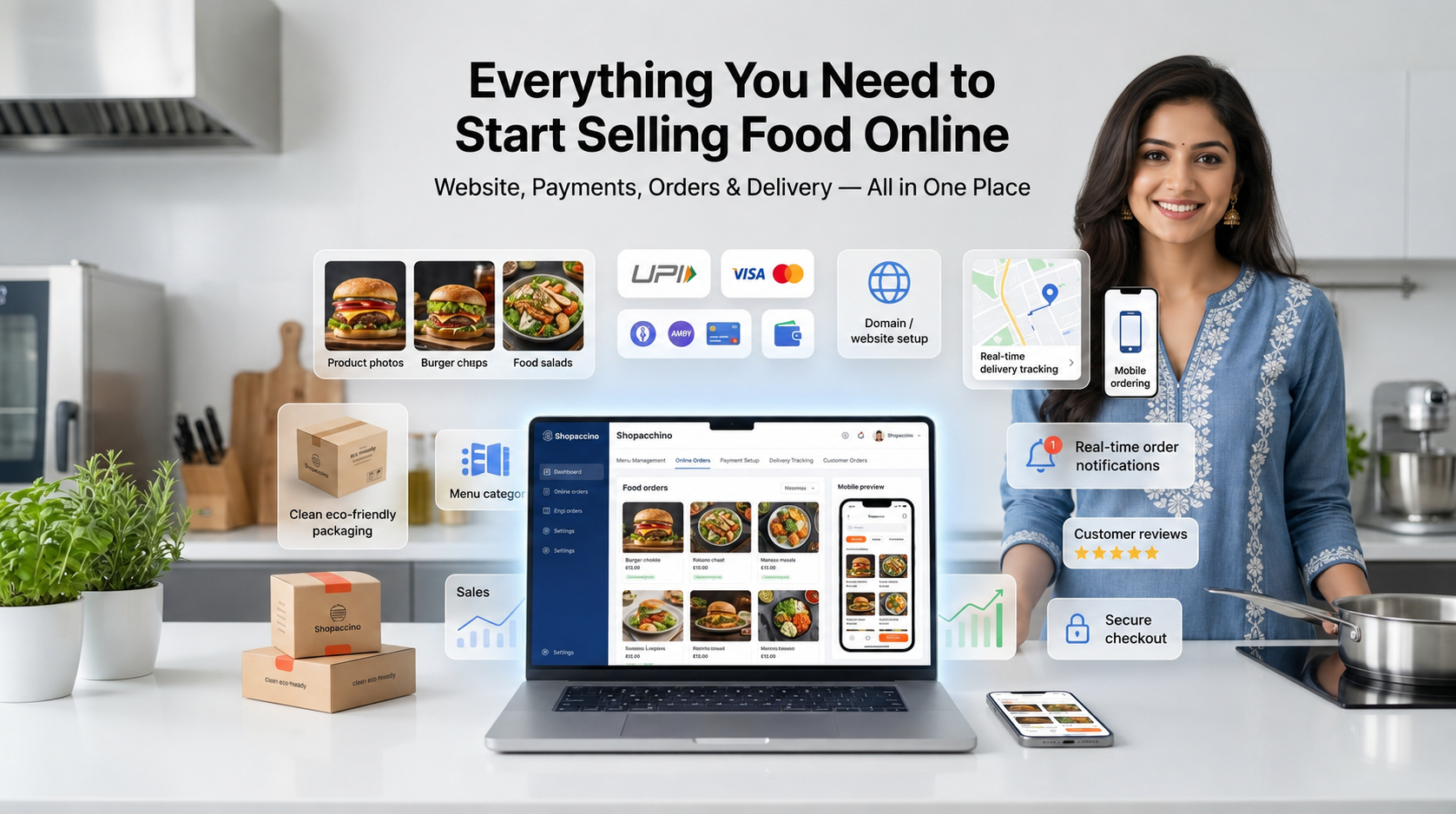
Selling food is more regulated than selling most other products. That is fair. Customers eating what you send need to be confident about safety, quality, and accountability. Here is what you actually need before taking your first order.
Food Safety Registration
Most countries need food safety registration before you can sell food legally. In India, this means FSSAI registration or a license depending on your scale. In other countries, it could be local health permits, food handler certifications, or kitchen inspections. Check your local rules and complete this step before launch. Supplements and nutraceuticals are regulated separately from food, with tighter restrictions on health claims and on which payment gateways will onboard you — covered in our guide to selling supplements online.
Business Registration and Tax
Beyond food safety, you need standard business registration. Tax registration is required once your turnover crosses local limits. Speak to a local accountant if you are not sure which structure suits your business.
Packaging
Food packaging must protect the product, keep it fresh, prevent leaks, and survive transit. Food grade containers, tamper proof seals, insulated mailers for cold items, and clear labels with ingredients and dates are all standard.
Delivery Setup
Decide how your food reaches the customer. Self managed delivery within a small area works for prepared meals. Third party couriers handle packaged goods. Cold chain logistics matter for refrigerated items. Your delivery management choice directly affects your costs and operations. Most businesses use a hybrid model.
Pricing That Works
Account for raw materials, packaging, kitchen costs, payment processing, delivery cost, and a margin that lets you stay in business. New food sellers commonly price too low because they only count ingredients. Add the time you spend on each order. Add replacement orders for damaged shipments. Build the full picture into your pricing from day one.
Inventory and Shelf Life
Food inventory is tricky because most items expire. Fast moving items like daily bread need just in time stock. Packaged goods need rolling production. Set your inventory rules based on your actual shelf life and order pattern.
Payment Setup
You need reliable payment processing. Cards, UPI, wallets, net banking, and Cash on Delivery where it fits. Each method has different fees and settlement times. Your platform should handle all of them through one clean checkout.
Customer Support
Food orders generate more support questions than most other categories. Set up WhatsApp, email, and phone with clear response times. The faster you reply, the more often a complaint stays out of public reviews.
How Much Does It Cost to Start an Online Food Business?
Costs depend on what you sell and how fast you plan to grow. Below is an honest breakdown of where the money actually goes in the first year.
Ecommerce Platform Subscription
A modern SaaS ecommerce platform like Shopaccino runs on a monthly subscription. It includes hosting, security, themes, payment integrations, and the dashboard. Plans range from affordable starter tiers to higher ones for growing businesses. This replaces what used to cost thousands of dollars in custom development.
Packaging Costs
Branded boxes, food safe containers, tamper proof seals, custom labels, and ice packs for cold items can range from a small part of order value to a much bigger share. Bulk ordering brings unit costs down once volume justifies it.
Delivery and Shipping
Delivery is often the single biggest cost in a food order. Local delivery costs less than long distance courier. Refrigerated shipping costs more than ambient. Build delivery cost into your pricing carefully.
Payment Gateway Charges
Most gateways charge 1.5 to 3 percent per transaction depending on the method. UPI is usually the lowest. International cards are higher. Cash on Delivery has its own handling fee. Factor these in. Do not absorb them silently.
Branding and Photography
Strong product photos are one of the highest return investments you can make. You do not need a studio. A simple setup with natural light and a phone, used consistently across all products, often works better than expensive equipment used inconsistently.
What Features Does Your Food Ecommerce Website Need?
Not every feature matters equally. The list below covers what actually affects whether a buyer completes their order or leaves.
Food Product Catalog
A clean food product catalog with clear titles, appetising photos, accurate descriptions, ingredients, dietary tags (vegetarian, vegan, gluten free, contains nuts), portion sizes, and prices is the foundation of every food website. Customers scan fast. Communicate the basics at a glance.
Clear Categories
Group products the way customers think. Bakeries: cakes, breads, savouries, seasonal. Restaurants: starters, mains, desserts, drinks. Grocery: vegetables, dairy, packaged. Three to seven main categories. More than that becomes clutter.
Mobile First Design
A mobile-friendly website is not optional. Most food orders happen on phones, often on impulse. The catalogue, cart, and checkout all need to work smoothly on small screens, with large tap targets and clean visual layout.
Secure Checkout
The checkout must be encrypted and protected. SSL certificates, fraud protection, and clean error handling are baseline. Not premium features.
Payment Gateway Integration
A secure payment gateway is the heart of an online food business. Support cards, UPI, wallets, net banking, and Cash on Delivery where it suits. Native integrations are more reliable than third party plugins.
Delivery Management
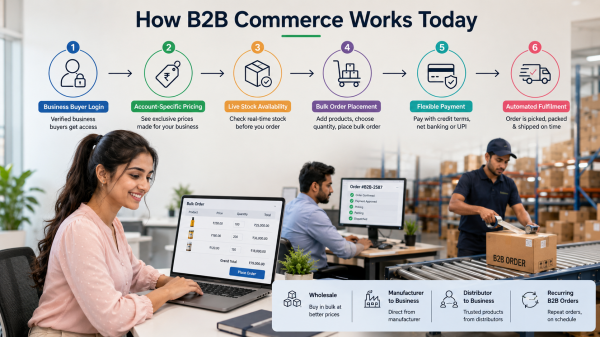
Strong delivery management includes zone based rules, time slot selection, minimum order values per zone, integrations with courier and rider services, automatic shipping labels, and clear delivery cost at checkout. Each of these removes friction.
Real Time Order Tracking
Customers want to know where their order is at every stage. Confirmed. Preparing. Packed. Out for delivery. Delivered. Automated status updates by email, SMS, or WhatsApp reduce 'where is my order' questions significantly.
Customer Accounts
Customer accounts let returning buyers reorder quickly, save addresses, and view past orders. The faster a returning customer can repeat an order, the more often they will. Repeat purchase rates rise when account features work cleanly.
Inventory and Stock Management
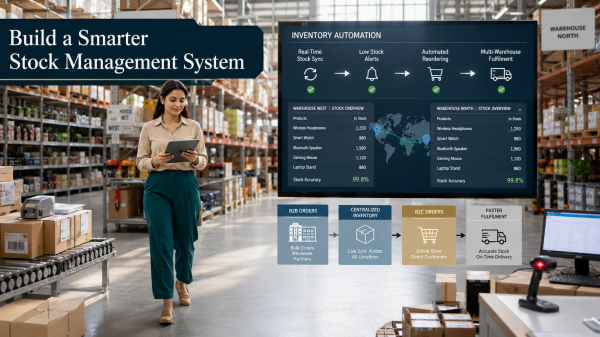
Food inventory updates need to run in real time. Once today's batch of bread sells out, the product should mark itself unavailable. Not keep accepting orders you cannot fulfil. Automated stock updates prevent the worst kind of customer disappointment.
Offers and Coupons
Discount codes, first order offers, free delivery thresholds, and referral programs all support new customer acquisition and repeat orders. Your platform should let you create, manage, and analyse offers from one screen.
How Does Shopaccino Help You Build Your Online Food Business?
Shopaccino is SaaS ecommerce website builder software anyone can use to create a branded online store and start selling. The same platform that handles clothing, electronics, or home decor also handles food ecommerce. Each food item becomes a product in your catalogue.
Here is what Shopaccino provides for food businesses.
Customisable Themes
Pick a theme. Then customise the colours, fonts, banners, and section layouts through the dashboard. Your food website looks like your brand, not like a generic template.
Responsive Design Across All Devices
Every Shopaccino theme is responsive. The same pages adapt automatically to desktops, tablets, and phones. No separate design work needed for each screen size.
Product Management
Set up food items as simple products, products with variants like size or flavour, or bundles for combo meals and gift hampers. CSV bulk uploads, dietary tags, and detailed descriptions all work from the dashboard.
Payment Integrations
Cards, UPI, wallets, net banking, EMI options, and Cash on Delivery are all supported. Enable the methods that match your customer base. The platform handles the technical work.
Delivery and Shipping Integrations
The platform connects with major courier and delivery services. Generate shipping labels, calculate live rates, and track shipments from the dashboard. Multi warehouse setups are supported for businesses with more than one kitchen or location.
Order Management
All orders flow into one order management dashboard. View, filter, fulfil, refund, and message customers. Order statuses update automatically as deliveries progress.
Built In Coupons and Offers
Create discount codes, automatic discounts, free delivery thresholds, and bundle promotions. Set usage limits, expiry dates, and minimum order values from the same screen.
Analytics That Show What's Working
Built in analytics give you a clear view of sales, top products, traffic sources, conversion rates, and customer behaviour. External analytics integrations are also available if you need deeper insights.
Secure Checkout System
SSL secured, PCI compliant checkout with multiple payment methods, address validation, and built in fraud protection. Works cleanly on both desktop and mobile, which matters most for food orders that are mostly mobile.
What Shopaccino Is and Is Not Shopaccino is SaaS ecommerce software for building an online store. It provides the storefront, dashboard, integrations, and order workflows. It does not source ingredients, run your kitchen, or manage delivery riders. The food, the brand, and the customer relationships remain yours to operate. |
What Are the Steps to Create Your Online Food Website?
Setting up a food ordering website follows a clear sequence. Going in the right order saves rework and gets you to launch faster.
Step 1: Pick a Domain
Choose a domain that reflects your brand. Short. Memorable. Easy to spell. Register a new one or connect an existing one through the dashboard.
Step 2: Select a Food Friendly Theme
Pick a theme designed for ecommerce with strong product imagery, clear category pages, and prominent call to action buttons. Preview themes with sample products before committing.
Step 3: Add Your Menu
Add each food item as a product with a clear title, description, ingredient list, dietary tags, allergen warnings, weight or portion size, and price. Organise into clear sections.
Step 4: Upload Food Photos
Use bright, appetising photos taken in natural light. Keep the style consistent across all products. Inconsistent photo styles look amateur even when individual photos are good.
Step 5: Configure Payments
Connect the payment methods your customers expect. Test each one with a real transaction before going live so you catch setup issues early.
Step 6: Set Delivery Rules
Define delivery zones, time slots, minimum order values per zone, and delivery charges. For local delivery, set realistic windows. For shipped foods, integrate with courier services.
Step 7: Write Your Policies
Clear policy pages for delivery, refunds, returns, food safety, and privacy. Food businesses face unique policy questions. Document the answers in advance so they do not become disputes later.
Step 8: Launch
Once everything is set, review on desktop and mobile, place a test order, and publish. After launch, the work shifts from setup to daily operations.
Aggregators vs Your Own Channel: Which Approach Wins?
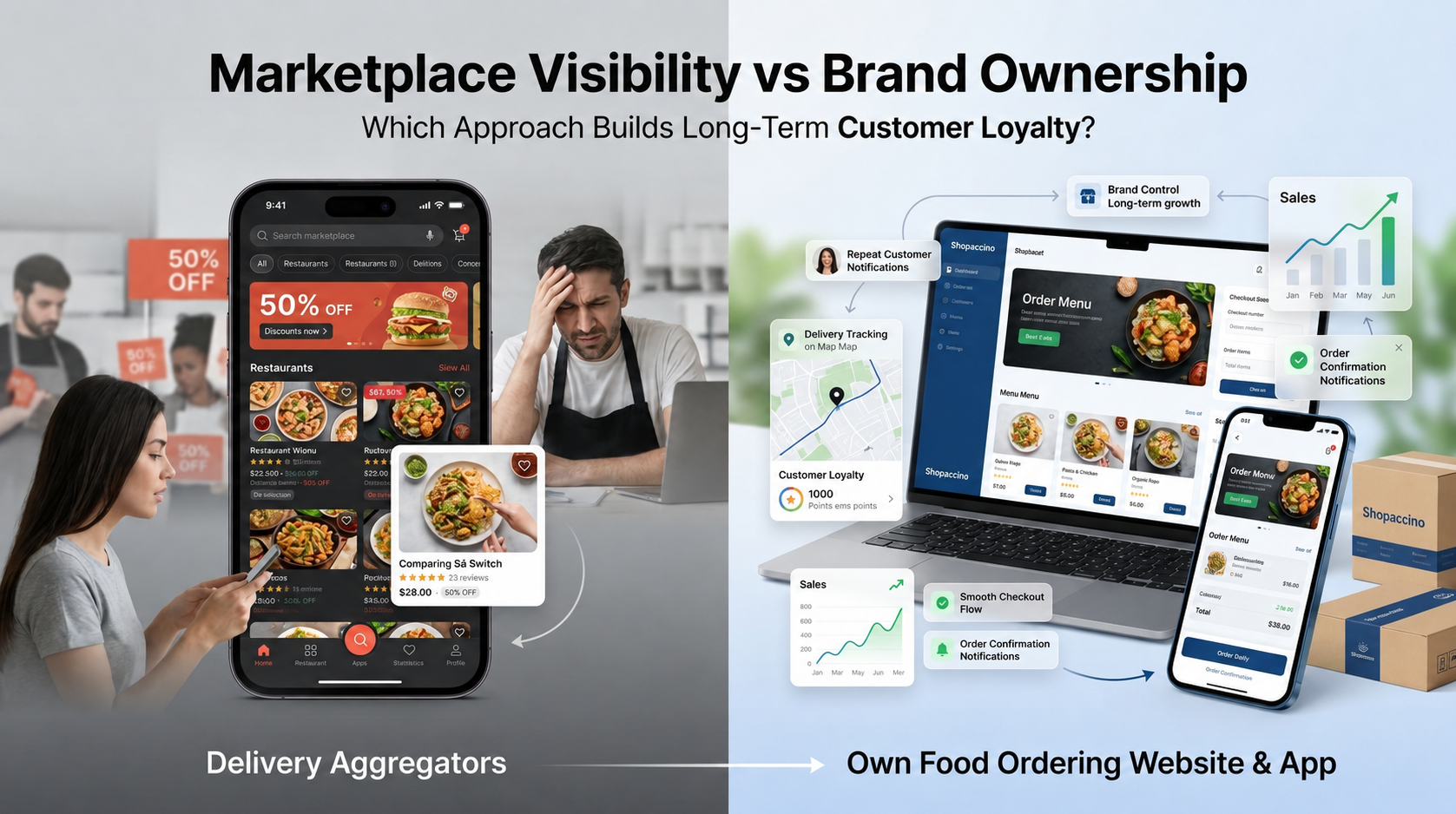
Where you sell online matters as much as what you sell. The right approach supports operations, brand building, and growth. The wrong one quietly costs you in commissions, customer ownership, and operational friction.
Aggregators vs Your Own Food Delivery App
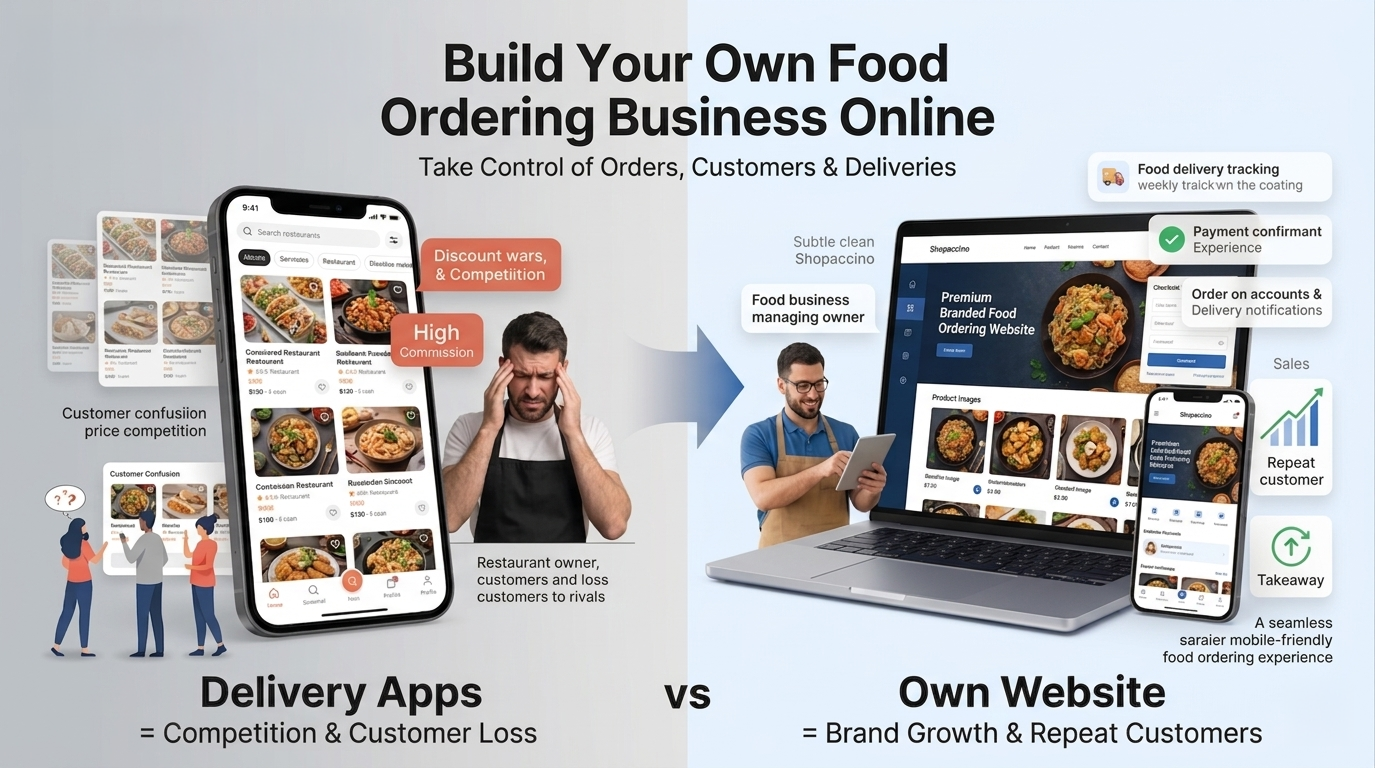
Food delivery aggregators offer easy access to existing customers. The trade off is high commission per order, aggregator control over pricing, and limited customer relationship. As ABC Food's story at the start of this guide showed, the aggregator puts dozens of competitors in front of every customer you bring in. A dedicated food delivery website or your own branded food delivery app changes that equation. On your own app, customers see your menu only. They order from you, not from your competitors.
The smartest food businesses now run both channels. Aggregators for finding new customers. Their own website and app for keeping them. The aggregator brings the first time buyer. Your own channel turns them into a loyal customer.
Read this story for a moment. It might sound familiar.
Why Restaurants Lose Customers on Delivery Aggregators "I love the food from ABC Food, a thali service near my office. The taste is good, the portions are right, and the price is fair. But when I want to order a meal, I open my favourite food delivery aggregator first. I place the order there, and most of the time I end up ordering from there itself. The truth is that I am a customer of the food, not of the aggregator. On the aggregator app, if another restaurant is selling a similar thali at a lower price, I may order from them instead. If that food is also good, the next time I will order from that new restaurant again. I will slowly stop ordering ABC Food's thali because I am getting a better thali at a lower price. This is a loss for ABC Food. Not because the food is bad. But because the aggregator shows dozens of other food shops to every customer who opens the app. ABC Food has to compete with all of them on every single order. If ABC Food had its own food delivery app, this would not happen. On their own app, I would not see competing restaurants. I would just see ABC Food's menu and place the order. There would be very little chance of losing me as a customer. As a result, customers like me would keep coming back, and ABC Food's customer base would grow over time. That is the real advantage of having your own food ordering app." |
Ecommerce Website Builders Make This Possible Without Developers
Modern ecommerce platforms let you launch a branded food website without hiring developers, managing servers, or piecing together payment and delivery systems separately. The platform handles hosting, security, integrations, and updates. You handle the business.
Control That You Cannot Get on Aggregators
Your own channel gives you full control over branding, pricing, product presentation, customer communication, promotions, and growth direction. Launch a new product overnight without waiting for aggregator approval. Email past customers directly. Build a long term audience that the aggregator's algorithm cannot take away from you.
Shopaccino is SaaS ecommerce software anyone can use to build their own branded online food business website, with a matching food delivery app for repeat customers. The platform provides storefront templates, product management, payment integrations, delivery and shipping connections, order workflows, and customer accounts in one dashboard.
How Should You Design Your Food Ordering Website?
Food ordering happens at speed. The customer is often hungry, distracted, and on a phone. The website that wins the order is the one that gets out of the way and lets them order quickly.
Homepage That Earns Its Space
Make it obvious what you sell, what is popular, and how to start ordering. A strong hero banner. A few featured products. Clear category links. A prominent search or menu button. Three or four focused sections beat ten busy ones.
Category Layout That Matches How People Think
A bakery does not need ten subcategories. Three or four wide categories, each easy to scan, work better. Big visual category cards on the homepage help mobile users tap into what they want quickly.
Real Food Photography, Not Stock Images
Use your own food photography. A real photo of your bestseller communicates more than a polished but generic visual. Inconsistent photo styles signal that the business is not yet quite real.
Mobile First, Always
Design for the phone first. Large tap targets. Fast loading. Sticky add to cart buttons. Clean checkout. The mobile experience decides whether the order completes.
Trust Signals Where Customers Look
Food safety registration number, hygiene certifications, customer reviews, contact details, and a clear refund policy. Show them prominently. Do not bury them in the footer.
How Do You Manage Orders, Payments, and Deliveries Day to Day?
Running a food business online means repeating the same workflow. Order. Confirm. Prepare. Pack. Deliver. The platform should make each stage predictable and quick.
Online Payments
Online payments should be automated end to end. The customer pays at checkout, the gateway verifies, the order is recorded, and you receive a confirmation. Settlement typically lands in one to three business days.
Cash on Delivery
COD still drives meaningful order volume in many markets. Enable it where it fits your delivery model. COD orders typically have a higher cancellation rate, so consider charging a small COD fee or limiting it to customers with verified past orders.
Order Workflows
Predictable stages. Received. Confirmed. In preparation. Packed. Out for delivery. Delivered. Each stage triggers an automatic customer notification. Your team can move orders forward with one or two clicks per stage.
Delivery Tracking Customers Can See
Tracking pages with current status, estimated delivery time, and rider details reduce 'where is my food' questions significantly. That is one of the most common support questions in food ecommerce.
Automated Customer Notifications
Email, SMS, and WhatsApp notifications keep customers informed at every stage. These updates feel routine to operate. But they significantly affect customer satisfaction, especially for first time buyers.
Refunds and Replacements
Food orders occasionally need refunds. The platform should process refunds back to the original payment method from inside the order screen, with a clear audit trail. Document your refund policy publicly.
What Are the Biggest Mistakes Food Businesses Make Online?
Some mistakes show up again and again. Recognising them early saves months of slow performance and frustrated customers.
Poor Product Photos
Blurry photos, harsh lighting, inconsistent backgrounds, and stock imagery that does not match your actual food. This is the biggest single cause of low conversion on food websites. Invest in consistent photography from the start.
Confusing Menu Structures
Long menus without categories, inconsistent product naming, popular items buried in the navigation. Clear categories. Group similar items. Put bestsellers near the top of each section.
Slow Mobile Pages
A mobile site that takes more than three seconds to load loses most visitors before they ever see a product. Compress images. Minimise scripts. Test on a real phone, not just a desktop browser's mobile preview.
Hidden Delivery Charges
Surprise delivery charges at the final checkout step are one of the top reasons orders get abandoned. Show delivery costs early. Use a free delivery threshold to encourage larger carts.
Complicated Checkout
Long forms. Mandatory account creation. Multiple confirmation screens. Limited payment options. Each of these pushes customers away exactly when they were about to pay. Simplify to the minimum.
Weak Packaging
Damaged deliveries, leaks, and food that arrives looking unappetising generate negative reviews. Packaging is part of the brand experience, not an afterthought.
Slow Customer Communication
Customers who do not know what is happening with their order assume the worst. Reply to support questions within minutes during business hours. Set automated updates for every stage.
Building a Food Business That Lasts Beyond the First Year
Working out How to Sell Food Online properly means treating your own website and app as the foundation, not as an afterthought. The platform you choose shapes how customers browse, order, pay, and receive their food. A good choice quietly supports the business as it grows. A weak one creates friction at every stage.
Look for a platform that handles the basics cleanly. A clean food product catalog, reliable payment processing, smooth delivery management, automated customer communication, and a responsive design that works well on phones. Custom features can be added later. The foundation needs to be solid from day one.
Shopaccino is built for this. SaaS ecommerce software that anyone can use to create a branded food ordering website and a matching app on their own domain. The platform provides the store side cleanly, so you can focus on the food, the customers, and the operational decisions that actually grow the business. The selling work, the kitchen work, and the customer relationships all remain yours to build.
Pick a domain. Choose a theme. Add your menu carefully. Set up payments and delivery. Launch with a small test of friends and family. Take real orders. Learn what works. Adjust. Then keep going, one happy customer, one well delivered order at a time. That is how a small food idea becomes a real food business. One that customers come back to because they remember you, not because they found you on an aggregator's search results.
FAQs
Get food safety registration appropriate to your country and scale. In India, this means FSSAI registration. Register your business. Apply for relevant tax registrations. Display the food safety number on your website and packaging. Then set up a branded online store on a modern ecommerce platform to handle orders, payments, and customer accounts.
The right platform depends on your business type, scale, and budget. Look for one that supports food product catalogues, multiple payment methods, delivery management, mobile responsive design, and order management from one dashboard. Shopaccino is one of the SaaS ecommerce platforms designed for businesses building branded food ordering websites.
Starting costs range from a few hundred dollars for a small home based business to several thousand for a multi outlet operation. The biggest variable costs are inventory, packaging, and delivery. The fixed costs are platform subscription, payment gateway fees, and basic branding work.
Yes. Modern ecommerce website builders are designed for non technical users. You can launch a complete food ordering website using the dashboard alone. No coding. No developer. No server management. Most food websites today are built on platforms rather than from scratch.
Yes. Shopaccino is SaaS ecommerce software that supports building a branded food ordering website where each food item is set up as a product. The platform handles the storefront, product management, payment integrations, order workflows, delivery integrations, and customer accounts from one dashboard.
A payment gateway securely processes the transaction between the customer's bank and your business account. When a customer pays at checkout, the gateway verifies the payment and confirms success or failure to your website. Modern platforms integrate multiple gateways so you can accept cards, UPI, wallets, net banking, and Cash on Delivery.