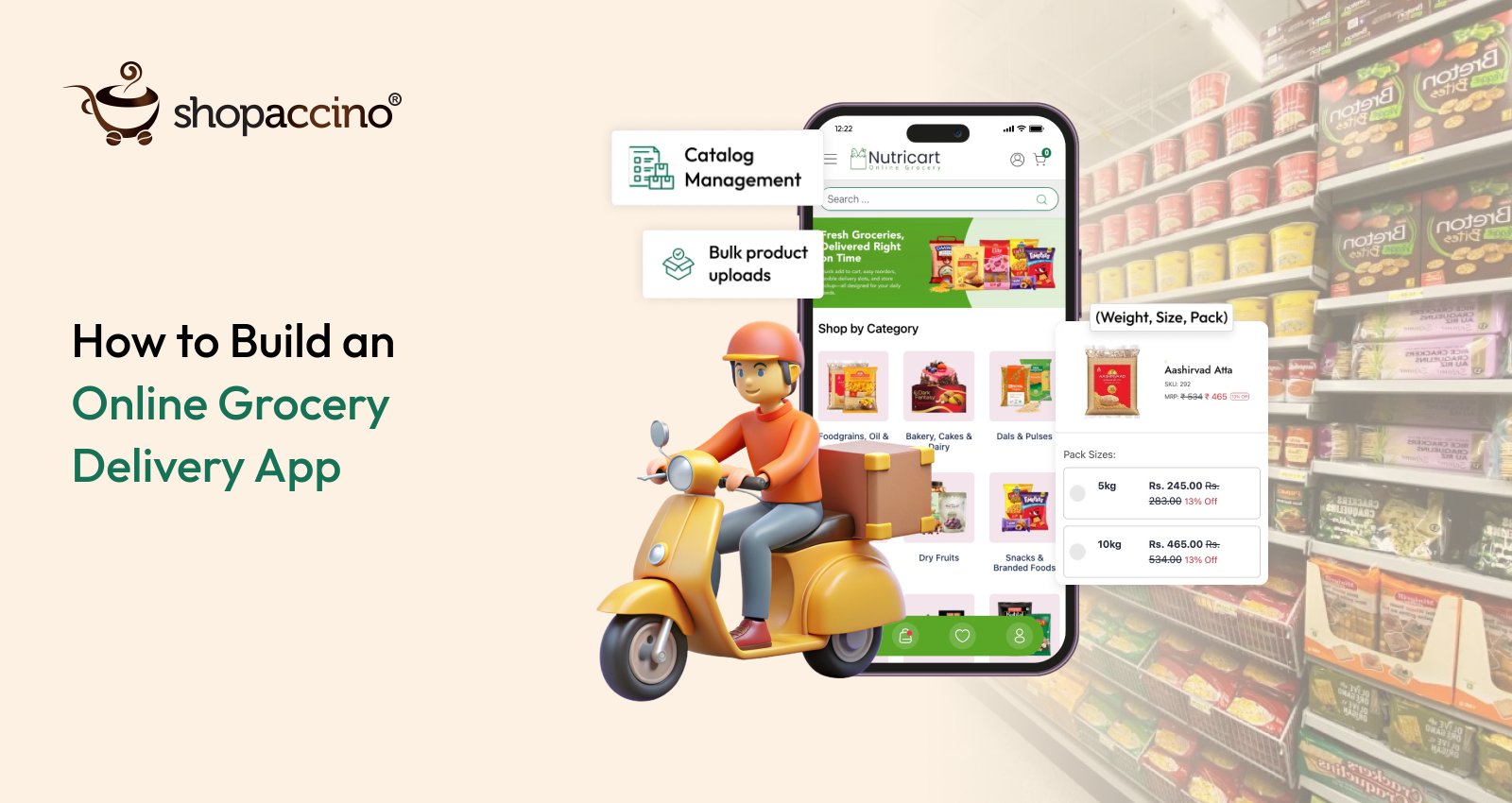
How to Build an Online Grocery Delivery App
Overview: The Online Grocery Opportunity
The grocery industry has undergone a fundamental shift. Consumers no longer want to drive to a store, wait in queues, and carry heavy bags home. They want to order from their phones and receive fresh produce, staples, and packaged goods at their doorstep — within hours. This shift has created an enormous opportunity for grocery businesses of every scale, from neighborhood stores to large supermarket chains.
If you are considering how to start grocery delivery business operations or expand your physical store online, the timing has never been better. The online grocery market alone is projected to grow significantly over the next five years, driven by smartphone penetration, faster logistics networks, and changing urban consumer habits.
What Makes Online Grocery Different
Unlike fashion or electronics, grocery delivery is driven by frequency and convenience. A customer who orders twice a week is more valuable than one who orders once a month. This repeat purchase behaviour is the backbone of a successful grocery delivery app. To support it, your platform must handle:
Inventory management — real-time stock tracking across categories and SKUs
Delivery logistics — route optimisation, time-slot scheduling, and last-mile efficiency
Pricing competitiveness — dynamic offers, bundle deals, and loyalty pricing
Customer convenience — easy reordering, saved addresses, and fast checkout
Repeat purchase behaviour — push notifications, subscriptions, and personalised recommendations
Building an online grocery delivery app is not just a technology exercise. It is an operational challenge that requires the right software, the right processes, and a clear understanding of your customers' expectations.
Identify Your Market
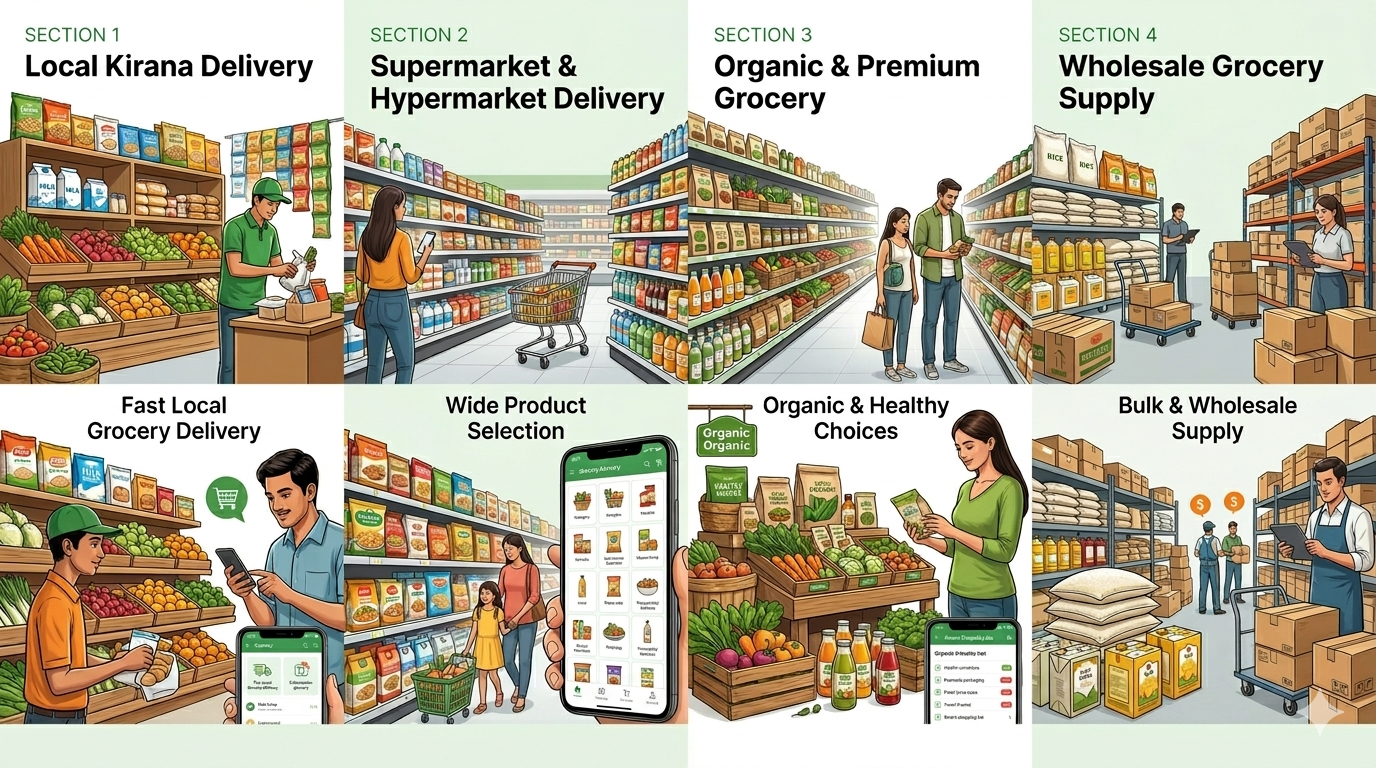
Before you build anything, you need to know exactly who you are selling to and what format of grocery delivery you are operating. The grocery market is not monolithic — it has several distinct segments, each with different margins, logistics requirements, and customer expectations.
Grocery Market Segments
Local Delivery: Neighbourhood stores offering fast, 1–2 hour delivery within a 3–5 km radius. Low ticket size, high frequency. Customers value speed and familiarity.
Supermarket and Hypermarket Delivery: Wider product range, longer delivery windows, higher average order value. Customers expect product variety, brand choices, and competitive pricing.
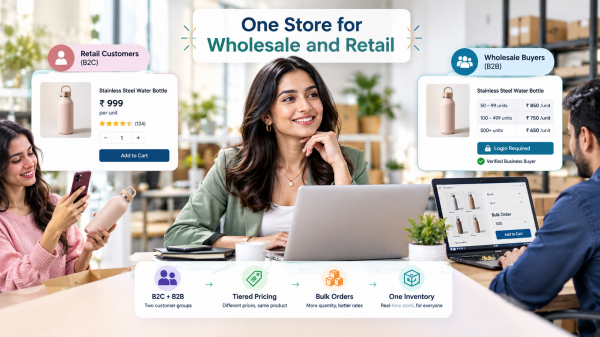
Wholesale Grocery: Bulk orders from restaurants, caterers, offices, and resellers. If you are exploring how to start wholesale grocery business operations, your app needs to support bulk pricing, tiered discounts, and business account management.
Niche and Organic Grocery: Premium segment with health-conscious consumers. Higher margins, specific sourcing requirements, and strong emphasis on product information and certifications.
Subscription-Based Essentials: Milk, eggs, bread, and staples delivered on a recurring schedule. Predictable revenue, high customer retention, and lower marketing costs.
Understanding which segment — or combination of segments — you are targeting will determine your product catalogue, delivery model, pricing strategy, and the features your app needs to support. Do not try to serve all segments from day one. Start with your strongest position and expand.
Identify the Gap in the Market
The online grocery space is growing, but it is far from perfect. Most markets — even in metro cities — have clear inefficiencies that a well-built platform can exploit. Before you invest in building your app, spend time studying your competitors and understanding what customers actually complain about.
How to Analyse Competitors
Download and place test orders on competing grocery apps in your delivery area
Read one-star reviews on app stores to identify the most common pain points
Talk to customers in your area about their experience with existing services
Evaluate competitor catalogues for stock availability, pricing accuracy, and product detail quality
Common Market Gaps
Delayed Deliveries: Many services promise same-day delivery but consistently fail. If you can guarantee reliable two-hour delivery, it is a significant competitive advantage.
Stock Unavailability: Customers frequently add items to cart only to find them out of stock at checkout. This is a result of poor real-time inventory management and is one of the biggest causes of cart abandonment.
Poor User Experience: Cluttered apps with confusing navigation, slow loading times, and complicated checkouts drive customers away. A clean, fast, mobile-first experience is still rare in many markets.
Lack of Real-Time Inventory: When customers cannot trust that what they see is actually available, they stop ordering. Real-time inventory visibility builds trust and reduces operational chaos.
Limited Delivery Flexibility: Rigid delivery windows and no ability to give specific delivery instructions frustrate working customers. Scheduled delivery time slots and address-level customisation solve this.
How to Fill These Gaps Strategically
Once you have identified the gaps, design your operations and app features specifically around them. If unreliable stock is the primary complaint in your market, invest in inventory synchronisation before anything else. If delivery speed is the gap, map your delivery zones to ensure you are only promising what you can consistently deliver. Competitive advantage in grocery delivery is almost always operational, not just technological.
Select a Product Range and Prepare Your Catalogue
Your product catalogue is the foundation of your online grocery store. A poorly structured catalogue leads to customer confusion, incorrect orders, and operational errors. Getting this right before launch saves enormous time later.
Product Categories to Consider
Fresh produce — fruits, vegetables, herbs
Dairy and eggs
Staples — rice, pulses, flour, oils, sugar
Packaged and processed foods
Beverages — juices, soft drinks, health drinks
Snacks and confectionery
Personal care and household essentials
Frozen foods
Baby and infant products
Organic and health foods
Required Product Data for Each SKU
For every product you list, you need the following information ready before upload:
Product Name: Exact brand name and variant — e.g., Amul Butter Salted 500g, not just 'butter'
Category and Subcategory: Properly nested for easy browsing — Dairy > Butter > Salted Butter
Brand: Accurate brand attribution for searchability and trust
Weight / Quantity / Pack Size: Clearly stated in standard units — 500g, 1L, 6 pieces
MRP and Selling Price: Both fields are required; discounts calculated from MRP create perceived value
Discounts and Offers: Percentage or flat discounts, buy-X-get-Y, or bundle pricing where applicable
SKU Code: Your internal reference for warehouse management and order picking
Stock Availability: Live stock count that syncs with your inventory system
Expiry Date (for perishables): Critical for fresh produce, dairy, and packaged foods — builds customer trust
Delivery Timelines: Specify express, same-day, or next-day delivery availability per product category
Gathering Accurate Product Data
For branded packaged goods, most product data is available on the manufacturer's website or through FSSAI registration databases. For fresh produce, standardise your own naming and weight conventions. Accuracy in product data directly reduces return requests and customer complaints.
Hi-Resolution Images and Product Visuals
In online grocery, customers cannot touch, smell, or inspect what they are buying. Your product images are the substitute for the physical shopping experience. Poor visuals erode trust and directly reduce conversion rates.
Image Requirements
Minimum 800x800 pixels per product image, white or neutral background
Front-of-pack shot showing brand name, weight, and key claims clearly
Packaging shot from multiple angles for unfamiliar or premium products
For fresh produce, images should reflect actual colour and size — avoid stock photos that misrepresent the product
For loose items sold by weight, show a representative 500g or 1kg quantity
Why Image Quality Matters
Customers deciding between two sellers at the same price will almost always choose the one with cleaner, more informative product images. Consistent image formatting across your catalogue — same background, same framing, similar sizing — also makes your storefront look professional and organised, which builds the kind of trust that encourages repeat orders.
If photography is a constraint initially, prioritise your bestselling SKUs and fast-moving categories. Expand image coverage as you grow. Even a clean, well-lit smartphone photo with a white background is significantly better than no image or a blurry placeholder.
Prepare Your Store Content
Before you launch, your store needs more than products. Customers arrive with questions — about your sourcing, your return policy, your delivery reliability. Answering these questions proactively through well-written store content reduces support queries and increases conversion.
Register Your Brand and Define Brand Guidelines
Whether you are launching a new grocery delivery brand or digitising an existing store, your brand identity determines how customers perceive and remember you. In a competitive market, consistency builds recognition.
New vs Existing Brands
If you are an established store, carry your existing brand identity into the digital space — your existing customers will recognise you, and it preserves brand equity. If you are launching new, invest time in choosing a name that is easy to spell, easy to remember, and available as a domain and social media handle.
Brand Guidelines to Define
Colour Scheme: Choose 2–3 primary brand colours. Green communicates freshness; orange signals energy and deals; blue conveys trust and reliability
Typography: Select one primary font for headings and one for body text. Ensure readability on mobile screens at small sizes
Tone of Voice: Friendly and helpful for neighbourhood kirana apps; professional and efficient for wholesale and B2B platforms
Visual Identity: Logo in multiple formats (white background, transparent, icon-only), banner templates, and packaging visuals if applicable
Do's and Don'ts: Define how your brand should and should not appear — prevents inconsistency across channels
Content to Prepare
Business Goal and Vision: A brief statement of what your grocery store stands for — fresh produce, local sourcing, or widest product range in your area
About the Store: Who you are, how long you have been operating, what makes you different — keep it concise and genuine
Sourcing Information: Where your produce comes from — farm-direct sourcing, FSSAI-certified suppliers, or branded stockists — builds significant trust
Unique Selling Propositions (USPs): Express delivery, no hidden charges, freshness guarantee, widest local selection — be specific
Policies: Delivery policy, return and refund policy, substitution policy for out-of-stock items — clear policies reduce disputes
Trust Signals: FSSAI licence number, years in operation, customer testimonials, press mentions, or any certifications relevant to your category
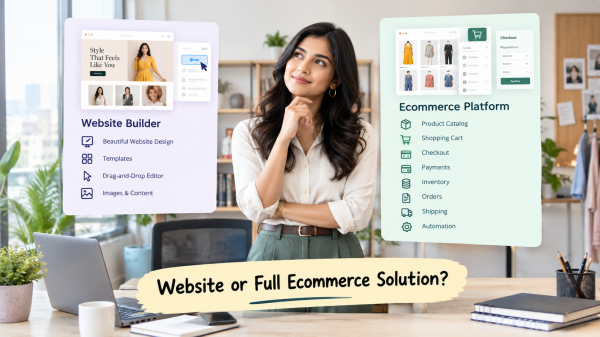
Choose the Right Ecommerce Software
Your ecommerce platform is the most critical technology decision you will make. It determines your operational capability, your customer experience, and your ability to scale. Choosing the wrong platform costs you time, money, and customers.
What to Look for in a Grocery Ecommerce Platform
Grocery delivery is operationally complex. A generic ecommerce platform built for fashion or electronics will fall short. Your platform must be purpose-fit for grocery delivery, with capabilities that match the realities of the business:
No Platform Commission: Platforms that charge per-order commission eat into already thin grocery margins. Choose a platform that charges a flat subscription, not a cut of your revenue
Easy Product Management: Grocery catalogues change daily — prices update, items go out of stock, new products are added. You need the ability to enable or disable products instantly, update pricing in bulk, and manage hundreds of SKUs without technical help
Customer Mobile App: Your customers must be able to browse, order, and reorder from a native mobile app. A mobile website alone is not sufficient for the repeat-order behaviour that drives grocery revenue
Delivery Partner App: Your delivery executives need a separate, purpose-built app to receive order assignments, navigate to customers, confirm deliveries, and update order status in real time
Essential Delivery Features
Custom Delivery Locations: Define specific delivery zones, pin codes, or radii that you service — prevents orders from areas you cannot efficiently serve
Delivery Instructions: Allow customers to specify gate codes, floor numbers, landmarks, or contactless delivery preferences
Additional Order Instructions: Customers should be able to add notes about ripeness preferences, substitution acceptance, or specific cut and preparation requests
Scheduled Delivery and Time Slots: Let customers choose a convenient two-hour delivery window — this dramatically improves first-attempt delivery success and reduces missed deliveries
Platforms like Shopaccino are built with these grocery-specific operational requirements in mind. Shopaccino gives you a customer-facing mobile app, a delivery partner app, zero per-order commission, and powerful delivery management tools — making it a practical choice for grocery businesses at every scale, from kirana stores exploring how to start online grocery store setups to supermarkets managing large product catalogues.
Choose Your Design and Theme
Your store's design is your first impression. In grocery, where customers are making quick, frequent purchase decisions, a clean and fast interface directly impacts conversion rates and repeat usage.
Design Principles for Grocery Apps
Mobile-First Approach: Over 80% of grocery app orders come from mobile devices. Your design must be optimised for small screens first — thumb-friendly buttons, readable text, and minimal scrolling to reach popular categories
Clean and Easy Navigation: Customers should be able to find what they need in two taps. Categories, search, and a persistent cart icon are non-negotiable. Avoid cluttered homepages with too many banners or promotional blocks
Fast Browsing Experience: Slow-loading product pages kill conversion. Compressed images, efficient code, and good hosting infrastructure all contribute to a fast app. Choose a theme and platform that is optimised for speed
Visual Hierarchy: Use colour, size, and spacing to guide the customer's eye toward bestsellers, offers, and new arrivals. Promotions should be visible but not overwhelming.
Upload Content and Configure Your Store
With your catalogue, images, copy, and brand guidelines ready, it is time to build your store. Approach this systematically — content uploaded in an organised, structured way is easier to manage and update later.
Products
Upload all product data with complete descriptions, correct pricing, and live stock counts
Write product descriptions that include weight, ingredients (for packaged goods), storage instructions, and shelf life where relevant
Set up SKU codes and category structures before uploading to avoid reorganising later
Informational Content
FAQ page addressing the most common customer questions — delivery timelines, substitution policy, minimum order value
All policy pages completed — delivery, returns, refunds, and privacy
Store story and sourcing information on your About page
Visuals and Banners
Homepage banners promoting current offers, seasonal produce, or new arrivals — keep these updated weekly
Category banners to make the shopping experience visually engaging
Promotional graphics for festivals, harvest seasons, and special sales
Policies to Configure
Delivery policy — zones, timelines, minimum order value, and delivery charges
Returns and refunds — clearly define what can and cannot be returned (fresh produce typically has a different policy than packaged goods)
Substitution policy — what happens when an ordered item is unavailable
Manage Store, Delivery, and Payment Operations
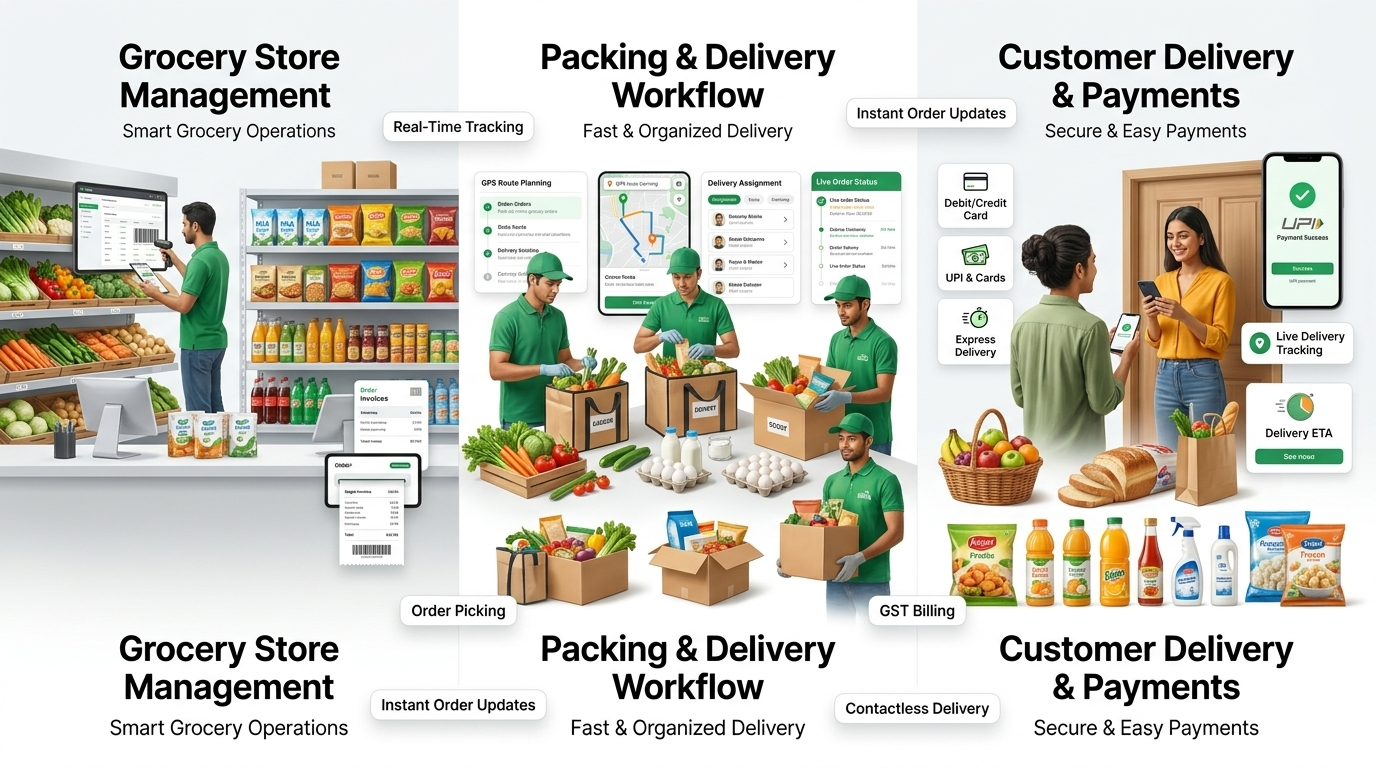
Going live is only the beginning. The day-to-day operational setup of your grocery delivery business determines whether customers return or churn after their first order.
GST and Invoicing
Grocery products in India are taxed at varying GST rates — most fresh produce is zero-rated, while packaged foods attract 5% or 12% GST. Configure your tax settings correctly from the start. Automated GST invoicing reduces accounting work and ensures compliance. Customers expect a proper invoice with their delivery — set this up before your first order.
Checkout Configuration
Enable multiple payment methods — UPI, credit/debit cards, net banking, and cash on delivery for customers who prefer it
Set minimum order values per delivery zone to ensure delivery economics work
Configure delivery charges by zone, order value thresholds for free delivery, and surge pricing for express slots if applicable
Delivery Routing and Execution
Assign orders to delivery partners based on zone, availability, and route efficiency
Use your delivery partner app to push real-time order updates to field staff
Set up customer order tracking so customers can follow their delivery in real time
Define escalation procedures for failed deliveries, damaged goods, or late arrivals
Payment Gateway
Integrate a reliable payment gateway from day one. In India, Razorpay, PayU, and Cashfree are widely used, with strong UPI support. Test every payment method before going live — a failed checkout is one of the most common reasons customers abandon an app permanently.
Analytics and Security
Google Analytics: Connect from day one. Track traffic sources, conversion funnels, cart abandonment rates, and customer acquisition costs. This data guides every future decision
reCAPTCHA: Protect your registration and checkout forms from bots. Fake accounts and fraudulent orders are a real operational problem for grocery apps — configure protection before launch
Market Your Online Grocery Store
A great app with no customers is just software. Marketing your grocery delivery business requires a mix of digital strategies, each serving a different stage of the customer journey — from awareness through to retention.
Search Engine Optimisation (SEO)
SEO is the foundation of long-term, low-cost customer acquisition. Optimise your store for searches like how to start grocery business online, category-level searches (e.g., 'fresh vegetables delivered in [your city]'), and branded searches. Write informative blog content around seasonal produce, recipes using products you stock, and local food culture to build organic search visibility over time.
Paid Advertising
Google Search Ads targeting high-intent queries — 'grocery delivery near me', 'order vegetables online [city]'
Meta Ads (Facebook and Instagram) for visual product promotions and offer announcements — strong ROI for neighborhood grocery delivery
Retargeting ads to re-engage customers who visited but did not complete their first order
Content Marketing
Weekly recipe posts using products available in your store — drives traffic and creates a reason to order
Seasonal content around festivals, health trends, or harvest seasons — aligns with natural purchase motivations
WhatsApp broadcast lists for existing customers — announce new products, weekly offers, and limited-time deals
Retention Marketing
Push notifications for personalised offers based on previous order history
Loyalty programmes or cashback rewards for customers who order every week
Subscription offers for essentials — milk, eggs, bread — with a small discount for committing to a weekly frequency
Order Fulfilment: The Moment That Matters
Every marketing effort, every product description, every design decision leads to one moment: the customer receives their order. How well you handle fulfilment determines whether they order again.
Timely Delivery
Deliver within the time window you promised. If you are offering two-hour delivery, build your operations to consistently hit that target — not as an average, but as a standard. The single biggest driver of negative grocery app reviews is late delivery. Buffer your time slots realistically rather than overpromising.
Real-Time Order Updates
Send automated status updates at each stage of the order — confirmed, packed, out for delivery, delivered. Customers who can track their order are significantly less likely to cancel or contact support. Most modern grocery platforms support this natively.
Proper Packaging
Separate dry goods from fresh produce — temperature and moisture management matters
Fragile items (eggs, glass bottles) require padded packaging or dedicated carriers
Leakage-proof bags for liquids, oils, and dairy
Branded packaging where budget allows — it creates a memorable unboxing experience even for a grocery order
Handling Exceptions
Stock-outs, damaged goods, and wrong items will happen. Define clear protocols for each scenario before they arise — proactive customer communication and a fast refund or replacement process convert a bad experience into a demonstration of service quality.
Scale Your Online Grocery Business
Once your first delivery zone is running profitably and reliably, it is time to scale. Whether you are a kirana owner thinking about how to start online grocery store operations in a second neighbourhood, or a supermarket chain exploring how to manage multi location grocery business setups, the approach is the same: analyse, strategise, implement, and repeat.
Expanding Delivery Areas
Analyse delivery data to identify adjacent zones with high demand and low competition
Add new delivery zones in your platform settings before hiring delivery staff in that area
Test a new zone with a limited SKU list and 2–3 delivery slots before full expansion
Improving Inventory Systems
At scale, manual inventory management becomes impossible. Invest in a robust inventory system that syncs with your online store in real time. If you are operating across multiple warehouses or stores, your platform must support how to manage multi location grocery business inventory — tracking stock levels per location, routing orders to the nearest fulfilling store, and consolidating reporting across all locations.
Multi-Location Scaling
If you are exploring how to start a wholesale grocery store or expanding a supermarket chain to multiple cities, your ecommerce platform needs to support location-level inventory management, zone-based delivery configuration, and centralised reporting. Ensure your platform choice supports this before you outgrow your current setup — migrating platforms at scale is expensive and disruptive.
The Growth Loop
Analyse: Review weekly data on order volume, delivery performance, catalogue sell-through rates, customer acquisition cost, and retention rates
Strategise: Identify your highest-leverage improvement — faster delivery, better catalogue, improved marketing, or new delivery zone
Implement: Execute the change with clear success metrics and a defined evaluation period
Repeat: Scale what works, drop what doesn't, and maintain a continuous improvement cycle
The most successful grocery delivery businesses are not built on technology alone. They are built on operational discipline, customer trust, and the ability to consistently deliver on the promise made at checkout. Start with the fundamentals, get them right in your first zone, and then scale systematically.