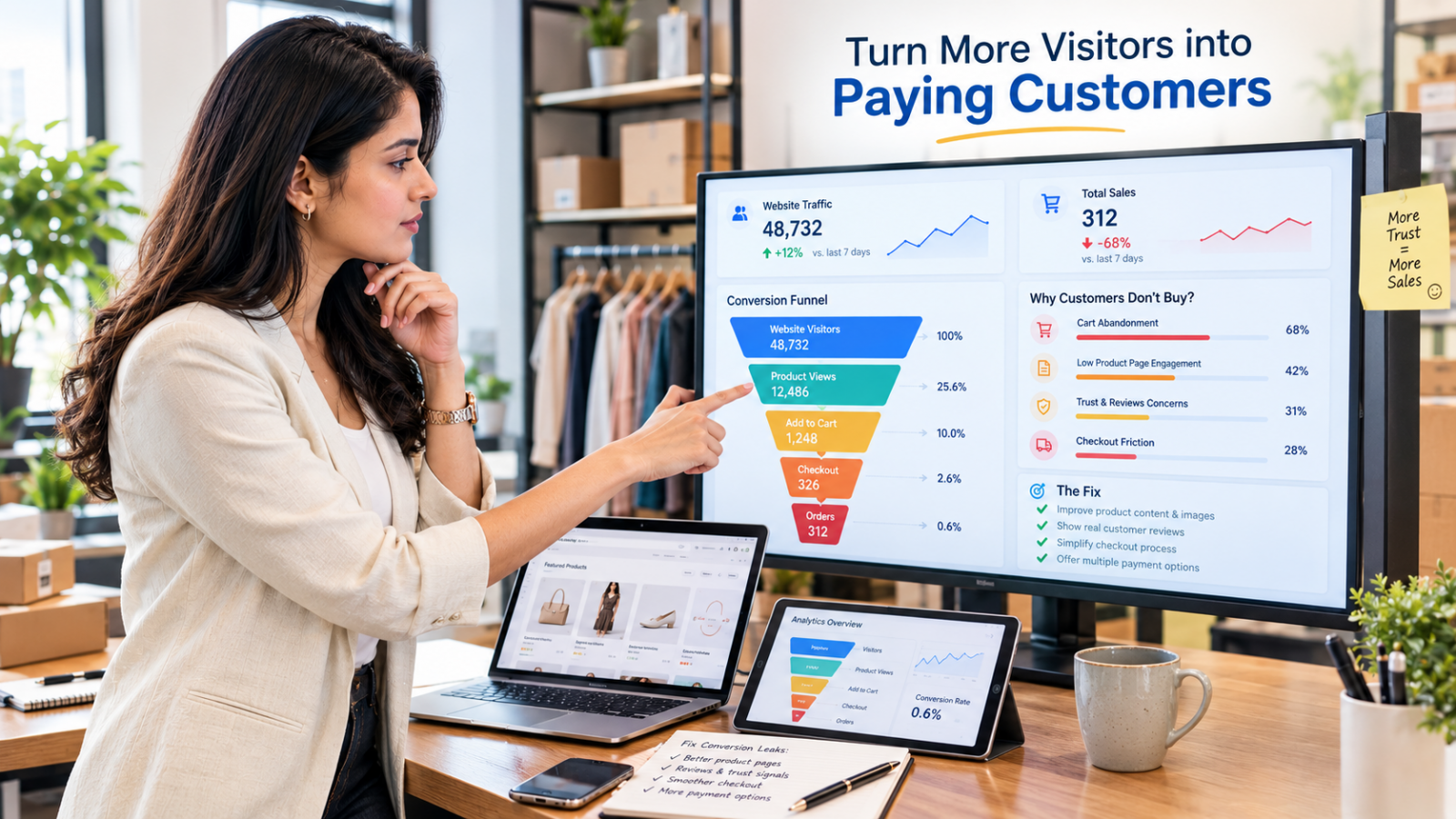
Why Your Ecommerce Store Gets Traffic but No Sales (And How to Increase Ecommerce Sales)
Visitors are not customers. Not yet, anyway.
You can have a thousand people on your store today and still end the night with zero orders. That gap between "people showed up" and "people paid" is where most online businesses quietly lose money. The good news? It is almost always fixable, and usually without spending another dollar on ads.
Why does an ecommerce store get traffic but no sales?
An ecommerce store gets traffic but no sales when the wrong visitors arrive, or when the right visitors hit friction before they buy. The most common causes are low buying intent, pages that don't match the ad or search promise, weak product pages, missing trust signals, slow mobile pages, and checkout surprises like extra costs. To increase ecommerce sales, find the exact step where visitors drop off, fix that step first, and only then add more traffic.
Key Takeaways
- Traffic without sales is usually a conversion problem, not a traffic problem.
- Your analytics already show where buyers leave. Start there, not with guesses.
- Trust, clarity and total cost matter more to shoppers than clever design.
- Page speed and mobile checkout decide more sales than most store owners expect.
- Fixing one leak in your funnel often beats doubling your ad budget.
Is It Really a Traffic Problem, or a Conversion Problem?
If people are visiting but not buying, you have a conversion problem, and more traffic will only make it more expensive.
When sales are low, the instinct is to push harder on ads and SEO. But if 1,000 visitors produce zero orders, 5,000 visitors will most likely produce zero orders too.
Online shopping itself is not the issue. According to the U.S. Census Bureau, U.S. retail ecommerce sales reached $340.2 billion in the second quarter of 2026, which is 17.1 percent of all retail sales and 12.2 percent higher than a year earlier. People are buying online more than ever. The question is why they are not buying from you.
Most stores convert somewhere between 1 and 3 visitors out of every 100. A $15 accessory will convert very differently from a $2,000 sofa. So don't panic if you are not at 5 percent. Do worry if you are far below 1 percent for a long stretch, because that is a clear signal that something in the buying journey is broken.
Where Exactly Are Your Visitors Dropping Off?
Your analytics tell you which step is failing, so check the numbers before you change anything on the site.
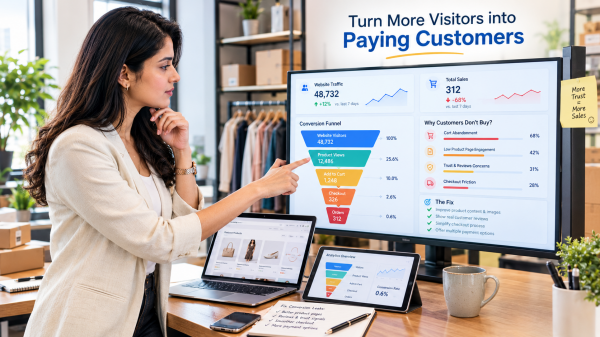
Open your ecommerce analytics or Google Analytics and look at the full path: landing page, product page, add to cart, checkout, order placed. Every drop between two steps points to a different problem. Use this table as a quick guide.
What you see in your data | What it usually means | Where to look first |
|---|---|---|
High bounce rate on landing pages | Wrong visitors, or the page doesn't match what they expected | Ad targeting, keyword intent, headline and first screen |
Good time on page but few add-to-carts | Visitors are interested but not convinced | Product photos, description, price clarity, reviews |
Many add-to-carts but few checkouts started | Something in the cart creates doubt | Shipping cost, delivery time, return policy |
Checkouts started but not completed | Checkout friction | Forced sign-up, long forms, missing payment options |
Mobile converts far worse than desktop | Mobile experience is hurting sales | Page speed, button size, mobile checkout flow |
One traffic source converts, another doesn't | Traffic quality issue | Campaign settings, audience, landing page per source |
Spend 30 minutes here before you touch your design. It saves weeks of fixing the wrong thing.
7 Reasons Your Store Gets Traffic but No Sales
Here are the most common causes, in the order a shopper meets them, each with a fix you can start this week.
1. You Are Attracting Browsers, Not Buyers
Not all traffic is equal. Some visitors are ready to buy, and many are just looking.
A person searching "buy linen shirt men" is close to a purchase. A person searching "summer outfit ideas" is just looking for inspiration. Both count as traffic. Only one is likely to order. The same goes for social media: a viral reel can bring thousands of visitors who liked the video but never planned to shop.
Broad ad targeting, trending keywords and giveaway campaigns often inflate your numbers without bringing real purchase intent.
How to fix it:
- Target long-tail, product-specific keywords that include words like "buy", "price", "best" or a specific product type.
- Narrow ad audiences by interest, location and past behaviour rather than going as wide as possible.
- Compare conversion rate by traffic source and move budget to the channels that actually produce orders.
- Use retargeting to bring back people who already viewed a product. They are warmer than any cold audience.
2. Your Page Doesn't Match the Promise That Brought Them
When the landing page doesn't deliver what the ad or search result promised, visitors leave within seconds.
Click an ad for "20% off leather wallets", land on a homepage with no wallets, and you leave. So do your visitors. This ad-to-page mismatch is one of the fastest ways to burn ad spend.
How to fix it:
- Send every ad to the most specific page possible, such as the exact product or a filtered collection.
- Repeat the ad's headline, offer and image on the landing page so visitors know they are in the right place.
- Build dedicated landing pages for your top campaigns and top search terms.
3. Visitors Can't Tell Why They Should Buy From You
If a shopper can't understand what you sell and why it is better within about five seconds, they will compare you with someone else.
Most shoppers have tabs open for three or four stores at once. Your first screen needs to answer three questions very fast: What is this? Who is it for? Why should I pick this store? A beautiful banner with a vague line like "Style Redefined" answers none of them.
How to fix it:
- Write a clear headline that names the product and the main benefit, for example "Handwoven Silk Sarees, Shipped Worldwide in 5 Days".
- Add a short line under it that gives your edge: quality, price, delivery speed, customisation or expertise.
- Keep the main call to action visible on the first screen on both mobile and desktop.
4. Your Product Pages Leave Questions Unanswered
A product page has to do the job of a good salesperson, and every unanswered question is a reason not to buy.
In a shop, a customer can touch the product and ask questions. Online, your page has to do that job. Thin descriptions copied from the supplier, two blurry photos and no size details leave shoppers guessing.
Strong product page optimization is one of the fastest ways to lift your ecommerce conversion rate.
How to fix it:
- Show at least five to seven sharp images, including close-ups, the product in use, and a size or scale reference. Add a short video where it helps.
- Lead the description with benefits ("keeps drinks cold for 24 hours"), then list the specs.
- Answer common questions right on the page: size, material, care, delivery time, returns.
- Show the stock status and delivery estimate near the Add to Cart button.
5. Trust Isn't Visible Where Decisions Happen
Buying online is a risk for the shopper, and missing trust signals make that risk feel too big.
A first-time visitor doesn't know you. They are wondering: Is this store real? Will the product look like the photos? What if I need to return it? If your store doesn't answer these doubts, people leave to buy from a brand they already know, even at a higher price.
Reviews are the strongest trust signal you have. But they have to be real. The Federal Trade Commission finalised a rule in 2024 that bans fake reviews and testimonials, including AI-generated fake reviews, and lets it seek civil penalties against knowing violators.
How to fix it:
- Show genuine customer reviews, ratings and customer photos near the product price and the Add to Cart button.
- Ask every customer for a review after delivery. A small thank-you coupon for leaving honest feedback works well.
- Make your return, refund and shipping policies easy to find and easy to read.
- Display real contact details: email, phone number, and a live chat or WhatsApp option.
6. Your Store Is Slow or Hard to Use on Mobile
A slow page or a clumsy mobile layout loses buyers before they ever see your product.
Most shopping sessions now start on a phone. If your pages take ages to load, buttons are too small to tap, or pop-ups cover the screen, visitors give up.
Google's Core Web Vitals give you clear targets. The main content should load within 2.5 seconds, the page should respond to a tap within 200 milliseconds, and the layout should stay stable with a layout shift score of 0.1 or less. These are also signals Google uses when judging page experience, so good speed helps your rankings and your online sales at the same time.
How to fix it:
- Compress images and use modern formats. Oversized images are the most common cause of slow stores.
- Test your top pages on a real phone, not just a desktop browser preview.
- Avoid pop-ups that fire the moment the page loads, especially on mobile. Delay them or use a small slide-in bar.
- Make buttons big enough for a thumb and keep the checkout button fixed and easy to reach.
7. Checkout Is Full of Surprises
Unexpected costs, forced sign-ups and missing payment options are the top reasons shoppers abandon a full cart.
This is the most painful place to lose a sale, because the customer had already decided to buy. High cart abandonment usually comes down to a few familiar problems:
- Hidden costs: Shipping, taxes or handling fees appear only at the last step.
- Forced account creation: The shopper just wants to pay, not create a password.
- Long forms: Asking for the same details twice, or for information you don't need.
- Missing payment methods: No wallet, no local payment option, no pay-later or cash on delivery where buyers expect it.
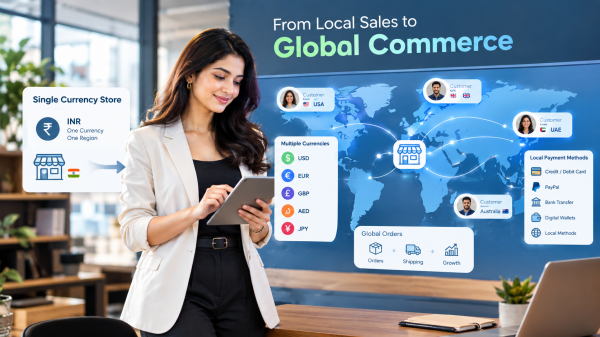
- Wrong currency: International visitors see prices in a currency they don't use and can't judge the real cost.
How to fix it:
- Show shipping costs or a free-shipping threshold on the product and cart pages, not just at checkout.
- Offer guest checkout and make account creation optional after the order.
- Cut the checkout form to the fields you truly need and enable address auto-fill.
- Offer the payment methods your buyers use: cards, digital wallets, PayPal, bank transfer, local options, and cash on delivery in regions where it is common.
- Show prices in the visitor's local currency if you sell across borders.
- Send friendly abandoned cart reminders by email, SMS or WhatsApp within a few hours.
How to Increase Ecommerce Sales Without Buying More Traffic?
The fastest way to increase ecommerce sales is to fix your biggest drop-off point first, then test one change at a time.
Fixing everything at once hides what worked. Use this simple two-week plan instead.
Days 1 to 3: Diagnose
- Pull your funnel numbers for the last 30 days: sessions, product views, add-to-carts, checkouts, orders.
- Split them by device (mobile vs desktop) and by traffic source.
- Pick the single biggest drop-off. That is your first project.
Days 4 to 7: Fix the Biggest Leak
- If the leak is at the landing page, fix message match and targeting.
- If it is at the product page, improve images, copy, reviews and delivery info on your top 10 products first.
- If it is at the cart or checkout, remove surprise costs, add guest checkout and add missing payment options.
Days 8 to 14: Measure and Recover
- Compare the conversion rate for the fixed step against the previous period.
- Switch on abandoned cart recovery if it isn't running yet.
- Pick the next biggest leak and repeat.
A few quick wins also lift sales for almost every store:
- Free-shipping threshold: "Free shipping on orders over $50" nudges people to add one more item and raises average order value.
- Bundles and cross-sells: Offer items that naturally go together, like a phone case with a screen protector.
- Real urgency: Show genuine low-stock messages or real sale end dates. Never fake a countdown timer.
Skip button-colour tests. Test what changes a buyer's mind: headline, proof, offer and delivery promise.
Why Aren't Wholesale and B2B Buyers Placing Orders Online?
B2B buyers leave when they can't see their own prices, order in bulk quickly, or buy on the terms they are used to.
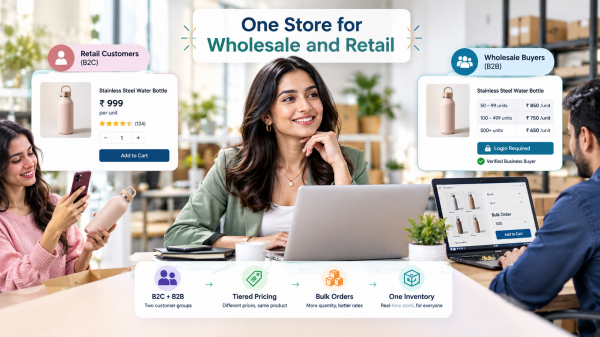
Most advice about website traffic not converting is written for retail shoppers. But if you sell to retailers, distributors or business customers, the reasons can be different. A trade buyer who visits your store and sees only retail prices, a single-unit Add to Cart button and card-only payment will pick up the phone or go to a competitor.
How to fix it:
- Show group-specific or customer-specific pricing after login, so each buyer sees the price they negotiated.
- Set minimum order quantities and bulk quantity discounts clearly on the product page.
- Add a quick-order or reorder option so regular buyers can place repeat orders in seconds.
- Offer payment terms that match how business buyers pay, such as bank transfer or credit for approved accounts.
- Give key accounts a named sales rep or account manager they can contact from the store.
Is Getting Traffic but No Sales Ever Normal?
Yes, for a short time. A brand-new store, a new traffic channel or a high-priced product can take a while to convert.
If your store launched last month, many visitors are seeing your brand for the first time. Many browse, leave and return later. High-ticket items like furniture or jewellery also have longer buying cycles.
What's not normal is months of steady traffic with almost no orders, or a sudden drop in sales while traffic stays flat. The second case often points to a technical issue: a broken checkout, a failed payment gateway, a product that went out of stock, or a page that stopped loading on certain phones. Place a test order on mobile and desktop after every major site change to catch these early.
How Shopaccino Helps Turn Store Visitors Into Orders
Shopaccino gives growing brands the built-in tools to fix the most common conversion leaks without stitching together dozens of apps.
Shopaccino is an ecommerce platform used by manufacturers, exporters, distributors and D2C brands that sell online, offline or both, in their home market and across borders. Many of the fixes in this guide are features you can switch on rather than projects you have to build from scratch:
- Flexible payments: Accept cards, wallets, bank transfer and cash on delivery, plus international gateways like PayPal and Stripe.
- Multi-currency checkout: Show prices in each visitor's local currency so international buyers know exactly what they will pay.
- Abandoned cart tools: See every abandoned cart and follow up with customers to recover the sale.
- Product reviews: Collect genuine customer reviews and reward reviewers with personalised coupons.
- WhatsApp chat and notifications: Answer questions in real time and send order updates by email, SMS or WhatsApp.
- Speed-focused themes: Themes built with Google PageSpeed in mind, plus SEO basics like schema, meta tags and sitemaps.
- B2B selling: Customer groups, B2B pricing, minimum order quantities, sales reps and selective credit for trade buyers.
The Bottom Line
Traffic is only the start of the story. If your ecommerce store gets traffic but no sales, don't rush to buy more visitors. Look at your data, find the step where people leave, and fix that one thing. Then do it again.
Most stores don't need a redesign. They need clearer pages, visible trust, faster mobile pages and a checkout with no surprises. That is how you increase ecommerce sales in a way that lasts.
FAQs
Start by finding your biggest drop-off point in your analytics, then fix it first. The quickest wins are usually showing shipping costs early, adding guest checkout, adding missing payment methods, putting real reviews near the Add to Cart button, and switching on abandoned cart reminders.
Usually because the visitors have low buying intent, or because something on the site stops them from buying. Common blockers are unclear product pages, missing trust signals, slow mobile pages, and extra costs that appear only at checkout.
Most online stores convert between 1 and 3 percent of visitors. The right number for you depends on your industry, product price and traffic source.
Improve conversions first. If your current visitors are not buying, more traffic will only increase your costs. Once your store converts well, scaling traffic makes far more sense.
The most common reasons are unexpected shipping or tax costs, being forced to create an account, a long checkout form, a missing payment option, or doubts about returns and delivery time. Fixing these and sending a timely abandoned cart reminder can recover a good share of those sales.
Yes. Slow pages make visitors leave before they see your product, especially on mobile. Google recommends that the main content of a page loads within 2.5 seconds. A faster store improves both your search visibility and your chances of turning visitors into buyers.